DMP 128 Plus • Dante Controller 109
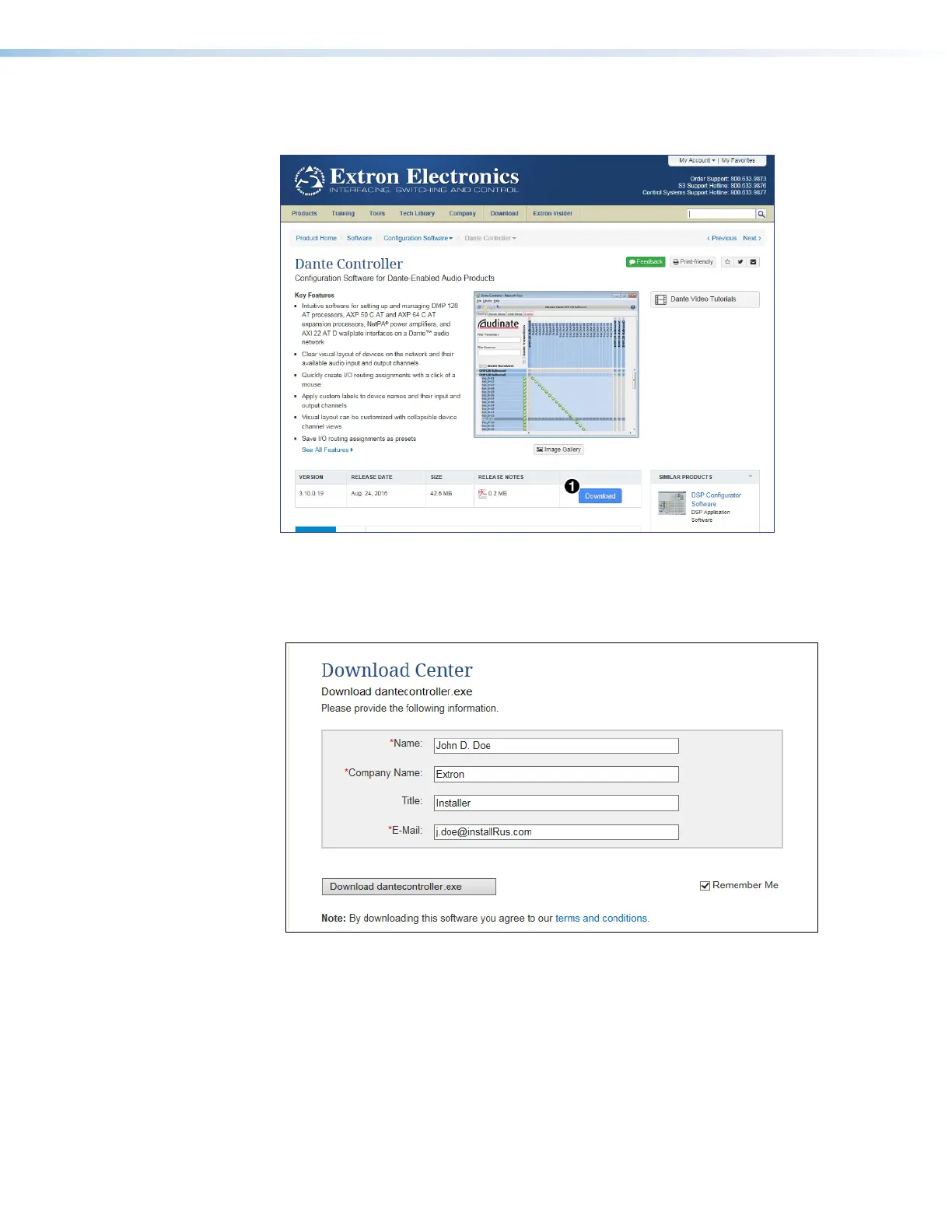
3. On the Dante Controller page, click Download (see figure 174,
1
below). The
Download Center page opens.
Figure 174. Dante Controller Page
4. On the Download Center page, click the Download button and follow the prompts to
download or run the Dante Controller installer file. If you choose to save the file for later
installation, note the location.
Figure 175. Download Center, Dante Controller File
5. If you choose to run the file, follow all prompts. If you saved the file, click the saved file
to begin installation when ready.
The installed Dante Controller program files are saved in:
C:\Program Files (x86)\Audinate\Dante Controller\DanteController.exe.
figure 174 Dante Controller Page
figure 175 Download Center



 To Next Page