DTP CrossPoint 84 Series Matrix Switchers • Matrix Software 83
Processor blocks — Each processor block control represents a menu of one or more
possible processes (such as filters) that can be inserted into the audio stream. For blocks
that provide more than one processor, only one processor can be selected. Each block can
be inserted by a double-click or right-click >Insert and selecting the desired processor
(see figure43 on page82). Once a block is inserted, the selected processor is displayed
in the block and the block itself changes color.
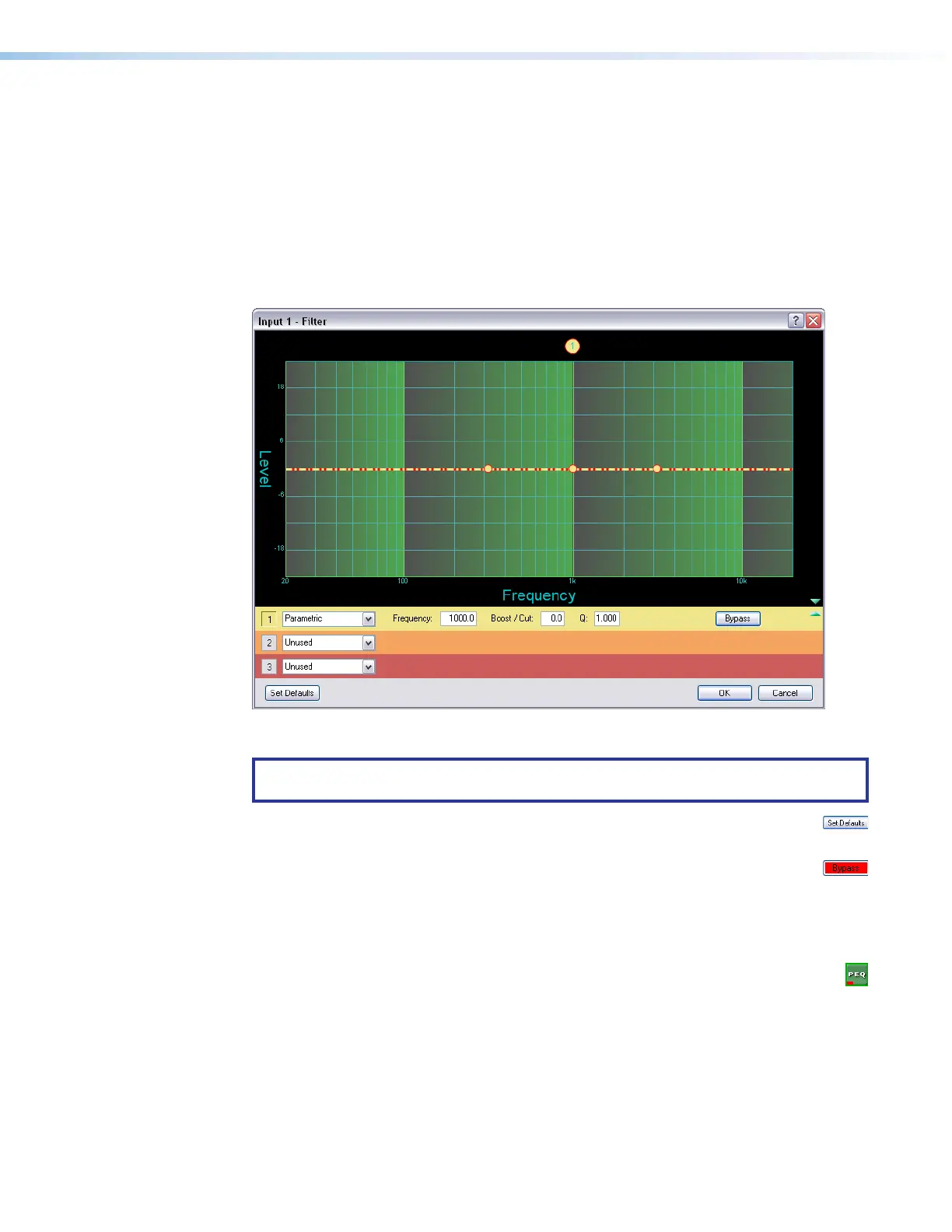
Each processor has a set of associated parameters that define that processor (such as
a frequency curve). Those parameters can be accessed and changed by double-clicking
again on the now inserted process block. This action opens a customizable dialog box, a
new window that contains parameters for the process (see figure44).
Figure 44. Sample Processor Dialog Box
NOTE: Figure 44 is a sample of one type of dialog box. The contents and appearance
of each processor are unique to that processor.
• The Set Defaults button discards all custom settings and reload the factory
defaults.
• The Bypass button temporarily suspends the processor without removing the
processor block.
By default, each processor block is automatically bypassed when inserted (the Bypass button
in the processor dialog box is selected), although this can be changed for each processor
block type (see DSP Configurator Tools menu on page112 and the specific tabs
for the processor types). When a processor is bypassed, a red indicator in the block
turns on.
The block can be removed from the audio stream by selecting it and depressing the
keyboard <Delete> key or by right-clicking and selecting Delete.
40



 To Next Page