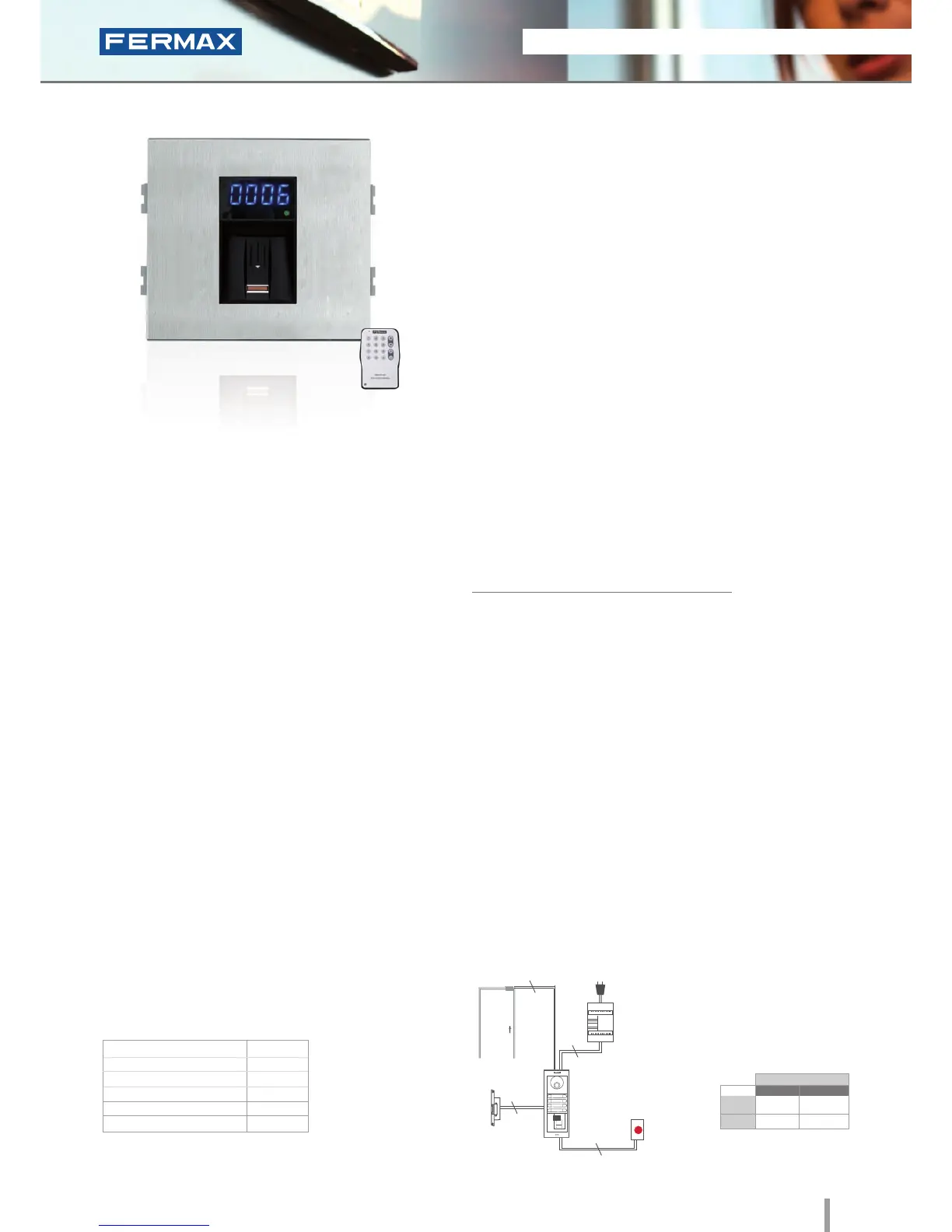
W Skyline Fingerprint
Ref.6989
Fingerprint
• Biometric access fingerprint reader with capacitive sensor.
Identifies the user by way of their fingerprint (a unique,
unrepeatable characteristic). With built-in proximity reader
which functions as follows:
- Some people have fingerprints without the necessary
information for authorization in a biometric system. This applies
to 1% of the population. In these cases, use integrated
Proximity.
- Security mode: activates dual security, (Fingerprint+Card) for
the same User.
• Access control module, to be integrated within Skyline
audio/video door-entry system panels.
• Recommended for interior and exterior use.
• Reader and controller integrated within the same module.
• Can operate as an stand-alone or centralised system
(dipswitch configurable).
Configuration as a STAND-ALONE system:
• Capacity (no. users):
- 4.500 users in 1 fingerprint per person mode.
- 2.970 users in 2 fingerprints per person mode.
• Acoustic and visual confirmation using status and
display LEDs which indicate if a fingerprint has been
accepted or rejected.
• To ensure the ngerprint is read correctly, slide your nger along
the reader with a downwards movement (from top to bottom),
at a uniform speed and exerting slight pressure.
• Includes a software CD and infrared remote keypad.
PROGRAMMING
TECHNICAL FEATURES
INSTALLATION
The electronic or video door-entry system panels are located in
the building's exterior. The panel can be configured in an intuitive
manner, including a fingerprint reader module for greater ease of
use and access security. The rest of the devices are connected to
this module and they are installed in the building's interior: power
supply and lock-release. An exit button can be used optionally.
Programming can be done manually or by PC. The system
is programmed with a master print (Administrator) and a
remote infrared keypad. The PC programming software
can be downloaded from www.fermax.com. The «Clone»
option is available: it is used to copy all data entered in
one reader into another.
• Relay lock-release activation Programmable from
01 to 99 seconds.
• Acoustic and visual status data.
• Reader with 2 status LEDs and a 7 segment 4 digit
display (helps with programming and status data).
• Manual programming using the infrared remote
control included or via PC software (card activation/
deactivation of fingerprints).
• Special Functions: free ngerprint button (trades) and
unblock fingerprint (lock-release always activated).
• Door sensor and exit button control.
• Auxiliary Relay for other Functions. Door alarm and
forced door, panic alarm or intruder alarm (incorrect
fingerprint).
• Allows keypad connection for Security Mode
operation: in this case, the dual security would be
Fingerprint+Code, for the same User.
Lock-Releases
Exit Button
Power Supply
Ref.6989
230Vac
2
2
2
2
024
Dimensions: (horizontal)x(vertical)x(depth) mm
SPECIFICATIONS
• Dimensions:
• Environmental Protection (IP)
• Anti-Shock Protection (IK)
• Power Supply (V)
• Consumption (mA) s/lock-release
• Operating Temperature
105.2x95
43
07
12V (ac/dc)
118/173
-10º to 55ºC
Cityline Fingerprint
Built-in Proximity reader
STAND-ALONE
12Vdc
12Vac
30708
3071
2888
2880
* Door lock recommended.
Normal
References
Reinforced







 To Next Page