FIMER_PVS-175-TL A.1 Version_Product manual_EN_RevC-
F
106
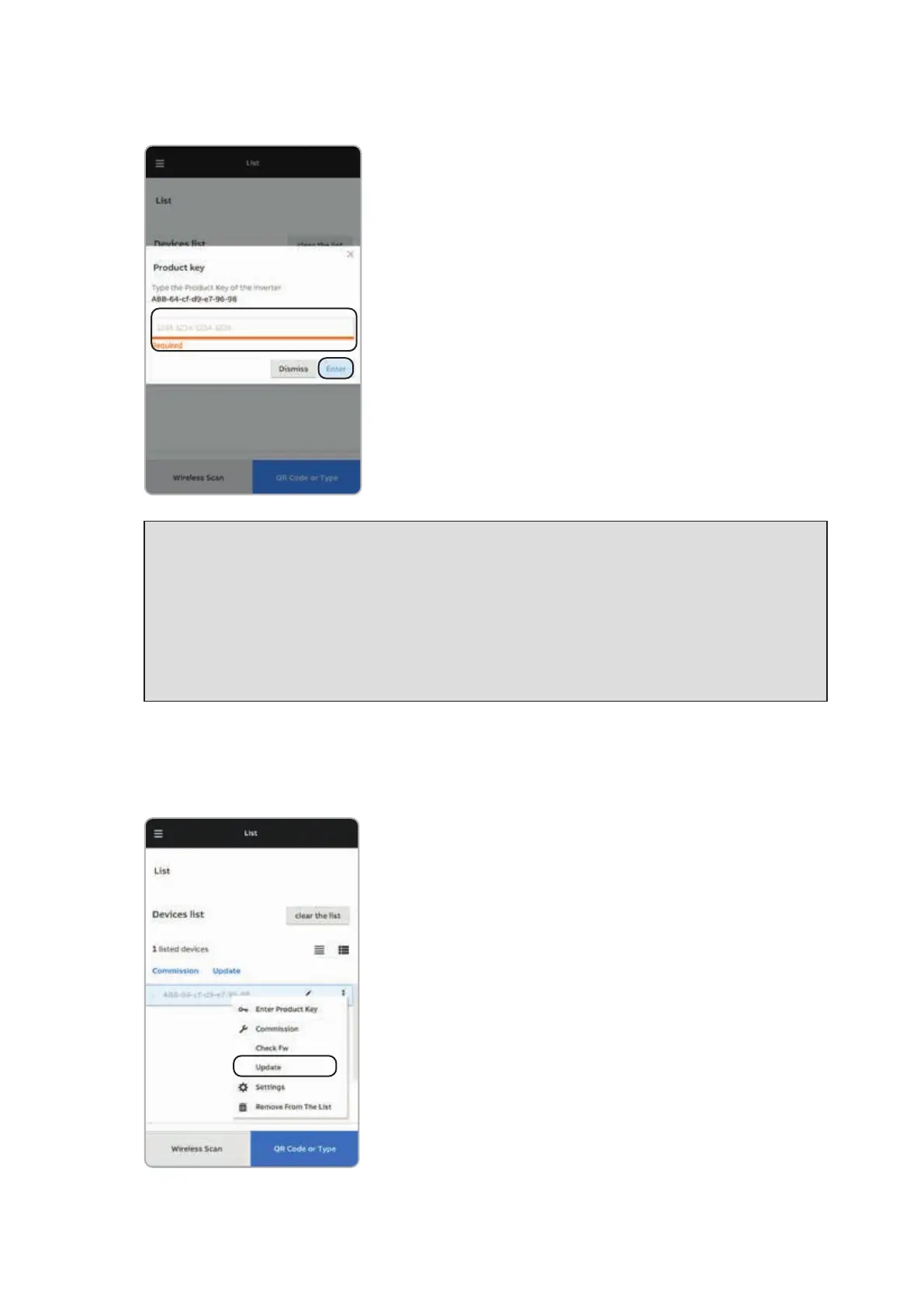
• Enter the “Product Key” and tap “Enter” to confirm.
NOTE – D Both QR code and Product key are provided on the Communication identification
label applied onto each inverter or applied on the plant documentation (if this has been done
during installation).
NOTE – D It’s required to digit also the dash “-” characters of the Product Key in the password
field.
NOTE – D It’s recommend to create a plant map and apply the Communication Identification
label (the Communication Identification label is divided in two separate parts by a dashed
line) of each inverters in the right position of that map.
•
Update firmware (if necessary). Tap on “Firmware update” for aligning the firmware of all the inverters
in the list to the last version (internet connection is needed).



 To Next Page