FIMER_PVS-175-TL A.1 Version_Product manual_EN_RevC-
F
111
•
Open an internet browser (recommended browser: Chrome versions from v.55, Firefox versions
from v.50) and enter the pre-set IP address 192.168.117.1 to access the Web User Interface.
Web User interface has easy wizard procedure to commission the inverter.
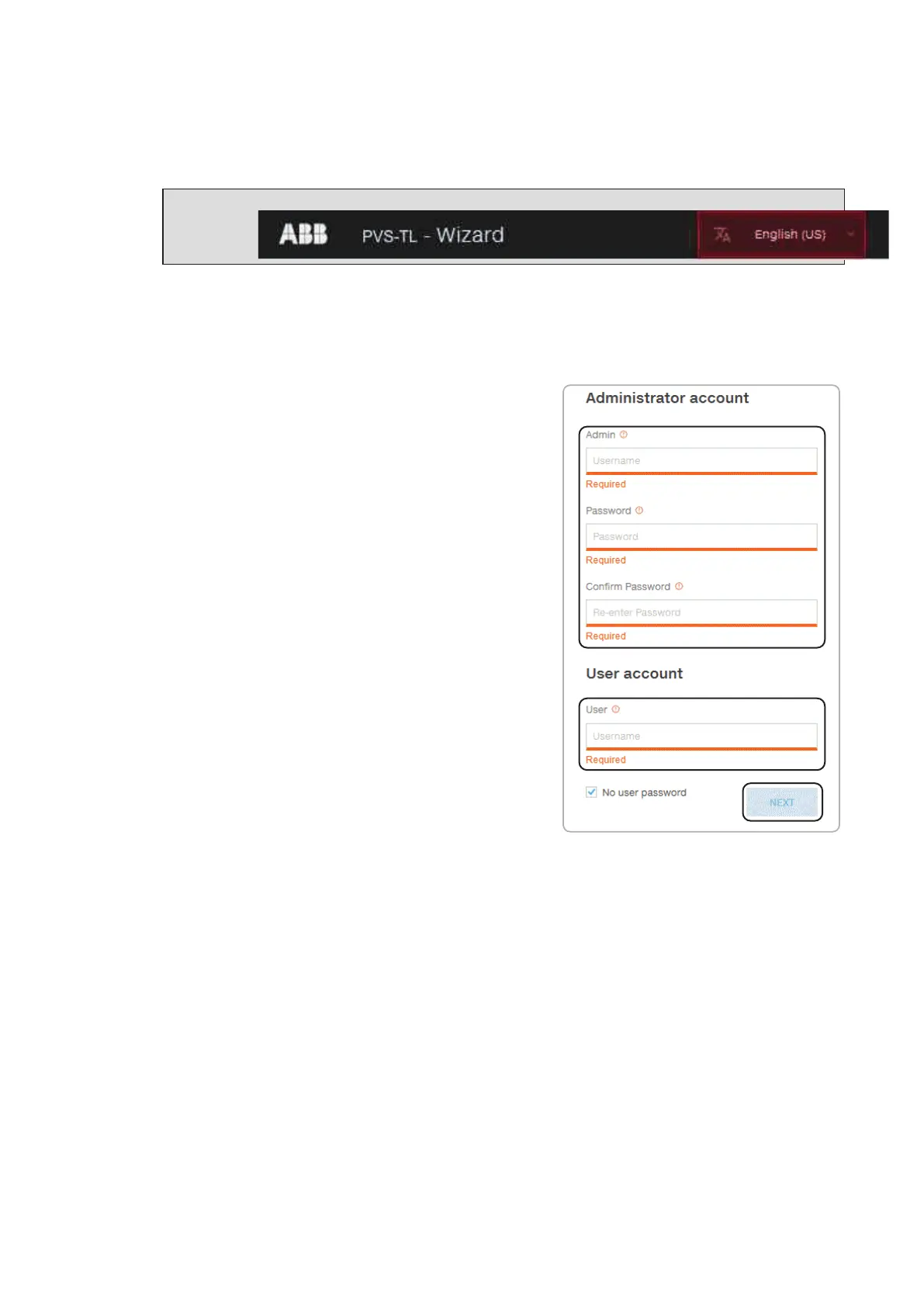
NOTE – D The language of the wizard could be changed by clicking on the upper status bar
STEP 1 - Administrator/User login credentials
•
Set the Administrator account user and password
(minimum 8 character for password):
Administrator account can open and view the contents
of photovoltaic site. Additionally, they can change
inverter settings.
User and password are CASE SENSITIVE.
•
Set the User account user and (optional) password
(minimum 8 character for password):
User account can only read data. It cannot make any
changes. User and password are CASE SENSITIVE.
• Click on “NEXT” to go to next step.



 To Next Page