FIMER_PVS-175-TL A.1 Version_Product manual_EN_RevC-
F
112
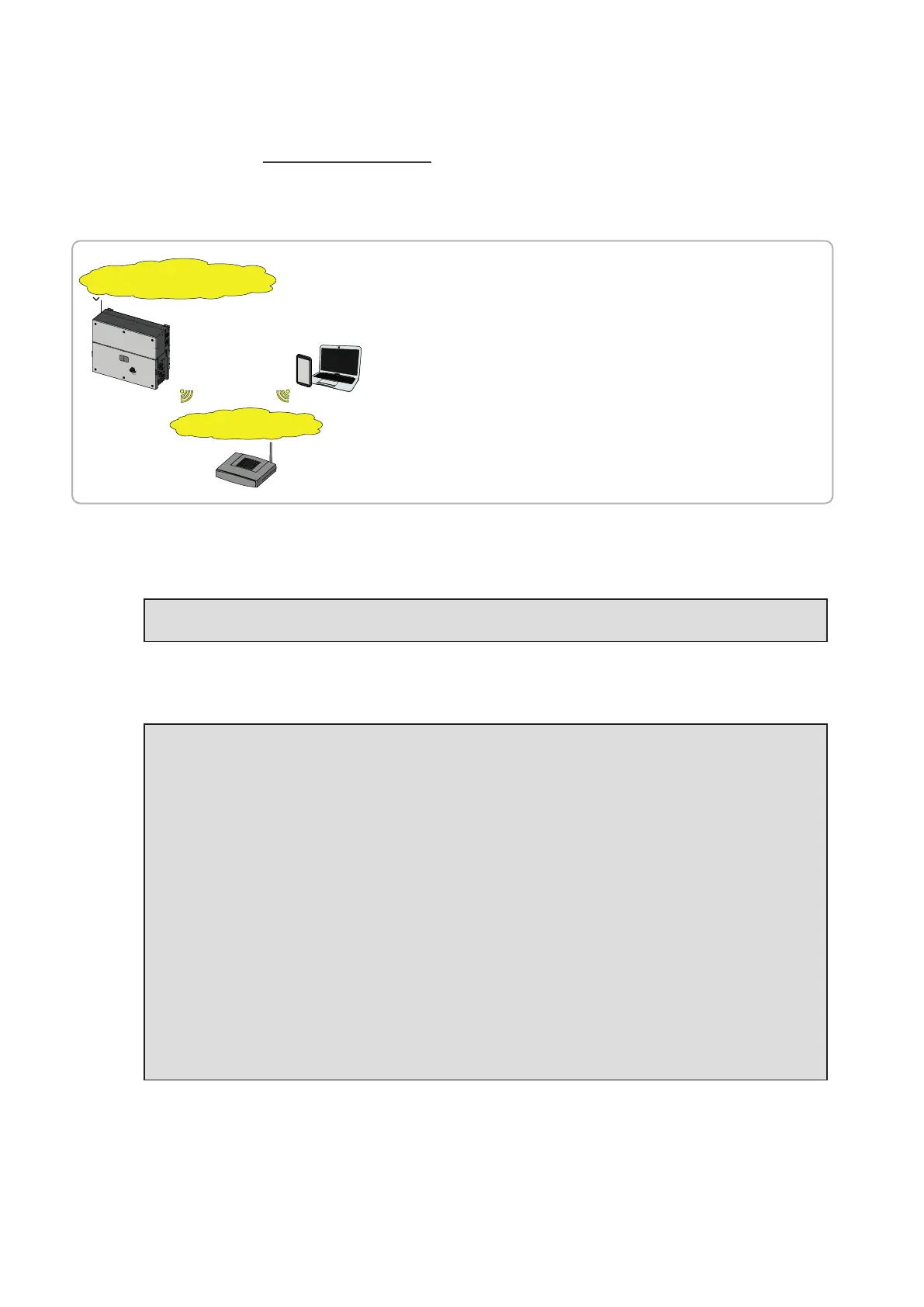
STEP 2 (Optional) - Wireless network connection.
As described on “Ethernet connection” paragraph the recommended way to get all the installed
inverters communicating to the internet and Aurora Vision Cloud is creating a wired Ethernet daisy
chain bus. Anyway, in case of a few inverters installation in suitable environment, it is also possible
to connect each inverter of the plant to a Wi-Fi router without using any cable.
Aurora Vision Plant Viewer™
Aurora Vision Plant Viewer for Mobile™
Aurora Vision Plant Portfolio Manager™
Customer SSID
IP given by router
DHCP server
IP given by router
DHCP server
Direct Access
SSID: ABB-XX-XX-XX-XX-XX-XX
(XX-XX-XX-XX-XX-XX= Inverter MAC address)
PVS-120.0
- The AP is still available and the user can
connect to the inverter.
- In this scenario the Router gives IPs
according to its own rules.
- Inverter is reachable by IP.
- Domain name can be used only if the Router
permits multicast
During the installation wizard, the installer will be asked to connect the inverter to a Wi-Fi router. By
selecting connection to Wi-Fi router the inverter will turn on a second Wi-Fi radio channel in order to
enable connection to the Wi-Fi router.
NOTE – D By selecting “Skip this step” button the second radio channel will be kept off and
you will need to use a wired Ethernet daisy chain bus to allow the inverters to communicate.
Two Wi-Fi radio channels enables simultaneous wireless connection; one static IP address connection
between inverter and installer devices and one between inverter and switch/router.
NOTE – D Whatever option is used to connect the inverter to the switch/router (Ethernet
cable or Wi-Fi) it will be always possible to access to the Web User Interface by connecting
its own device (Smartphone, tablet or laptop) to the same switch/router, and reaching the
inverter by using the assigned IP address or inverter’s host name.
NOTE – D The IP address assigned to the inverter may vary or may be unknown. Please
contact the IT administrator for getting the assigned IP address.
NOTE – D Differently from the assigned IP address, the «Host Name» of the inverter is does
not change over time.
NOTE – D In order to use the «Host Name» as an alternative to the assigned IP address, for
accessing to the inverters Web User Interface from the router, the Domain Name System
(DNS) service shall be available and activated.
NOTE – D The Host Name associated to each FIMER inverter is structured as indicated
below:
FIMER-logger ID.LOCAL
where logger ID stands for the MAC address indicated on the “Communication identification
lable” applied on the inverter.



 To Next Page