FIMER_PVS-175-TL A.1 Version_Product manual_EN_RevC-
F
82
AC line connection
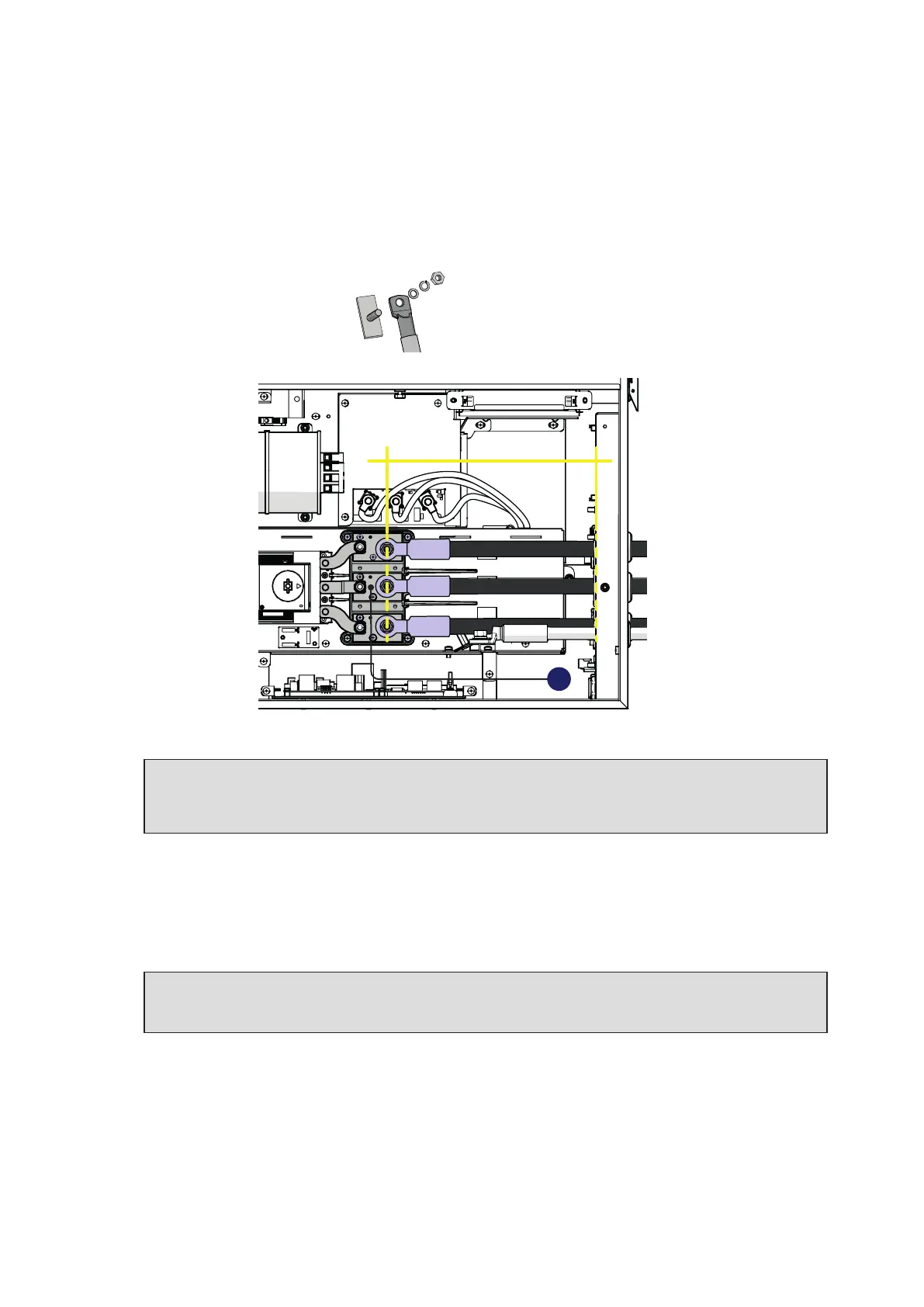
• Pass the AC cables through the cable glands (11) on the AC panel. The lenght of phase cables on
the internal side of wiring box need to be about 300 mm (cable lug included).
•
Fix the R, S and T cable lugs to the AC connection busbars (27), paying attention to the
correspondence of the phases with the labels, using the washers and the M10 nuts pre-installed on
the busbar as shown in the following diagram:
1 = cable lug
2 = flat washer
3 = spring washer
4 = M10 nut
1
2
3
RST
R
300mm
S
T
27
ATTENTION – A In case of a wrong phase sequence the inverter will not connect to the grid
and it will provide an error state.
ATTENTION – A The cable lugs must be installed with a tightening torque of 25Nm.
• Re-install the AC protective shield (23) by using the M5 screw and the M5 nut previously removed
with a tightening torque of 3 Nm.
• Check the tightness of the AC cable glands (11) (5 Nm for single core AC cable gland M40 / 18 Nm
for multi core AC cable gland M63) and, if used, protective earth cable gland (12) (5 Nm for PE cable
gland M32) at the end of the installation.
ATTENTION – A In case of the AC cable glands (11) was accidentally removed during the
cable routing phase, it will needed to assure the correct tightness of the lock nut of the cable
gland to the inverter chassis with a tightening torque of 8.0 Nm (for each cable gland).



 To Next Page