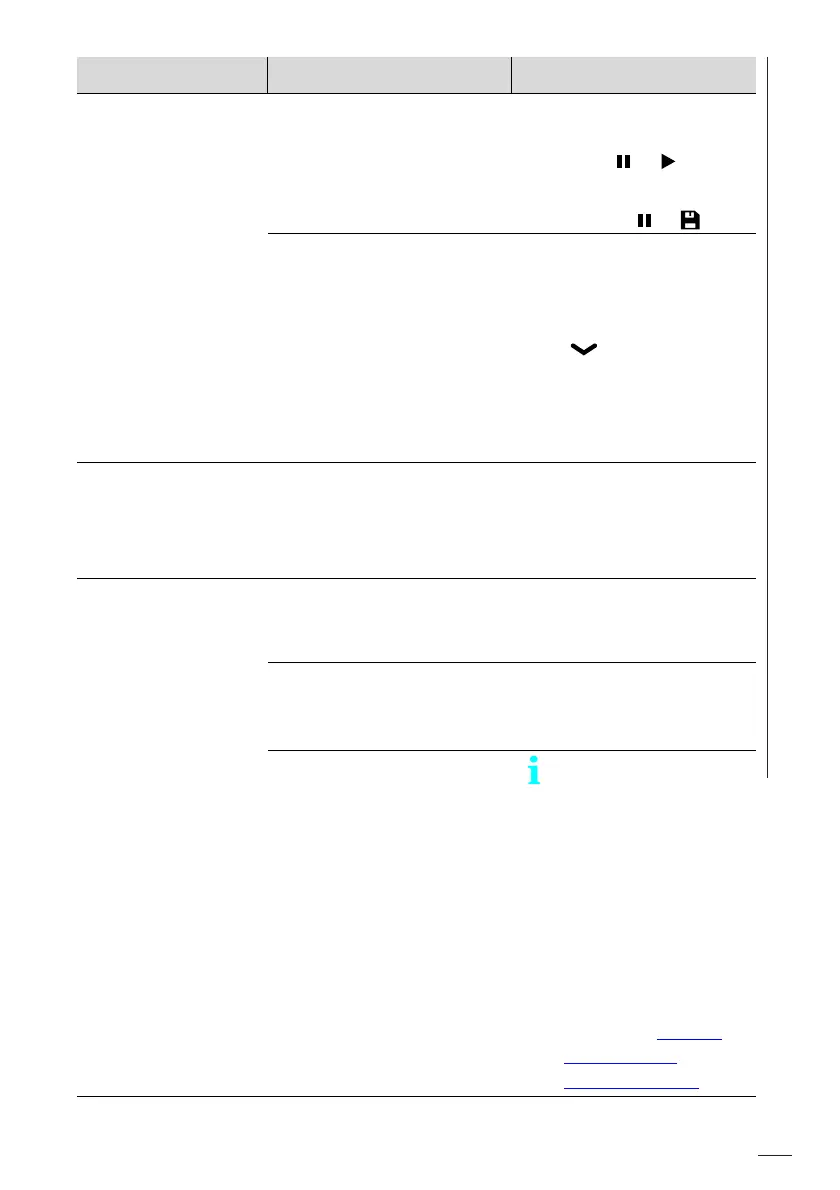
Malfunctions – What should you do?
83
MMS
®
Inspection DPM High
Climatic values not
saved
The Log function was not
started.
► Start the Log function
from Measurement
view: >
Alternative, manual
storing: >
The time interval for the
automatic logging (log
function) is set to "0".
► Specify a time interval
after which the values
are to be saved in
each case: Main menu
() > Batch Modify >
OK > Auto Logging >
OK > Interval [min] >
OK > set interval time >
OK
Data transmission
aborts
A driver error may be the
cause.
► Switch the gage off
and on again.
► Reconnect the gage to
the PC.
Data transmission
via USB not possible
The wrong COM port was
set.
► Set the used COM
port. To find the used
COM port see page 38.
Too low battery voltage,
the batteries are almost
empty.
► Replace the batteries,
see page 76.
Data transmission from
the gage with gage firm-
ware version 2.0.0 to
Fischer DataCenter is
no t possible.
Data transmission to
Fischer DataCenter
not or only possible
with a limited extent
for gages with firm-
ware 2.0.0.
► Update your gage to
firmware 2.0.1
► Update Fischer Data-
Center to version 2.6,
download: https://
docs.helmut-
fischer.com/st9
Malfunction Possible causes Remedy













 To Next Page