140 PF7/PF7+ Peristaltic Filler with QC14 Pumphead User Manual
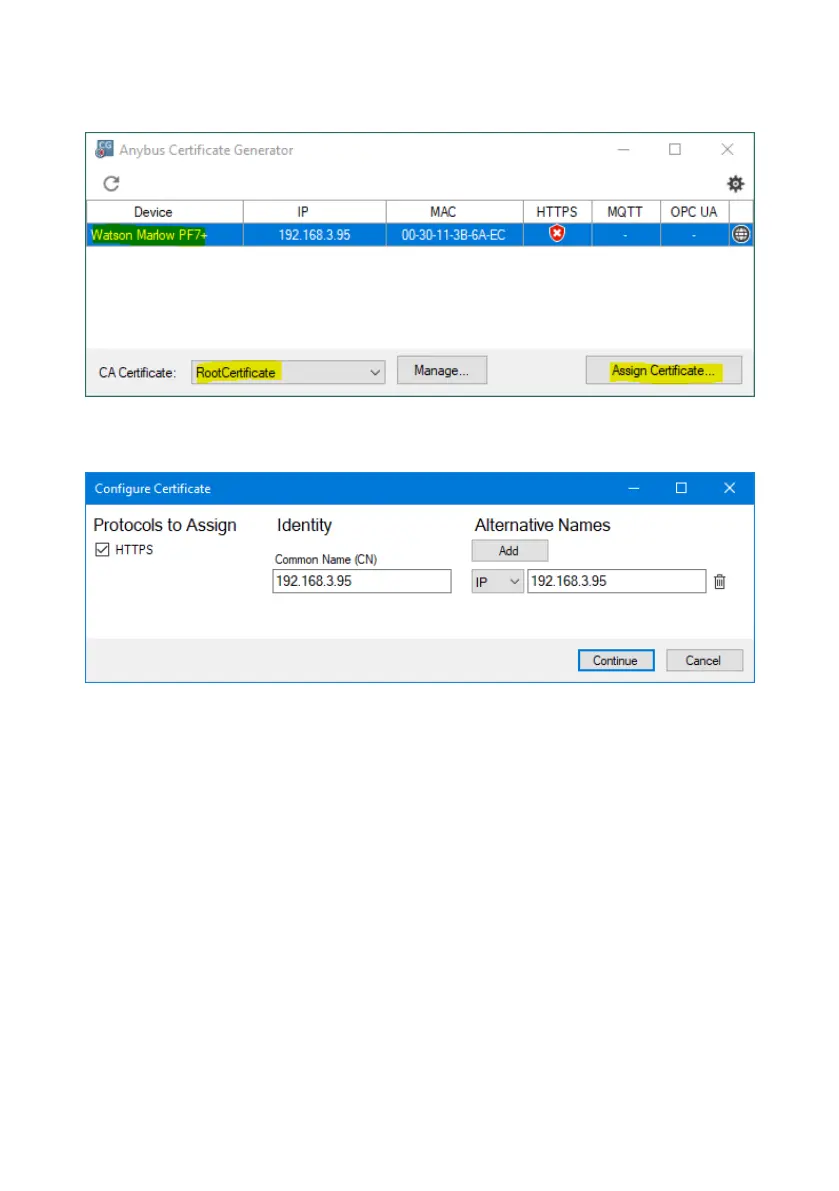
4. In the main window, select the PF7+, then the root certificate and click Assign
Certificate... .
Figure 46 - Assign Certificate...
5. Type the IP address of the PF7+ in the Common Name (CN) and Alternative
Name fields.
Figure 47 - Configure Certificate
6. Make sure the PF7+ is still connected to the network.
7. Click Continue.



 To Next Page