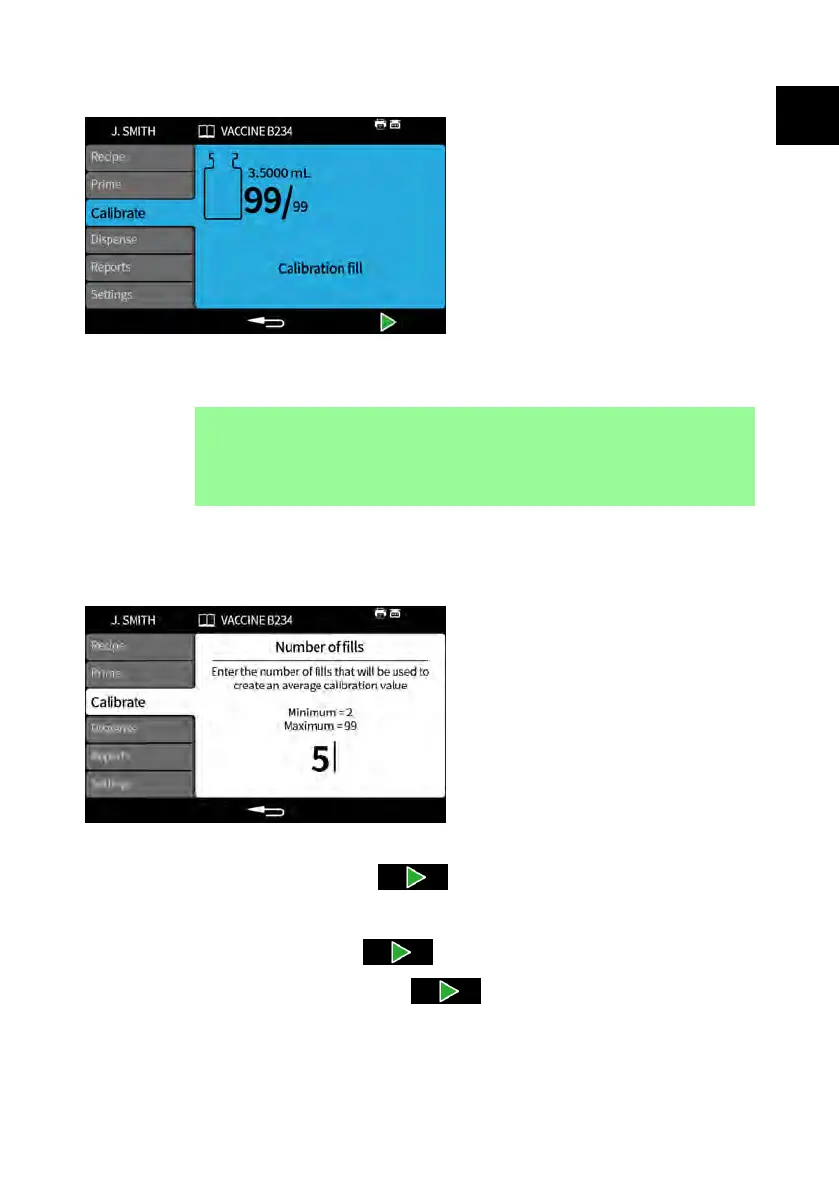
22.3 Multi-fill calibration with a balance connected
1. Set the pump units to weight. Refer to "Units" on page 105.
2. Place all containers that will be used for the calibration fills onto the balance.
i
It is acceptable to use a single container large enough to
contain the total volume from all calibration fills.
3. Tare the balance.
4. Select Multi-fill calibration.
5. Enter the number of calibration fills.
6. Start the calibration fills depending on the selected filling method:
Time delay between fills - Press or use the external input to start the
first calibration fill. Any further fills will start automatically after the Between fill
delay has elapsed.
Keypad to start each fill - Press to start each fill.
External input start each fill - Press or use the external input to start
each fill.
PF7/PF7+ Peristaltic Filler with QC14 Pumphead User Manual 75
EN EN EN EN EN EN EN EN EN EN EN EN EN EN EN EN EN



 To Next Page