70 PF7/PF7+ Peristaltic Filler with QC14 Pumphead User Manual
22 Calibrate mode
i
Not required for zero waste filling. Refer to "Start Zero
waste batch" on page 91.
For optimum filling accuracy calibrate the pump:
• before starting a batch
• following any change to the recipe
• following any change to the fluid path
• periodically throughout a batch
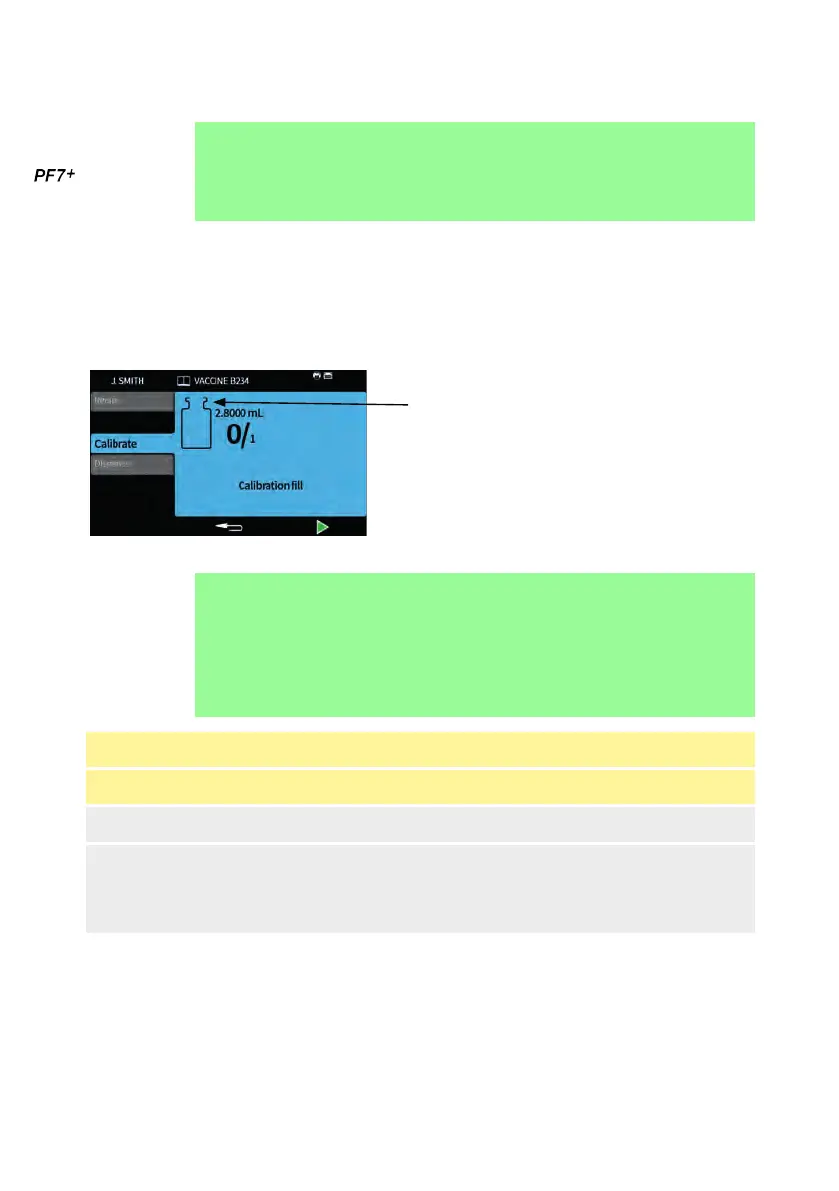
Calibration icon: the number displayed
within the vial icon indicates calibration
fills done since the last batch or recipe
parameters change
Figure 23 - Calibration icon
i
The pump uses the current recipe parameters during the
calibration process. These include volume, density, tube
size, speed, acceleration, deceleration, and anti-drip.
The units used in calibration can be volume or weight and
are set through the settings tab. Refer to "Units" on
page 105.
Table 14 - Calibrate items
Calibrate item Description
Single fill calibration A calibration is done using a single fill
Multi-fill calibration
A calibration is done using an average value
calculated from all the fills taken (Enter a number
between 2 and 99 fills). For best results use
Multi-fill calibration.
If Multi-fill calibration is selected, a screen will be displayed to enter the number of
fills that will be used to create an average fill calibration value.



 To Next Page