26.4.3 Use the CA certificate to generate a Device Certificate which is
installed on the PF7+
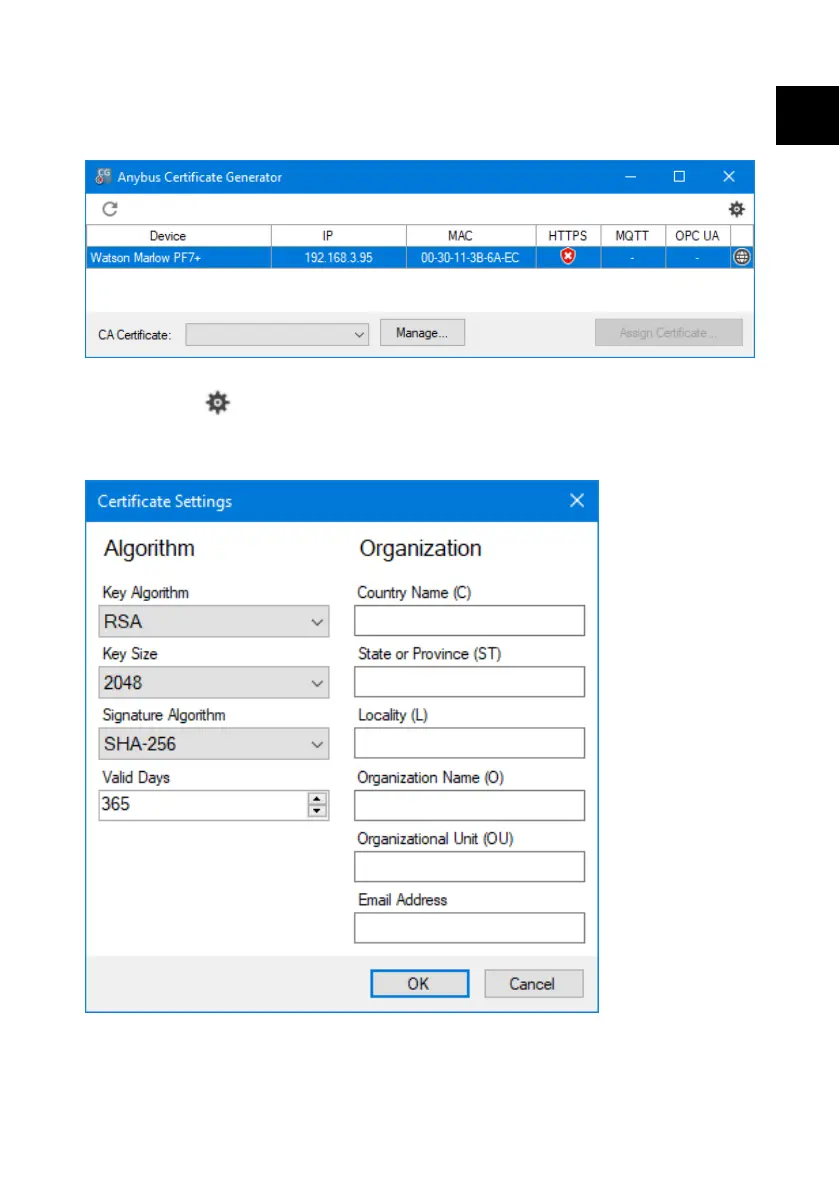
1. Go to the Anybus Certificate Generator software.
Figure 44 - The software displays PF7+ discovered on the network.
2. Click the icon to access settings.
3. Click Edit certificate default settings. Enter details common to all your
Device Certificates. Enter "Example certificate settings" below.
Figure 45 - Example certificate settings
PF7/PF7+ Peristaltic Filler with QC14 Pumphead User Manual 139
EN EN EN EN EN EN EN EN EN EN EN EN EN EN EN EN EN



 To Next Page