82 PF7/PF7+ Peristaltic Filler with QC14 Pumphead User Manual
23.3 Start manual batch
i
For instructions for filling directly onto a balance using the
PF7+ with Flexicon Advanced filling kit refer to "Start Zero
waste batch" on page 91.
Start manual batch is for all other types of filling.
i
Before a batch is dispensed, ensure your recipe
parameters are correct, your pump has been primed,
calibrated and any additional settings are correct for your
process.
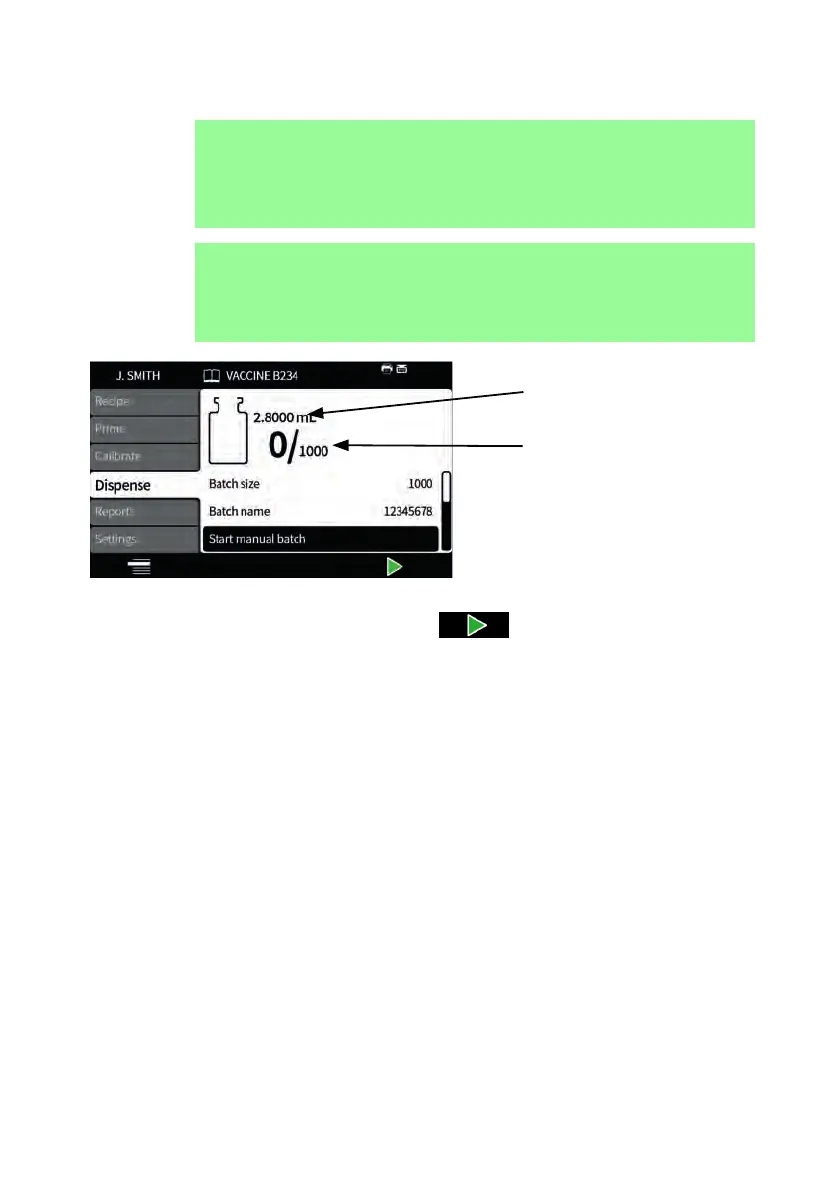
Target volume
Batch Progress Icon: The
left hand number is the
number of dispenses
completed, the right hand
number is the batch size
Figure 25 - Batch dispense screen
If Start manual batch is highlighted press to start the batch. If reporting
is On, a batch report will be created.
How the fills are started depends on the selected filling method.



 To Next Page