i
In the Manage CA certificates dialogue, view previously
generated CA certificates and generate new CA
certificates.
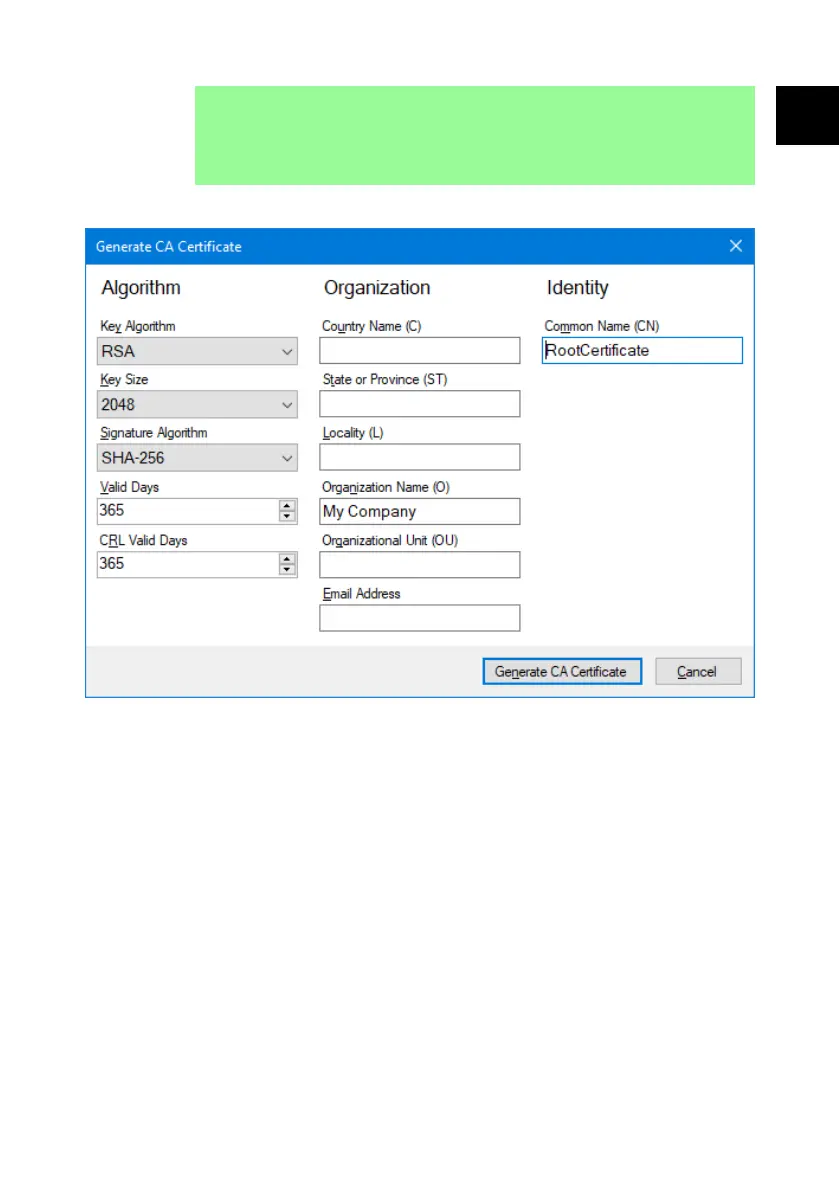
5. Click the New… button to generate a new CA certificate.
Figure 35 - Generate CA certificate
6. Type the information into the Generate CA certificate dialogue using
"Generate CA certificate" above as an example.
7. Click Generate CA Certificate. The certificate is generated and can now be
used to issue device certificates for PF7+.
26.4.2 Install CA certificate in Windows
1. Go to the Manage CA certificates dialogue of the Anybus Certificate
Generator software.
PF7/PF7+ Peristaltic Filler with QC14 Pumphead User Manual 133
EN EN EN EN EN EN EN EN EN EN EN EN EN EN EN EN EN



 To Next Page