15 Pump controls and interface
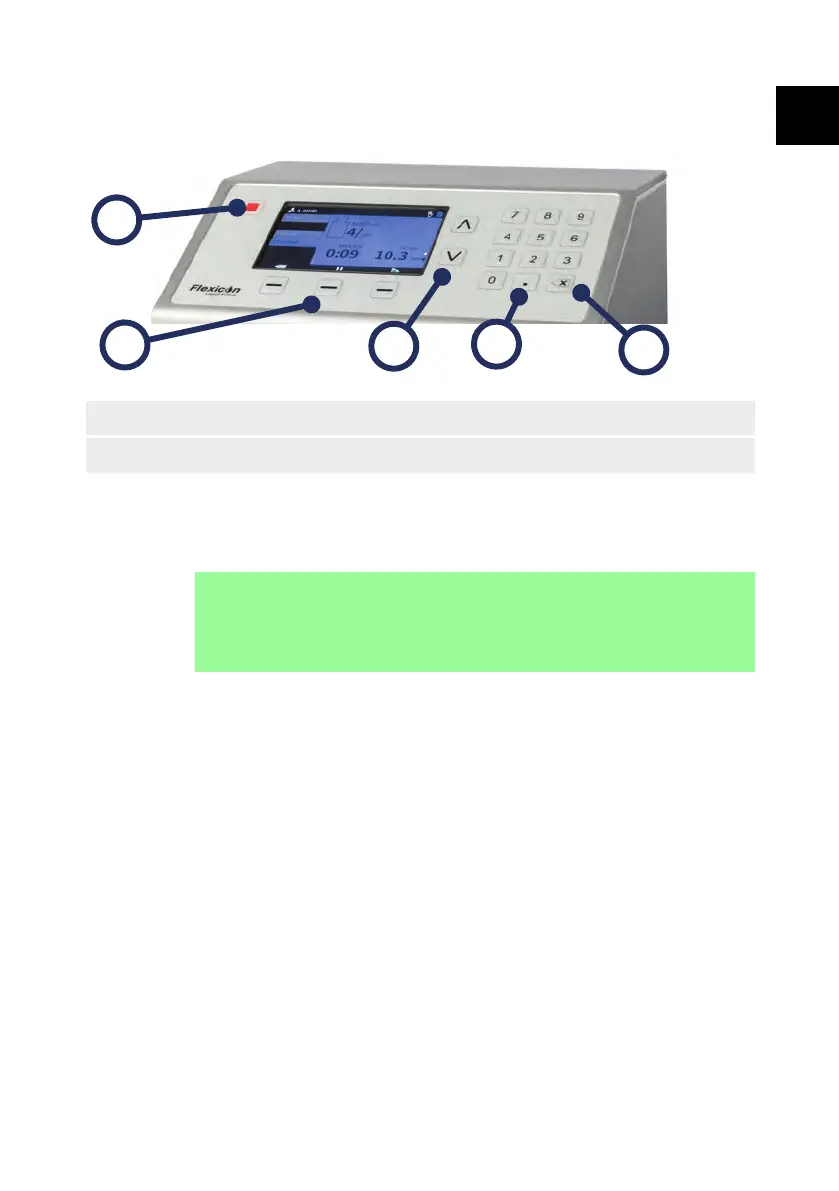
15.1 Keypad operation
1. STOP key 2. Up and Down keys 3. Delete key
4. Numeric Keypad 5. Smart Keys -
Figure 16 - Keypad
The STOP key will immediately stop the pump, regardless of what screen is
currently displayed. If the pump is stopped part way through a fill, a message
stating this will be displayed.
i
Keyboard operation is recommended for PF7+.
Refer to "USB devices" on page 41 to connect a keyboard.
Refer to "Keypad operation" above for keyboard mapping.
PF7/PF7+ Peristaltic Filler with QC14 Pumphead User Manual 39
EN EN EN EN EN EN EN EN EN EN EN EN EN EN EN EN EN



 To Next Page