5322A
Operators Manual
72
iep028.bmp
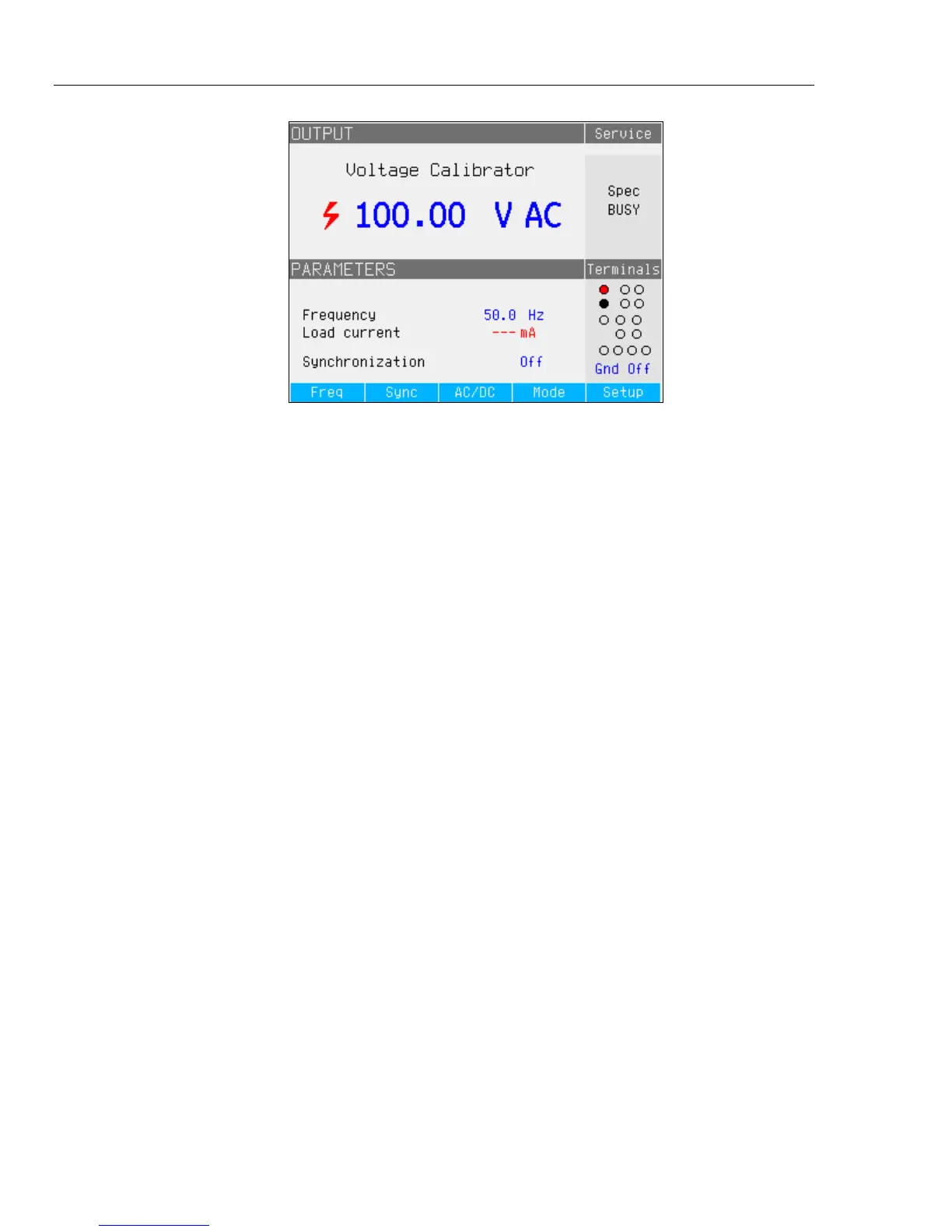
Figure 20. AC Voltage Calibrator Display
For ac voltage calibrations, output signal frequency appears in the
PARAMETERS area of the Product display. The ac voltage frequency range is
40 Hz to 400 Hz.
To set the ac voltage frequency:
1. Push the Freq softkey.
Cursor icons appear above and below one of the digits in the frequency display.
2. Use the cursor keys, rotary knob or keypad to set the frequency value.
3. Push the Exit softkey to exit the frequency edit mode.
To switch between grounded and ungrounded (floating) output:
1. Push the Setup softkey.
2. Using the cursor keys or rotary knob, highlight Calibrator and either push the
Select softkey or push in the rotary knob.
3. Using the cursor keys or rotary knob, move the cursor to Output GND and
either push the Select softkey or push in the rotary knob.
4. Using the cursor keys or rotary knob, move the cursor to GND On or GND
Off and either push the Select softkey or push in the rotary knob.
5. Return to the main display by pushing the Exit softkey repeatedly.
To switch between free-running mode and synchronization, push the Sync
softkey.



 To Next Page