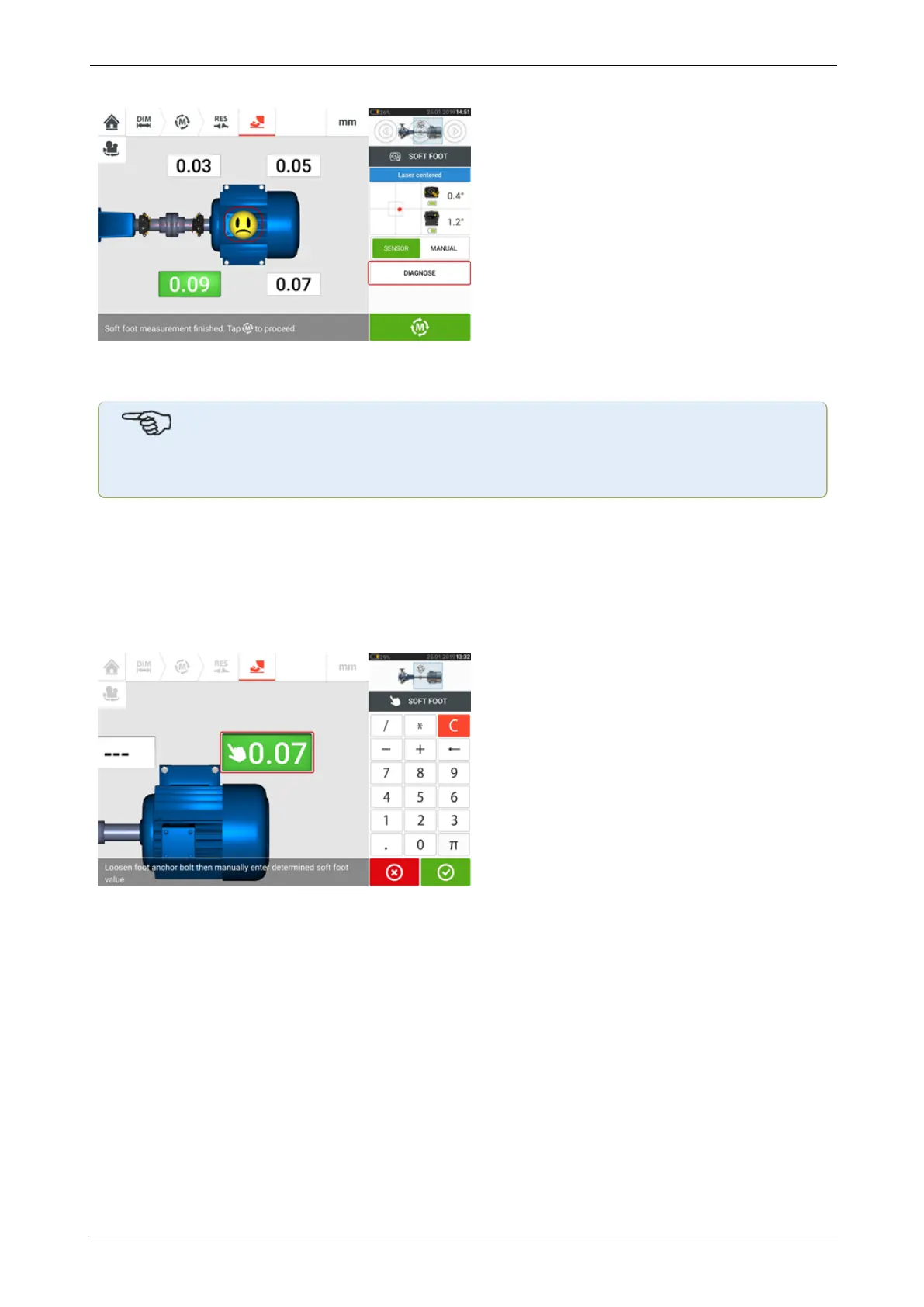
If however soft foot is detected, the item 'Diagnose' is active. Tap 'Diagnose' to start the soft
foot wizard which guides the user through diagnosis and correction of soft foot.
Note
The set soft foot tolerance may be displayed by tapping the smiley within the machine.
Manual entry
Manual entries are made by first swiping the green button to "Manual". Manual entries are sig-
nified by the finger icon on the display.
Tap any one of the four pulsating value fields then proceed to enter the soft foot value at the
respective machine foot using the onscreen keyboard.
Repeat the procedure for all four feet positions.
If necessary, diagnosis may be carried out using the soft foot wizard.
ROTALIGNtouch EX 103
On-board help



 To Next Page