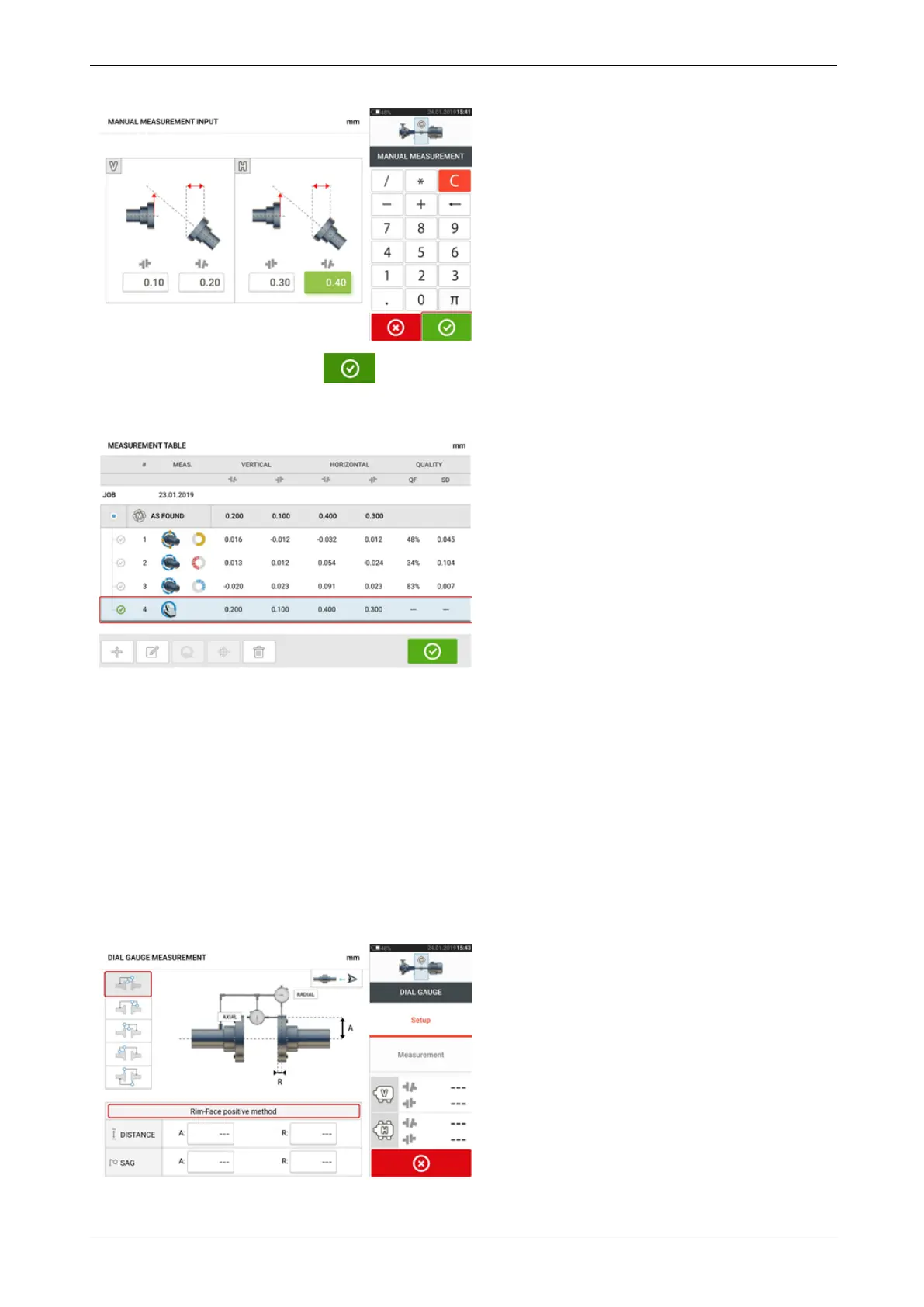
After entering all values, tap to return to the measurement table. The added manual
value appears in the measurement table. The hand symbol next to the entry signifies that it is
a manual entry.
Addition of a dial gauge measurement
With the three items displayed, tap the option "Add dial gauge measurement", then select
desired dial gauge set-up. Five set-up methods are available:
l Rim and face (positive)
l Rim and face (negative)
l Rim and face (reversed)
l Rim and face (negative reversed)
l Reverse indicator
In the following example the rim and face (positive) method has been selected.
58 Version:2.3
On-board help



 To Next Page