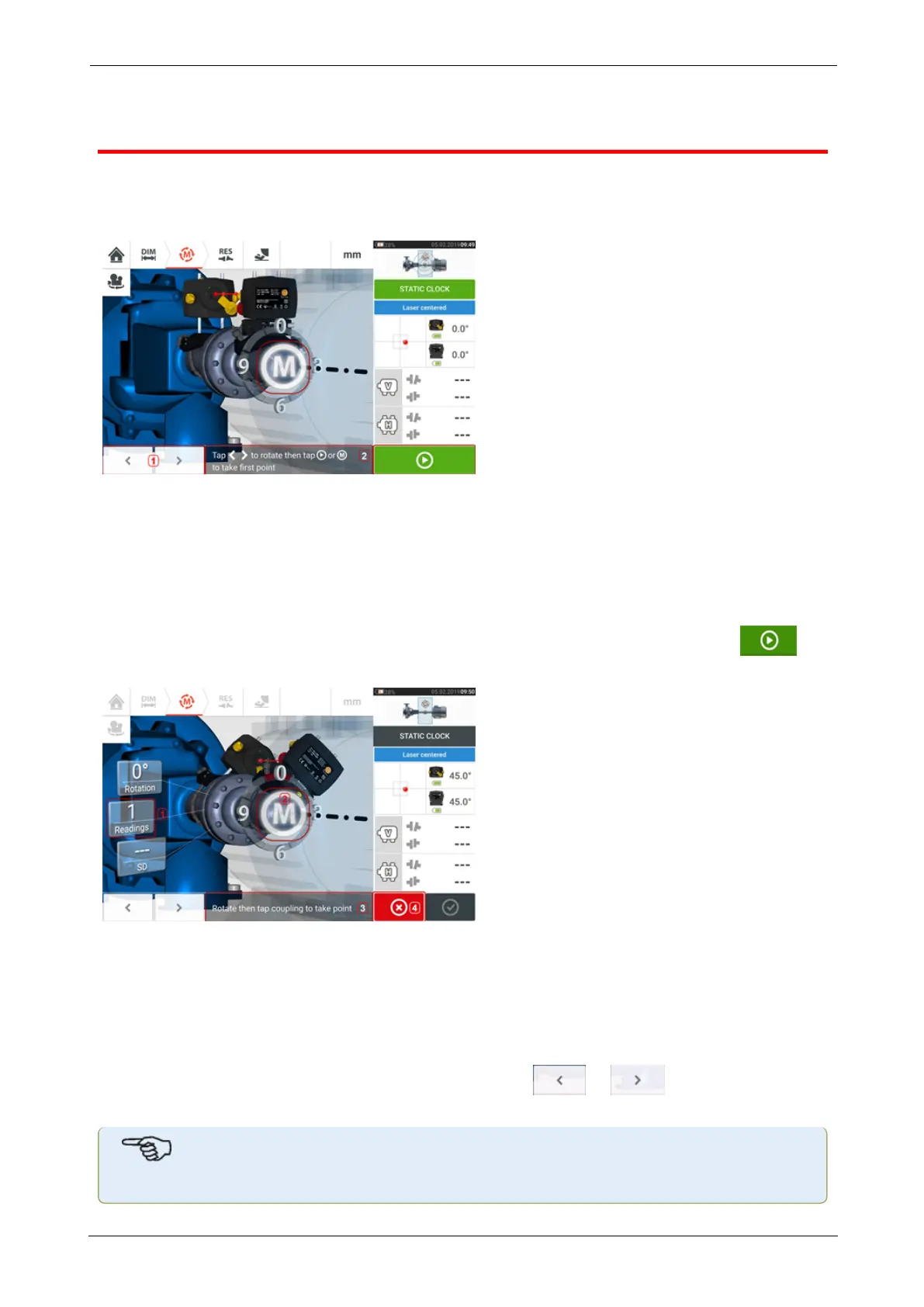
Static measurement
This measurement mode is used for uncoupled shafts, nonrotatable shafts and vertical foot-
mounted or flange-mounted machines.
If not yet completed, enter dimensions then centre laser beam.
l (1) 'The 'left/right' navigation icons are used to position the displayed laser and sensor
at an angular rotation corresponding to the actual position of the components as moun-
ted on the shafts.
l (2) On-screen hint to position displayed laser and sensor then take measurement point
Turn the shafts to any of the eight 45° positions (i.e. 12:00, 1:30, 3:00, 4:30, 6:00, 7:30, 9:00
or 10:30 o’clock position viewed from sensor towards laser). Position shaft as accurately as
possible using either an external inclinometer or protractor. Tap the pulsating M or to
take the first measurement point.
l (1) Number of points already taken (in this example initial point)
l (2) Tap pulsating M to take next measurement
l (3) On-screen hint to position displayed laser and sensor then take measurement point
l (4) 'Cancel' icon – used to cancel current measurement and start new measurement
Rotate shaft to the next measurement position. The displayed laser and sensor must be at the
same angular position as the mounted components. Use or to position the dis-
played sensor and laser then take next measurement point by tapping the pulsating M [2].
Note
ROTALIGNtouch EX 53
On-board help



 To Next Page