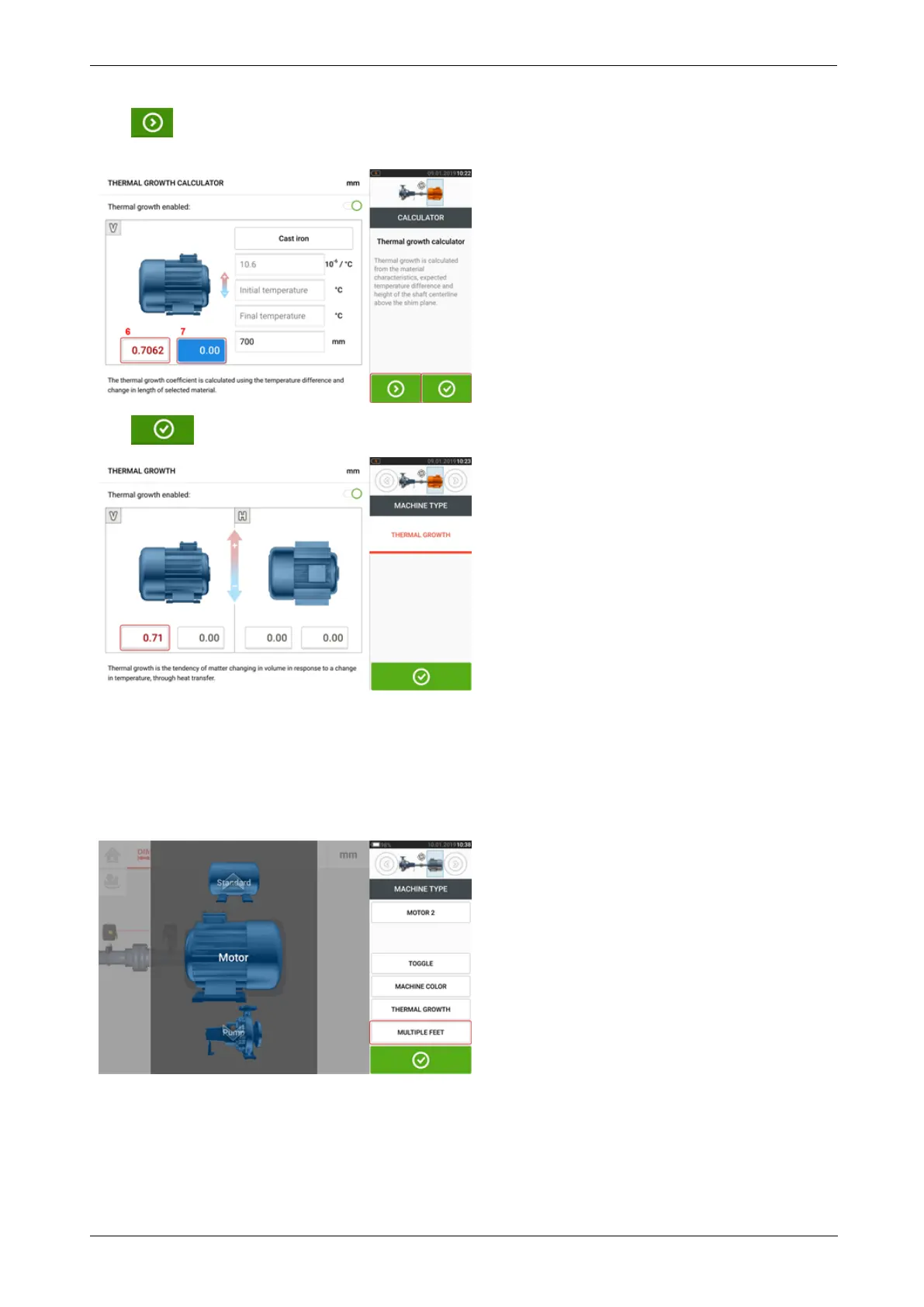
Tap to simultaneously display the calculated thermal growth value for the respective
feet pair [6] and toggle to the next feet pair [7].
Tap to return to the thermal growth screen showing the calculated values.
Multiple feet
The item "Multiple feet" is primarily used to determine foot corrections in a multiple feet
machine, and is therefore accessible also in the result screen.
The dimension between the feet may be defined in the 'Multiple feet' screen which is accessed
by tapping the item "Multiple feet".
If already entered, the 'Multiple feet' screen will show the dimension between the front feet
and the back feet [1].
34 Version:2.3
On-board help



 To Next Page