Configuration
The following settings and items may be accessed via the configuration icon:
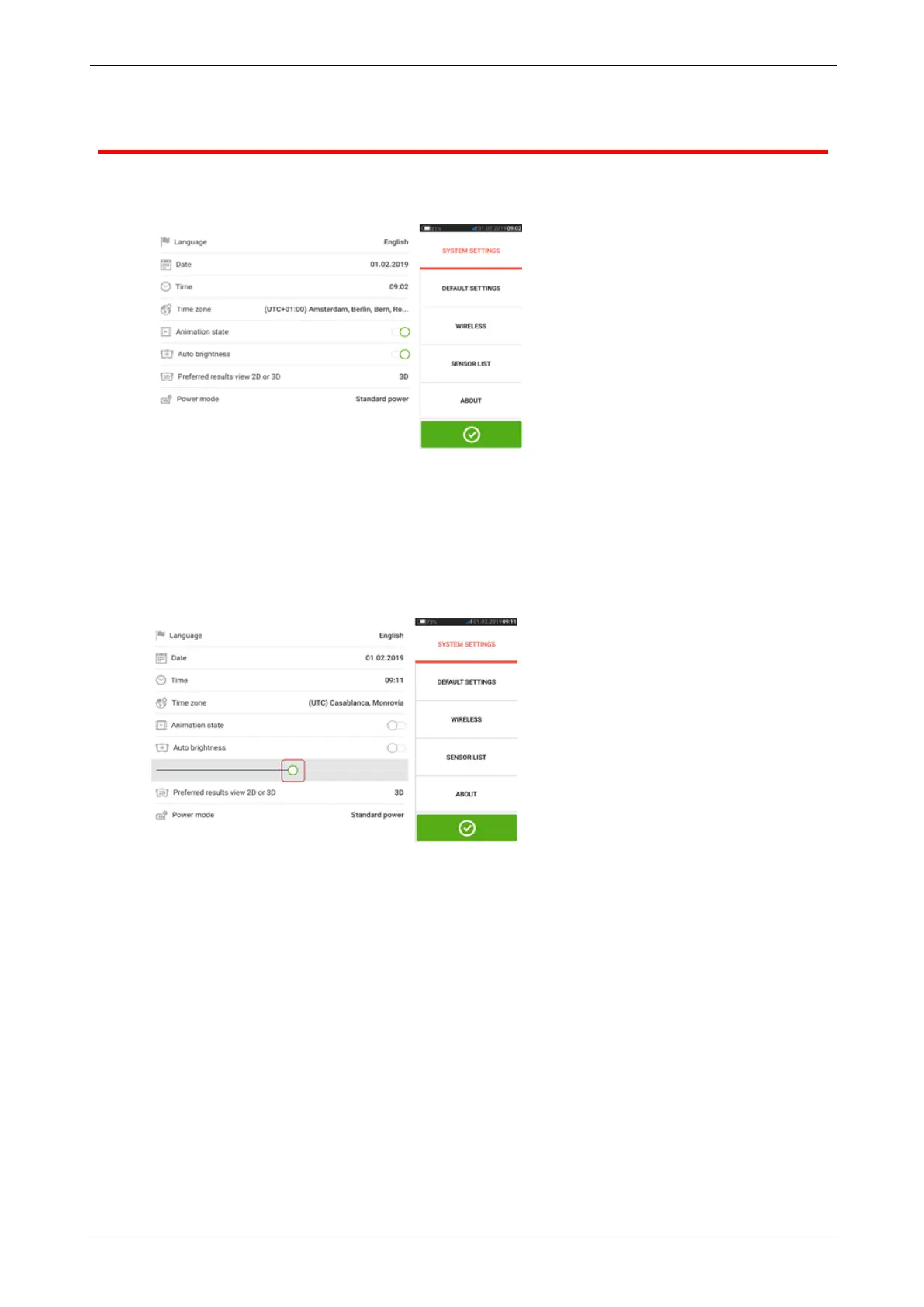
l 'System settings' sets the following items:
> Language (system language); > Date; > Time; > Time zone;
> Animation state — regulates the transition between the dimension, measure and res-
ults screens. Two options are available – fast and standard. If "Animation state" is on,
the transition between screens is set to standard and therefore noticeable. If off, the
transition is fast.
> Auto brightness – adjusts the display brightness of the touch device. If "Auto bright-
ness is on, the display brightness adjusts automatically. If off, then the display bright-
ness may be manually adjusted by dragging the brightness slider to the left or right.
> Preferred results view 2D or 3D
> Power mode – used to manage the power usage in the touch device. Four power
scheme options are available.
l 'Default settings' is used to set units of length, angle and temperature; the default dia-
meter may be set here. It is also used to activate or deactivate the automatic start of
Sweep as well as automatic taking of readings after stabilization, especially in point
measurement modes. Type of tolerance to be used may also be set here.
ROTALIGNtouch EX 13
On-board help



 To Next Page