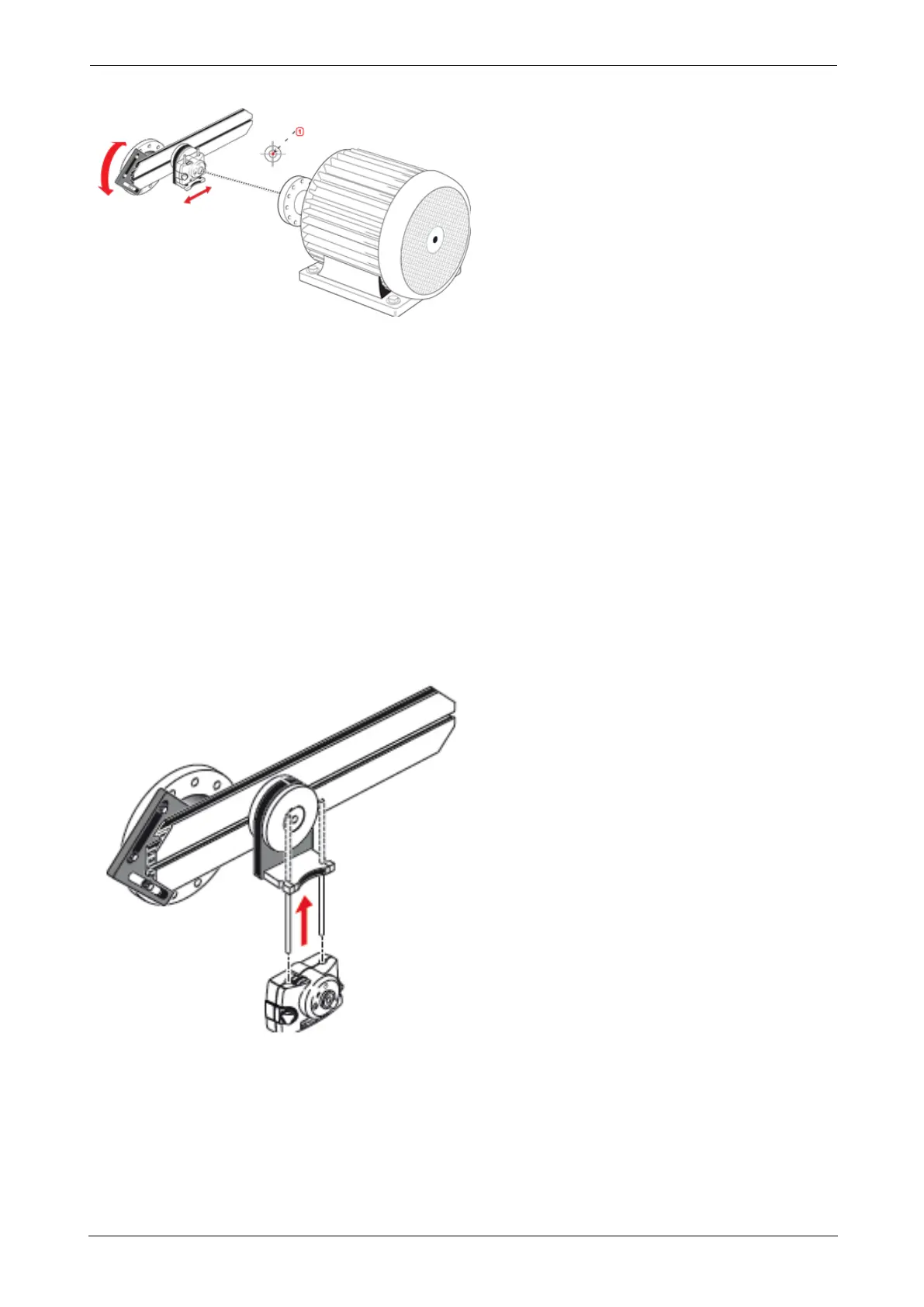
l (1) Laser dot
2. Repeat the above procedure until the laser beam strikes the center of the target placed on
the rotational axis of machine to be aligned.
3. Once the laser beam has been centered on the target, tighten the faceplate on the coupling
face using the provided hexagon socket head screws.
Positioning sensALIGN 5 EX laser and mounting sensALIGN 5 EX
sensor for measurement
In this step, the laser is remounted on the underside of the laser holder while the sensor is
mounted on the shaft of the machine to be aligned.
1. Switch off the laser and remove it from its holder.
2. Using the provided M4 Allen key, loosen the support posts then slide them through the laser
holder base so that they protrude from the other side.
3. Retighten the M4 Allen screws to secure the support posts, then remount the laser onto the
support posts.
ROTALIGNtouch EX 145
On-board help



 To Next Page