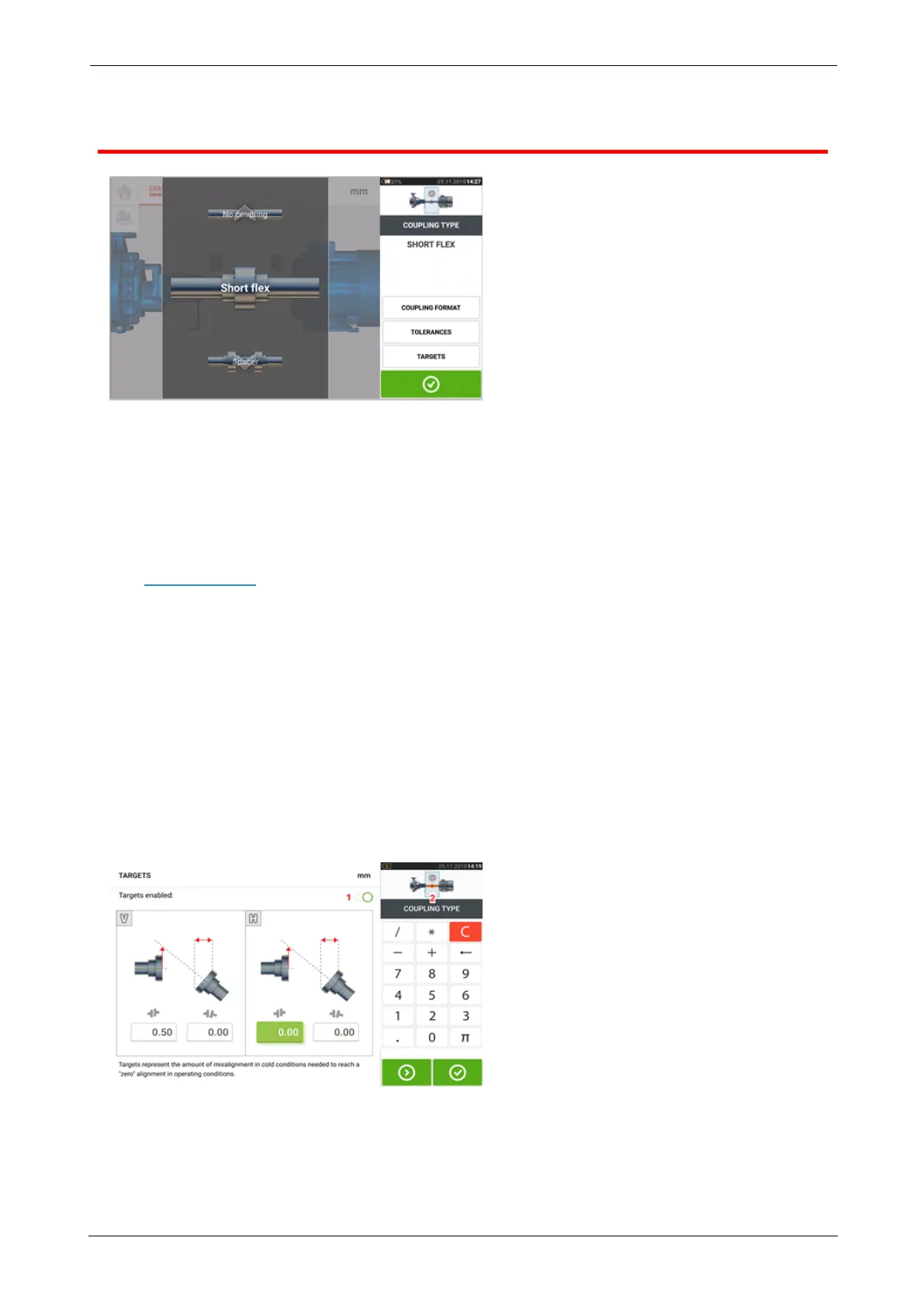
Coupling properties
Swipe the carousel up or down and select desired coupling type.
The following coupling types are available for selection:
l Short flex — These couplings feature fitted transmission elements with play (such as
teeth, claws or bolts) or elastic connecting elements like rubber ‘tires’ or springs.
l Spacer shaft — When the coupling halves are joined by a spacer element, its length
must be entered.
l Cardan shaft — Just as with regular spacer shafts, the shaft length (between coupling
planes) must be entered.
l Single plane — The coupling halves are bolted directly together. Loosen the bolts before
taking measurements, since they would otherwise distort the true alignment condition.
l No coupling — This coupling format is intended for use with CNC machines. In this
format, the length between the two shafts must be entered. The measurement mode for
this coupling format is Multipoint.
Targets
Targets are misalignment values specified as an offset and an angle in two perpendicular
planes (horizontal and vertical) and used to compensate for dynamic loads.
Access the coupling targets screen by tapping the item "Targets".
The displayed coupling format depends on the type of coupling selected.
To enter any target specifications at the coupling, tap the corresponding value box then pro-
ceed to enter the target value using the onscreen keyboard. Cycle through the value boxes
ROTALIGNtouch EX 29
On-board help



 To Next Page