Machine train alignment
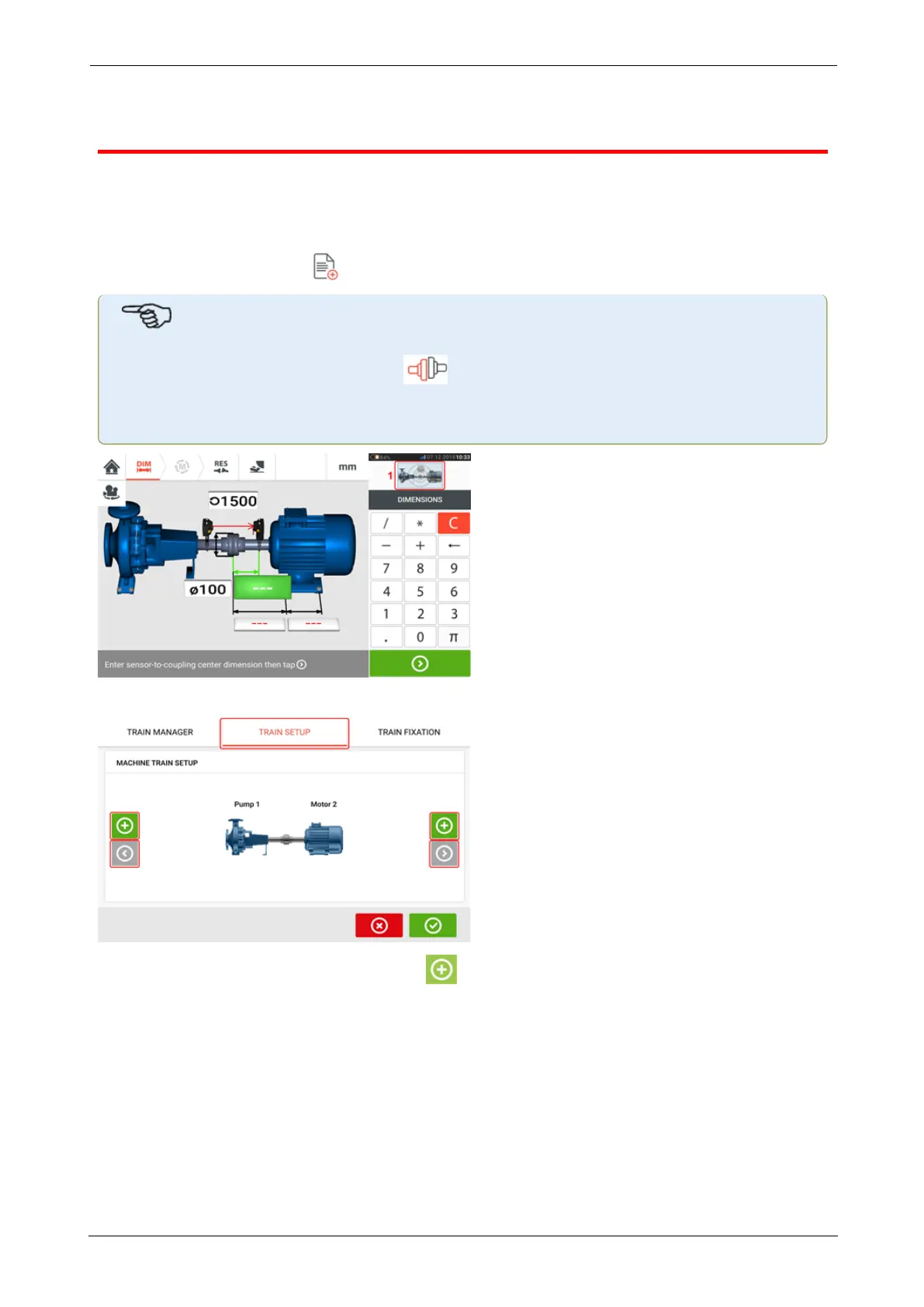
The following is a step-by-step approach for measuring the alignment condition of a three-
machine train.
Groups of up to 6 machines coupled together may be measured.
The components should be mounted and laser beam adjusted as required.
From the home screen, tap the "New asset" icon to create a new asset.
Note
The horizontal shaft alignment icon [ ] may be used to create a new asset if it has
no check mark. The check mark on the icon denotes that another asset is currently
opened.
Tap the mini train inset at the top-right corner (1) to access the "Train set-up" screen.
Tap either of the two 'Add machine' icons [ ] to add a machine to the respective side of the
train.
ROTALIGNtouch EX 121
On-board help



 To Next Page