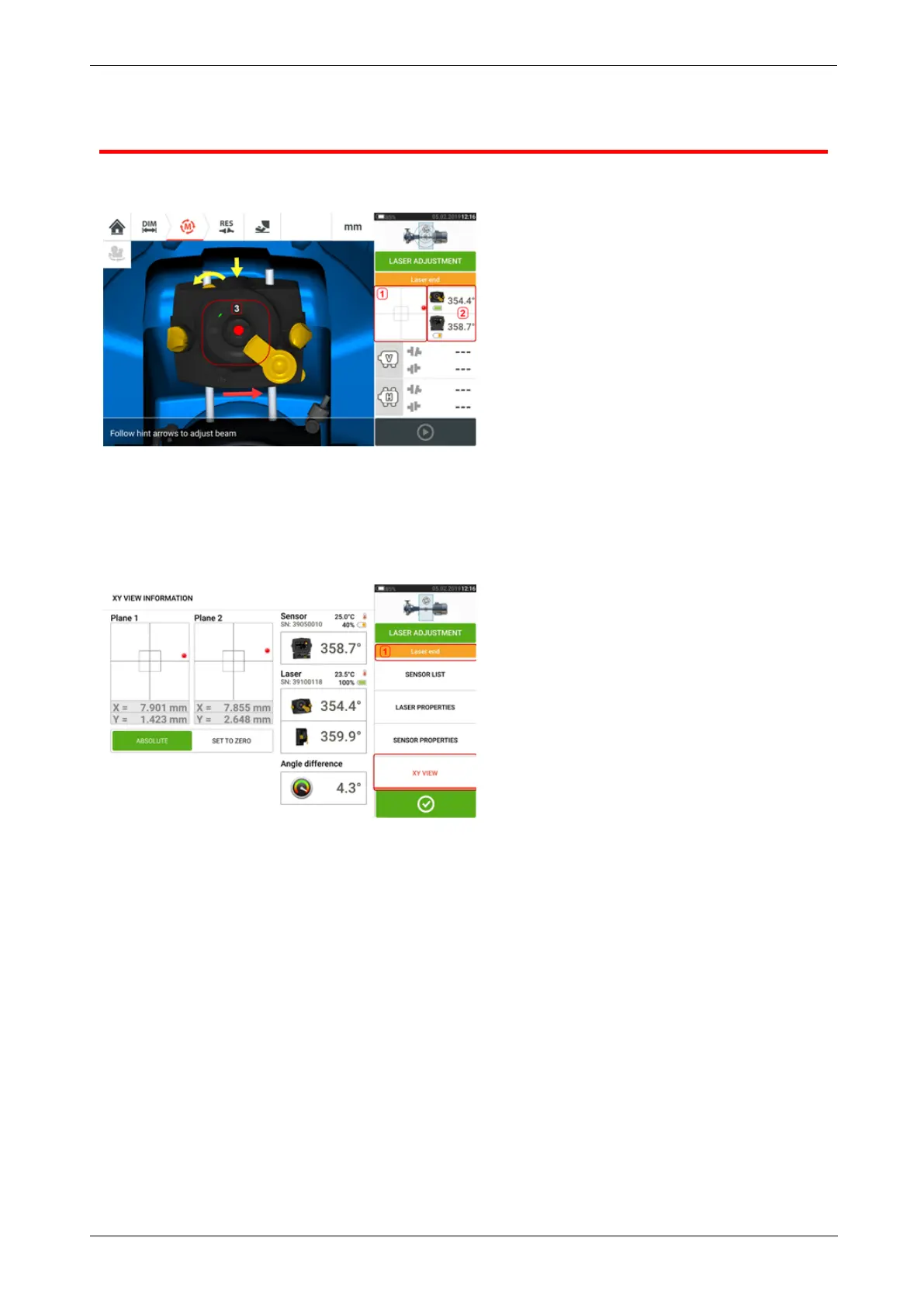
XYView
The XY View function is used to facilitate the centering of the laser beam on the two sensor
detector planes before proceeding with measurement.
l Tap the shown detector area (1) to directly access the XY View screen.
l The XY View screen may be accessed using the menu item "XY View" which appears
when the "sensor/laser area" (2) is tapped.
l The XY View screen may be accessed using the menu item "XY View" which appears
when the laser (3) is tapped.
The two sensor detector planes are displayed on the XY View screen. Center the laser beam
dots in both planes using both beam position thumbwheels. In some cases it may be necessary
to move the sensor along the support posts or sideways by loosening the chain type bracket
and slightly rotating it.
The "Set to zero" function may be used to check the effect of environmental and machinery
vibration on the measurement. Note that the "Set to zero" is active only when the laser beam
status [1] is "OK" or "Centered".
40 Version:2.3
On-board help



 To Next Page