Appendix
Updating ROTALIGN touch EX to a newer firmware version
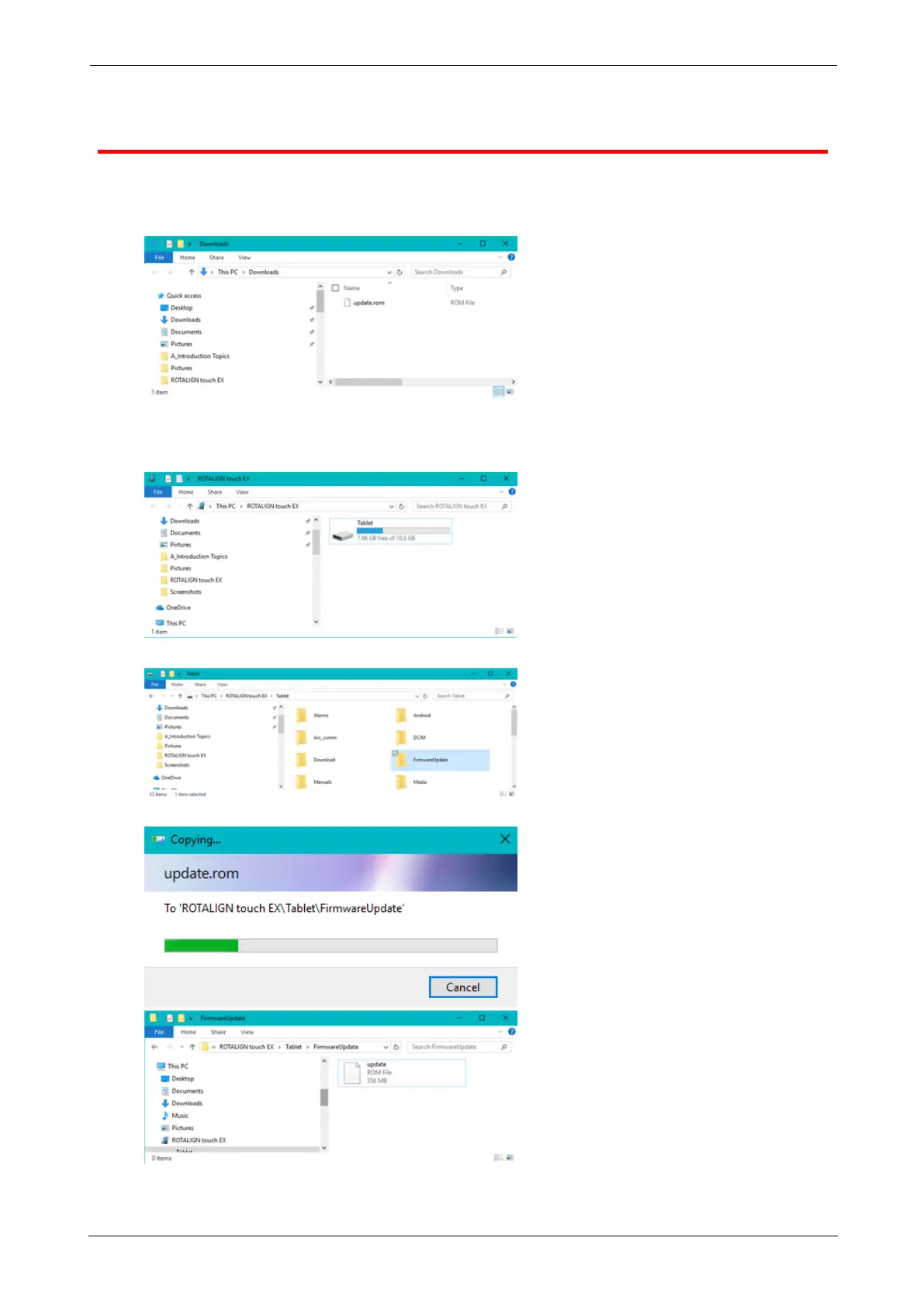
l Download the update file to the desired directory on a PC.
l Switch the tablet device on then connect it to the PC. A hint to allow the Windows PC
access the tablet device appears.
l On confirmation, the tablet device shows up in the File Explorer.
l Double-click "Tablet" to access folders in the tablet device.
l Transfer the "update.rom" file to the tablet device folder "FirmwareUpdate".
ROTALIGNtouch EX 157
On-board help



 To Next Page