Manual and dial gauge entries
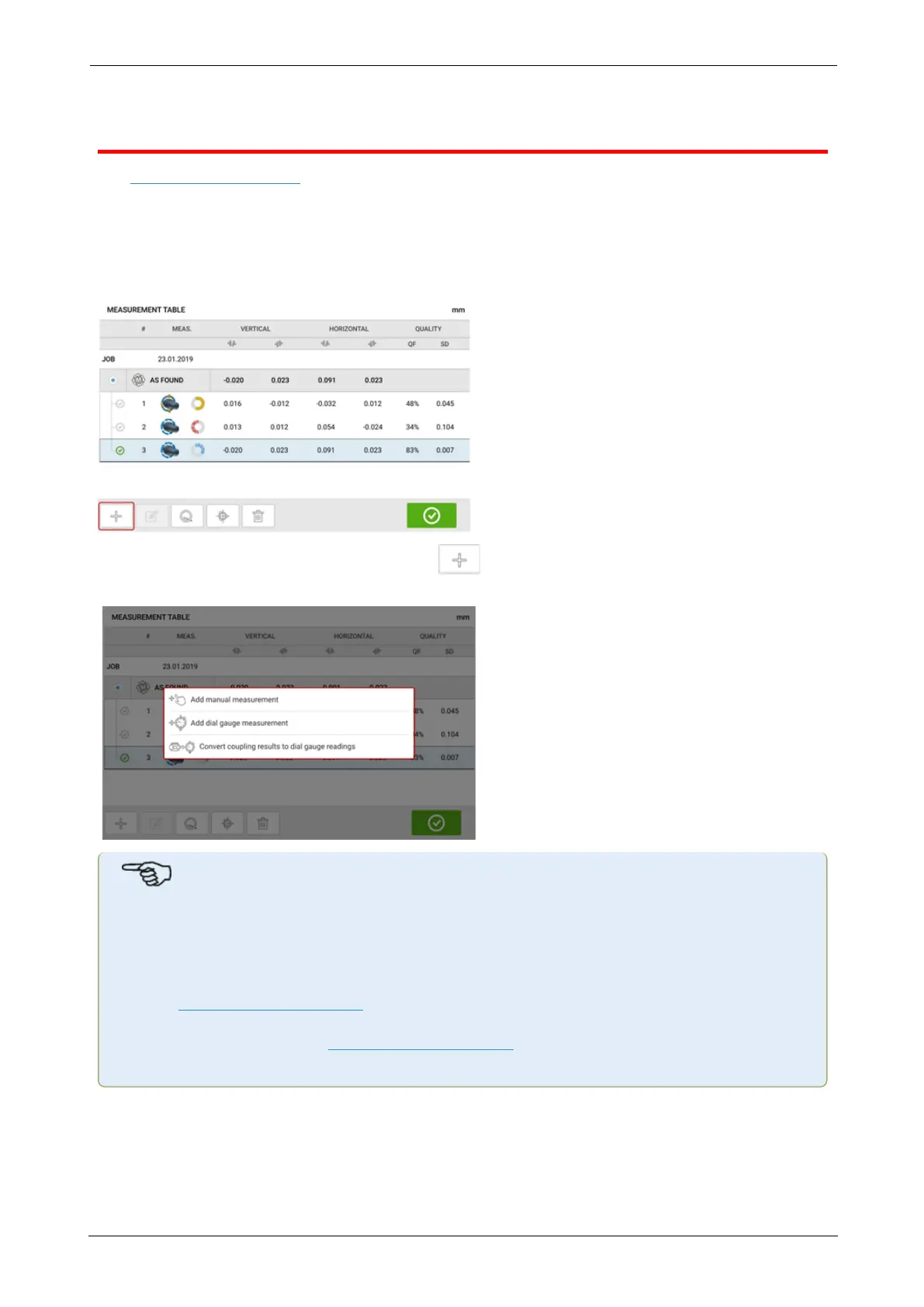
The measurement table may also be used for the following functionalities:
l Entering manual readings
l Addition of a dial gauge measurement and displaying coupling results
l Converting alignment results obtained using sensor-laser measurement into the com-
parable dial gauge readings
When in the measurement table screen, tap . The manual entry and dial gauge func-
tionalities are displayed.
Note
1. If the measurement table is accessed for a new asset without any measurements, the
two options available are "Add manual measurement" and "Add dial gauge meas-
urement".
2.For a new asset, the measurement table may be accessed via the measurement
screen coupling results area by entering the sensor-to-coupling center dimension.
3. For a new asset without sensor-to-coupling center dimension, the measurement table
is accessed by tapping the coupling results area in the results screen.
Entering manual measurement values
With the three items displayed, tap the option "Add manual measurement", then proceed to
enter the coupling values manually.
ROTALIGNtouch EX 57
On-board help



 To Next Page