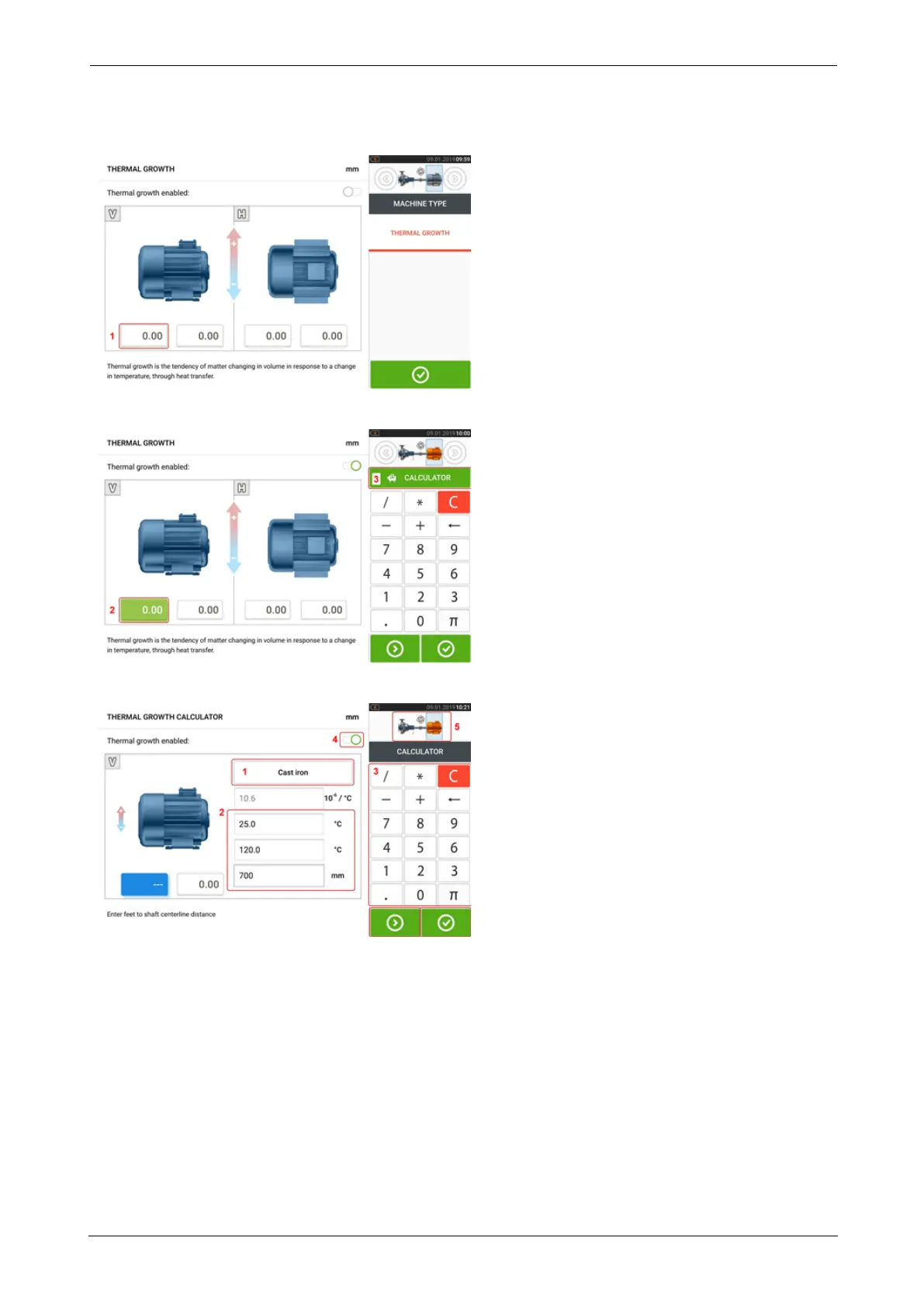
After accessing the thermal growth screen, tap value box of feet pair [1] where thermal
growth is to be entered.
The box is highlighted green [2], and the 'Calculator' tab [3] appears.
Tap 'Calculator' tab [3] to access the thermal growth calculator screen.
Tap (1) and select machine material. The corresponding linear thermal expansion appears.
Enter the three values [2] required to calculate the thermal growth value for the selected feet
pair using the onscreen keyboard [3]. The three values are:
l Ambient temperature (initial temperature)
l Machine running temperature (final temperature)
l Distance from machine base (or shimming plane) to the shaft centerline (length)
With thermal growth values enabled [4], the corresponding machine within the mini train inset
at the top-right corner appears in orange [5].
ROTALIGNtouch EX 33
On-board help



 To Next Page