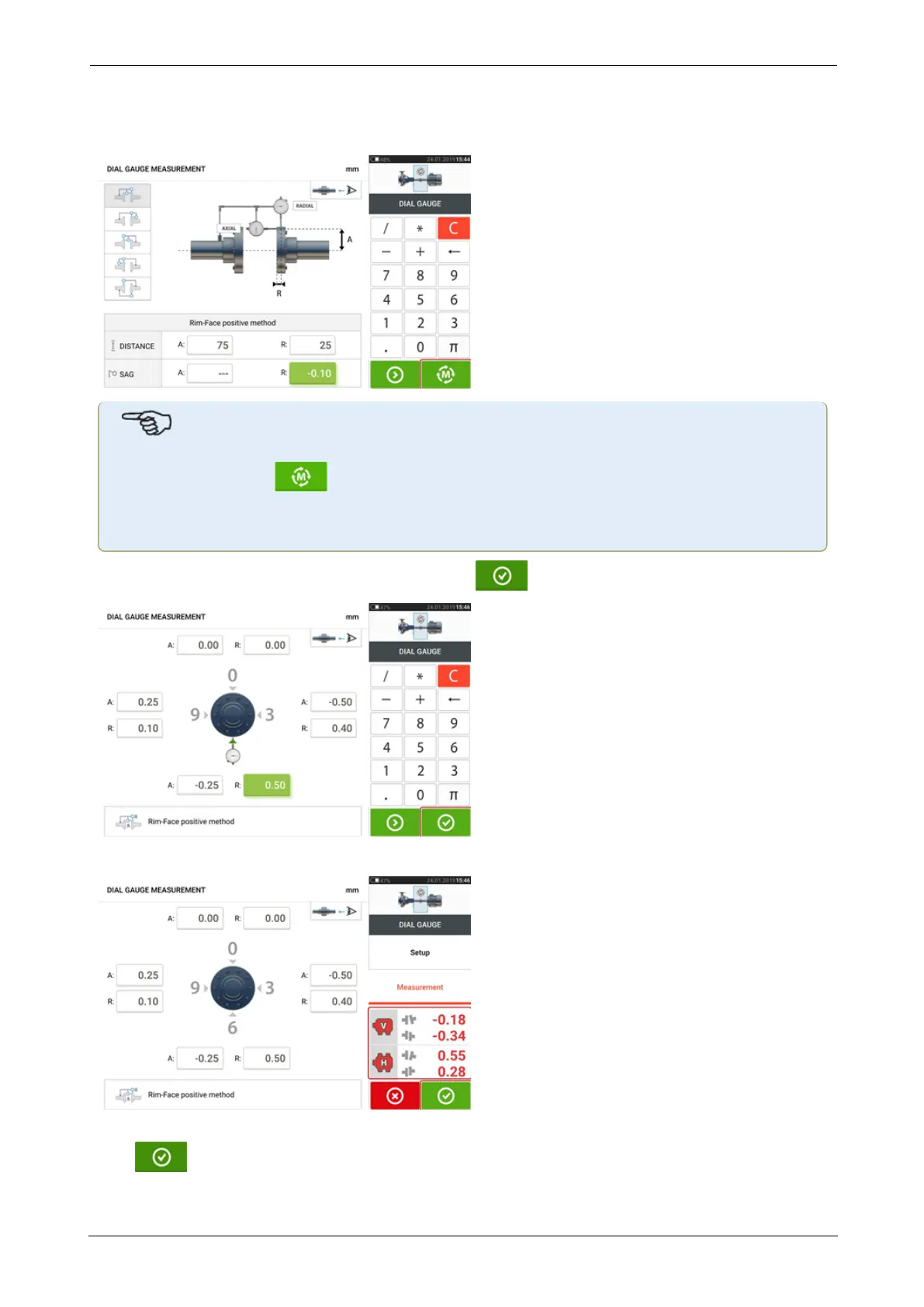
Enter the required dimensions and the amount of bracket sag. In this example, the axial dis-
tance A is 75 mm, the radial distance R is 25 mm and the indicator bracket sag R is -0.10 mm.
Note
The "Measure" icon appears as soon as both axial and radial distances have been
entered. It is therefore possible to proceed to measurement without entering the sag
value.
Enter the measured dial gauge readings then tap to display coupling results.
Dial gauge readings are now displayed as coupling results in terms of gap and offset.
The dial gauge measurement is now listed on the measurement table which is accessed by tap-
ping . The dial gauge measurement is identifiable by dial indicator symbol next to the
entry.
ROTALIGNtouch EX 59
On-board help



 To Next Page