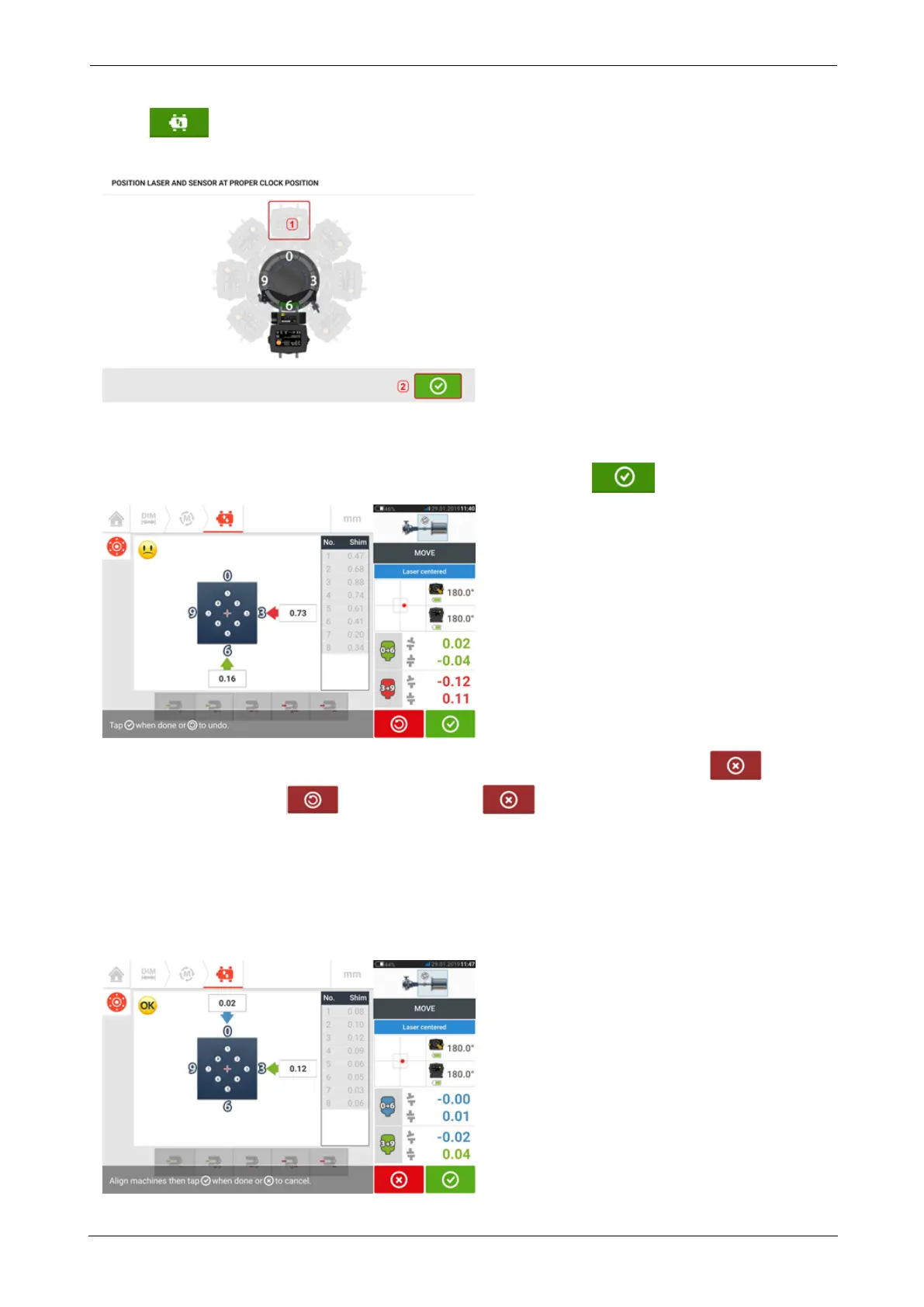
2. Tap to start Live Move. A hint screen requesting the angular position of both sensor
and laser appears.
In the above example, the desired angular position of both sensor and laser is the 12:00
o'clock position (1).
3. Tap (1) to position the screen sensor at this position then tap to proceed.
4. Loosen the flange bolts. Once Live Move has been detected, the 'Cancel' icon
replaces the 'Undo' icon . The 'Cancel' icon prompts the 'Cancel Live Move' hint.
5. Move the machine laterally in the direction of the bold yellow arrows to perform offset cor-
rections. Monitor the arrows on the Live Move screen.
l Corrections should be brought as close as possible to zero.
l Use appropriate tools (e.g. jackscrews) to position the machine.
l Take care not to let the shims slip out of place during lateral positioning.
ROTALIGNtouch EX 117
On-board help



 To Next Page