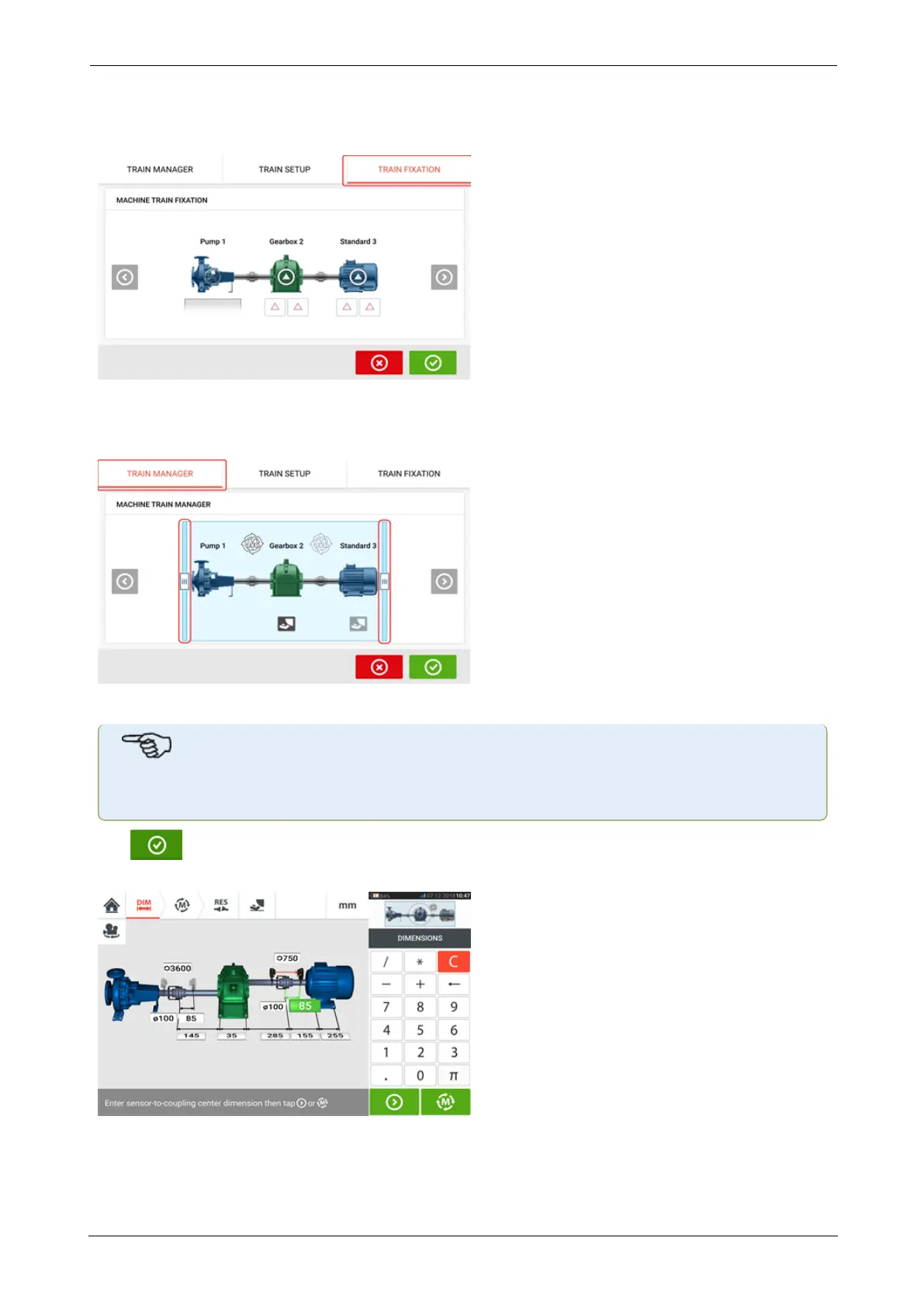
The "Train fixation" screen which is also accessed by tapping the mini train inset is used to fix
and unfix machine feet pairs or entire machine.
The "Train manager" screen which is also accessed by tapping the mini train inset is used to
select a maximum of three machines that may be displayed in completeness including the
related dimensions.
Use the sliding bars and select machines to be displayed in completeness.
Note that the machines selected within the train manager screen are the same ones dis-
played in both the dimensions and results screens.
Tap to return to the dimensions screen displaying the selected section of the machine
train with the respective dimensions.
ROTALIGNtouch EX 123
On-board help



 To Next Page