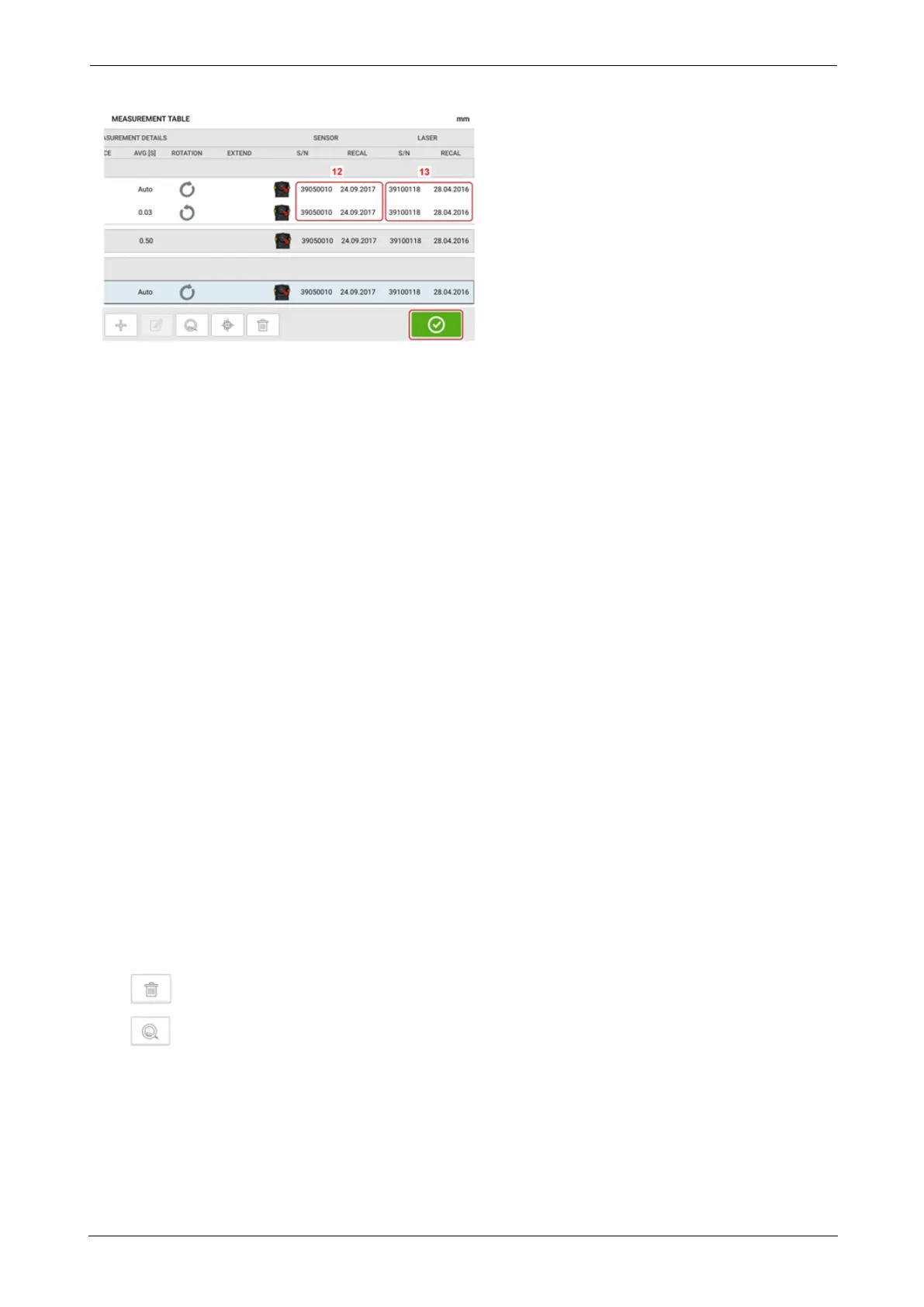
l (1) Tap the check box to include the measurement in calculating the averaged results
that is displayed on the results screen. Included measurements have a green check
mark. The check mark remains grayed out if the measurement is not selected.
l (2) Measurements in chronological order
l (3) Used measurement mode
l (4) The rotational angle covered during measurement
l (5) Vertical and horizontal gap and offset values
l (6) Measurement quality factor (QF)
l (7) Measurement standard deviation (SD)
l (8) Date and time when measurement was taken
l (9) Dimension sensor-to-coupling centre
l (10) Averaging used
l (11) Direction of shaft rotation during measurement
l (12) Serial number of sensor used and recalibration due date
l (13) Serial number of laser used and recalibration due date
The "ASFOUND" coupling result (14) shows the initial alignment condition of the machines
before any Live Move is performed. The displayed result could be an average of selected meas-
urements. In the following table, the "ASFOUND" coupling result is the selected measurement
number 2 only.
The "MOVE" result (15) shows the alignment condition after Live Move.
The "ASLEFT" coupling result (16) shows the alignment condition measured after Live Move.
The displayed result could be an average of selected measurements. In the following table,
the "ASLEFT" coupling result is the average of measurements numbers 1 and 2.
The "JOB" date (17) appears whenever a new alignment job is started.
Swipe horizontally to view all columns in the table and vertically to view all rows in the table.
Tap to delete highlighted "AS LEFT" reading from the measurement table.
Tap to display the parameters determining the quality factor of the measurement.
ROTALIGNtouch EX 91
On-board help



 To Next Page