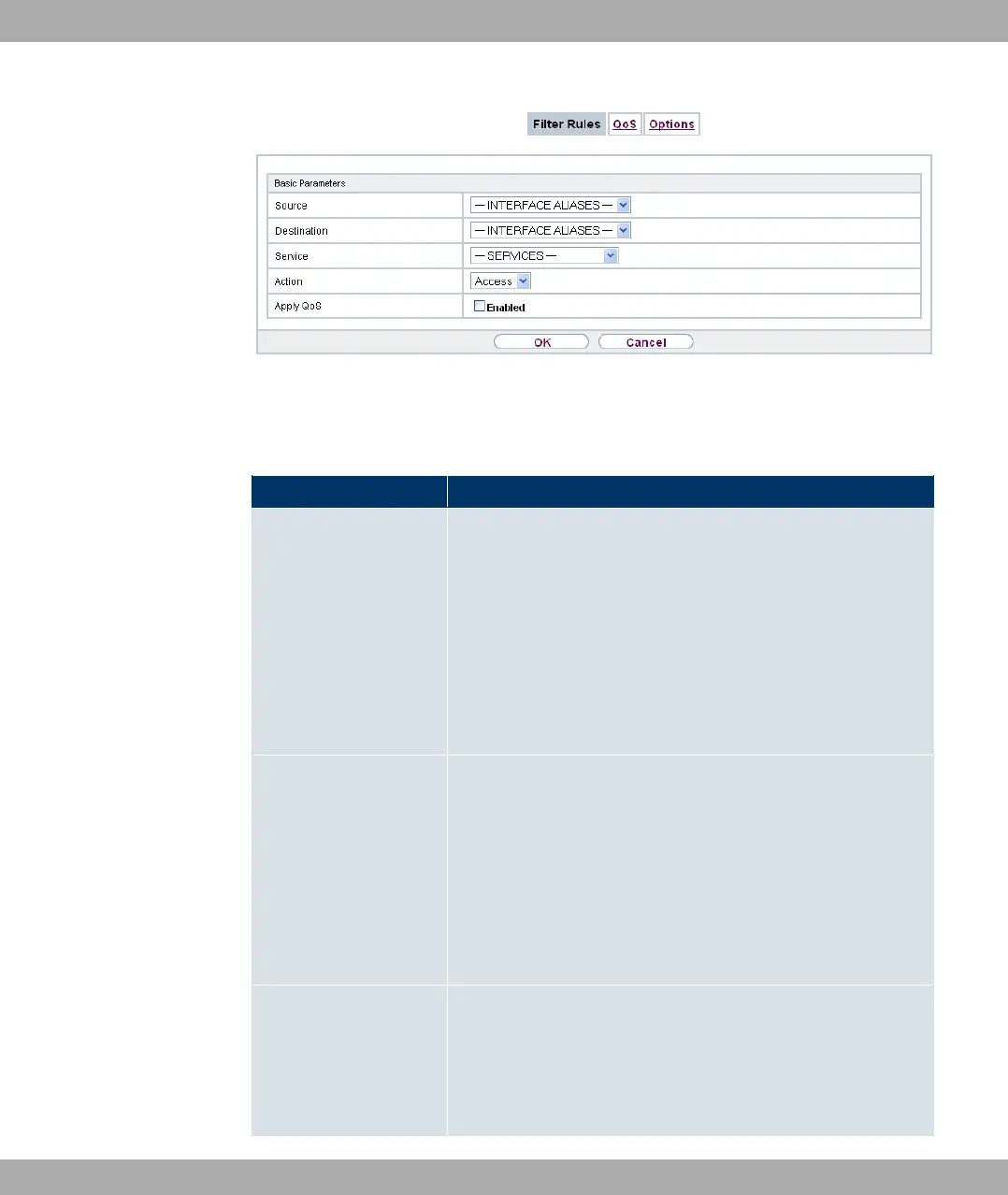
Fig. 140: Firewall->Policies->Filter Rules->New
The menu Firewall->Policies->Filter Rules->New consists of the following fields:
Fields in the Basic Parameters menu
Field Description
Source Select one of the preconfigured aliases for the source of the
packet.
In the list, all WAN/LAN interfaces, interface groups (see Fire-
wall->Interfaces->Groups), addresses (see Firewall->Ad-
dresses->Address List) and address groups (see
Firewall->Addresses->Groups) are available.
The value 0) means that neither the source interface nor the
source address is checked.
Destination Select one of the preconfigured aliases for the destination of the
packet.
In the list, all WAN/LAN interfaces, interface groups (see Fire-
wall->Interfaces->Groups), addresses (see Firewall->Ad-
dresses->Address List) and address groups (see
Firewall->Addresses->Groups) are available.
The value 0) means that neither the destination interface nor
the destination address is checked.
Service Select one of the preconfigured services to which the packet to
be filtered must be assigned.
The extensive range of services configured ex works includes
the following:
Funkwerk Enterprise Communications GmbH
19 Firewall
bintec Rxxx2/RTxxx2 369



 To Next Page