1 CONSOLE Serial interface
2 POWER /
STATUS
LED display for power and status
3 RESET Reset button
4 ETH5 Ethernet interface
5 ETH1 - ETH4 10/100/1000 Base-T Ethernet interface
6 BRI1 - BRI2 ISDN BRI interface
9 LED LED display
bintec R3002, bintec R3502 and bintec 3802 have a 4-port Ethernet switch, a serial inter-
face, an ETH5 interface and an ISDN BRI interface as well as a DSL interface.
The connections are arranged as follows:
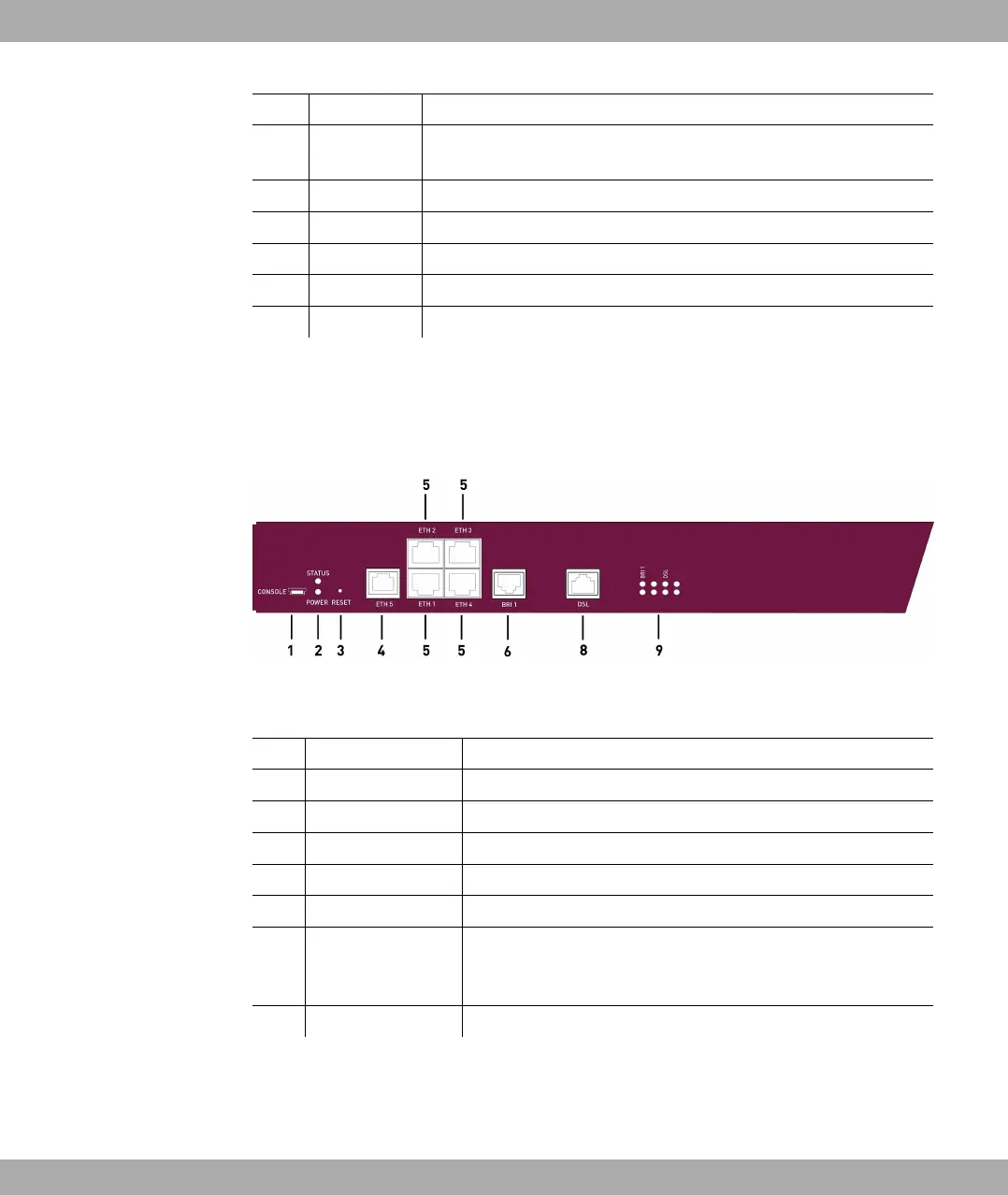
Fig. 7: Front of bintec R3002
Front of bintec R3002, bintec R3502, bintec R3802
1 CONSOLE Serial interface
2 POWER / STATUS LED display for power and status
3 RESET Reset button
4 ETH5 Ethernet interface
5 ETH1 - ETH4 10/100/1000 Base-T Ethernet interface
6 BRI1 ISDN BRI interface
8 DSL DSL interface (ADSL2+ interface for bintec R3002, VDSL2
interface for bintec R3502, SHDSL interface for bintec
R3802)
9 LED LED display
bintec RT3002 and bintec RT3502 have a 4-port Ethernet switch, a serial interface, an
ETH5 interface, four ISDN BRI interfaces as well as a DSL interface.
The connections are arranged as follows:
6 Technical data Funkwerk Enterprise Communications GmbH
34 bintec Rxxx2/RTxxx2



 To Next Page