Spreader - User Manual
7
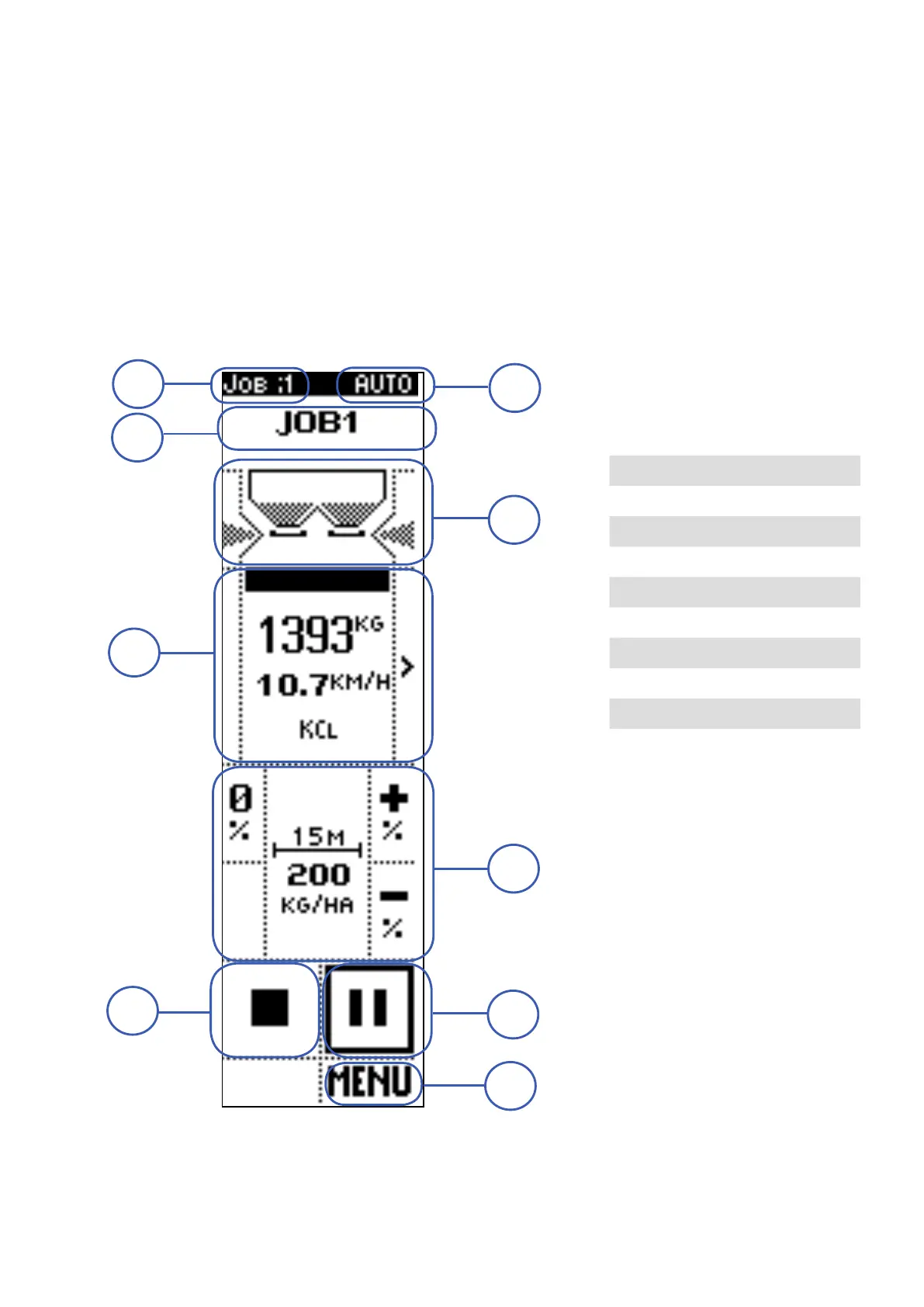
Operating screen: AUTOMATIC mode
In automatic mode the machine spreads the set quantity per hectare of product, adjusting the shutters
opening based on tractor speed.
In order to distribute the set product quantity, the shutters opening level is defined, besides then the
product base calibration, also on a re-calibration that the system performs periodically, during machine
working.
As calibration is a delicate operation, the AUTO mode is not recommended if the fields are not very flat
or have significant slopes.
The screen is divided in different areas, each of them containing displayed data and/or commands.
1 JOB NUMBER
2 OPERATING MODE
3 JOB NAME
4 HOPPER STATUS
5 INFORMATION
6 ADJUSTMENTS
7 STOP
8 START / PAUSE
9 MENU
1
7
9
5
4
3
2
6
8



 To Next Page