Spreader - User Manual
41
Product Settings
VISUALIZATIONS
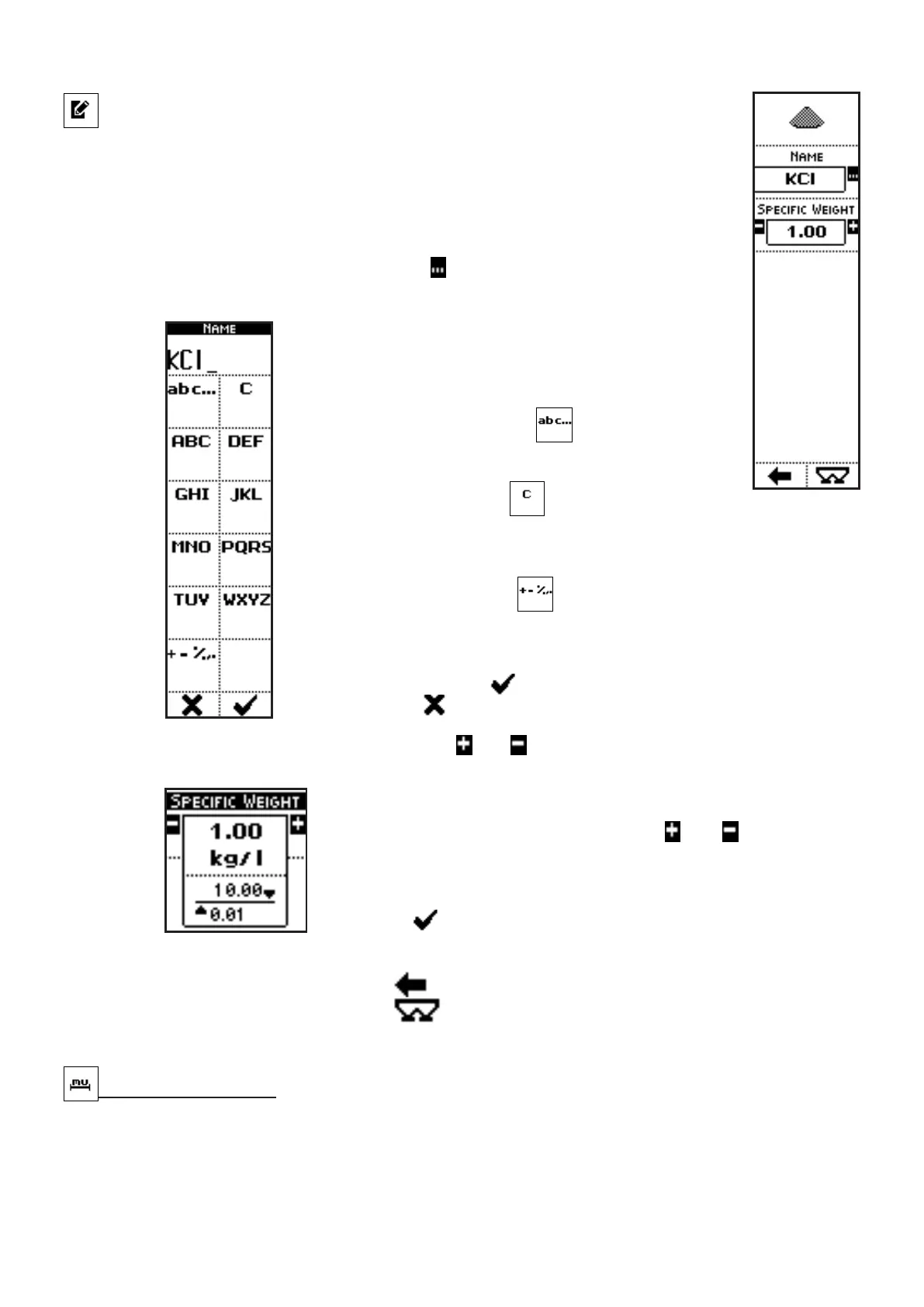
• NAME: name of the selected product;
• SPECIFIC WEIGHT: specific gravity of the selected product.
COMMANDS
• Press the side key near to the icon
to access a screen where character
strings can be inserted:
In the case of the parameter NAME, for instance,
pressing the side keys near to the icons containing the
letters, up to 9 characters can be inserted.
The side key near the icon
allow selection of
upper case, lower case or numerical characters.
The side key near the icon
clears the last inserted
character.
When kept pressed, the whole string is cleared.
The side key near the icon
allows symbols insertion into the string
(+ - % , .).
Once inserted the characters string, exit from the menu confirming with
the key below the icon or quit without confirm by pressing the key
below the icon .
• Press the side keys near to the icons and to access to a screen where the value of a
parameter can be edited:
In the case of the parameter SPECIFIC WEIGHT, for instance,
pressing the side keys near to the icons
and , the parameter
value can be modified in the range from 0.01 to 10.00 kg/l.
The parameter value can be confirmed by pressing the key below
the icon or simply waiting: after 3 seconds, the system goes
back to previous screen.
• Press the key below the icon
to go back to previous menu;
• Press the key below the icon to directly access the working screen.
Measure Units [3]
Display and selection of the used measure units



 To Next Page