Spreader - User Manual
29
Work Preferences [1]
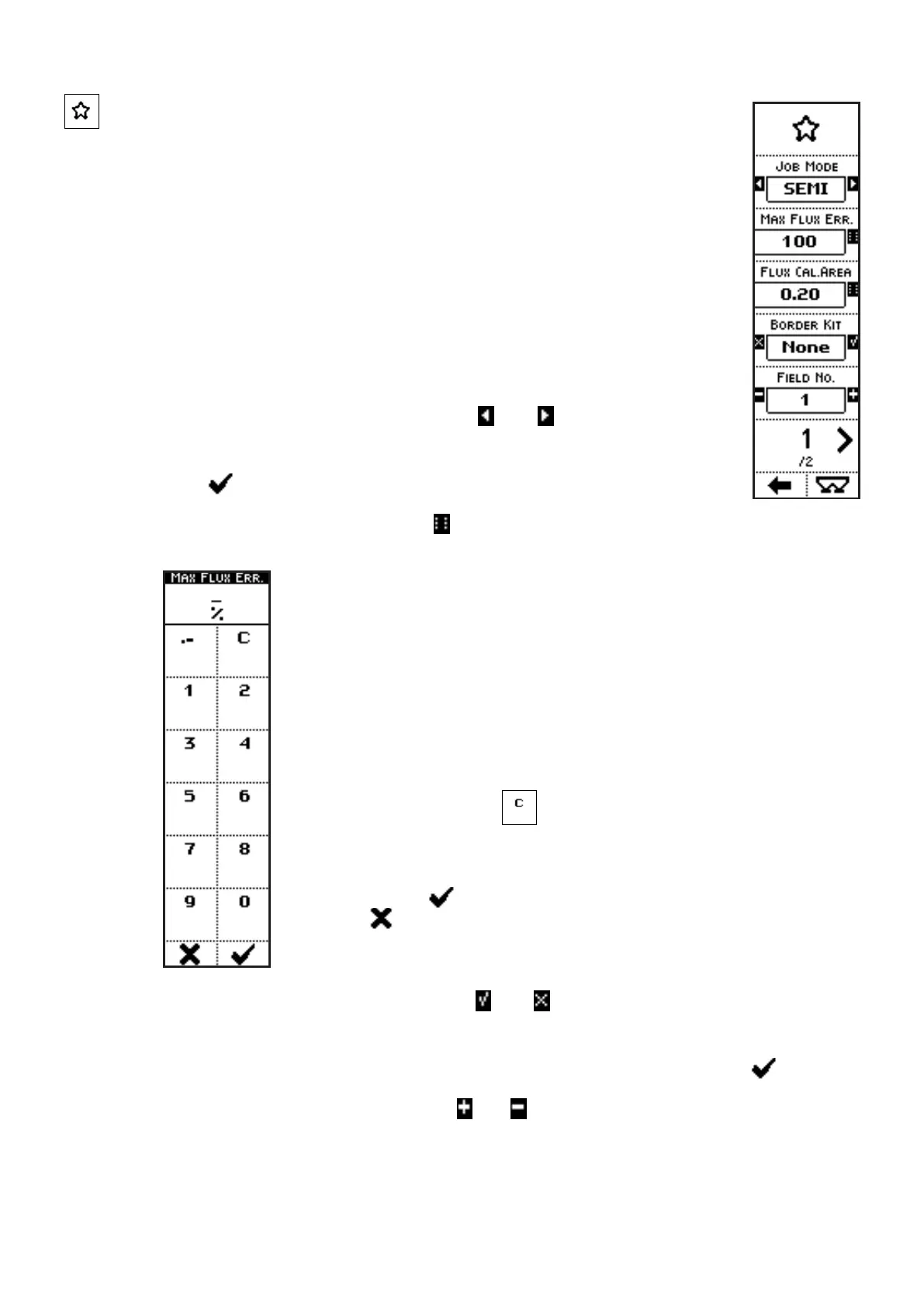
VISUALIZATIONS (page 1)
• WORKING MODE: Selected operating mode, among the options
MANUAL, SPEED, SEMI-AUTOMATIC and AUTOMATIC;
• MAX FLUX ERR.: in semi-automatic mode, it’s the maximum allowed %
error during the periodic flux re-calibration;
• FLUX CAL. AREA: in semi-automatic mode, after spreading a surface
like set in this parameter, the system requires a re-calibration;
• BORDER KIT: kit for borders treatment, installed or not;
• FIELD NO.: number associated to the field being worked;
• PAGE NO. / TOTAL PAGES.
COMMANDS (page 1)
• Press the side keys near to the icons
and , to select a different
parameter value in a preset list. In this case, working mode.
The parameter value can be confirmed by pressing the key below the
icon or simply waiting: after 3 seconds, the system goes back to
previous screen.
• Press the side key near to the icon
to access a screen where numbers
can be inserted, through the icons near the numbers and the decimal point:
In the case of the parameter MAX. FLUX ERR., pressing the side
keys near to the icons containing the letters, up to 5 characters can be
inserted, to define, in semi-automatic mode, the maximum allowed %
error during the periodic flux re-calibration.
In the case of the parameter FLUX CAL. AREA, pressing the side
keys near to the icons containing the letters, up to 5 characters can be
inserted, to define, in semi-automatic mode, the surface to be worked
between two requests for re-calibration.
he side key near the icon
clears the last inserted character.
When kept pressed, the whole string is cleared.
Once inserted the number, exit from the menu confirming with the key
below the icon or quit without confirm by pressing the key below
the icon .
• Press the side keys near to the icons and , to select whether to activate or not a
function. In this case, installation or not onboard the machine of the optional kit for borders
treatment.
The parameter value can be confirmed by pressing the key below the icon or simply
waiting: after 3 seconds, the system goes back to previous screen.
• Press the side keys near to the icons
and to access to a screen where the value of a
parameter can be edited:



 To Next Page