Spreader - User Manual
47
Clock [8]
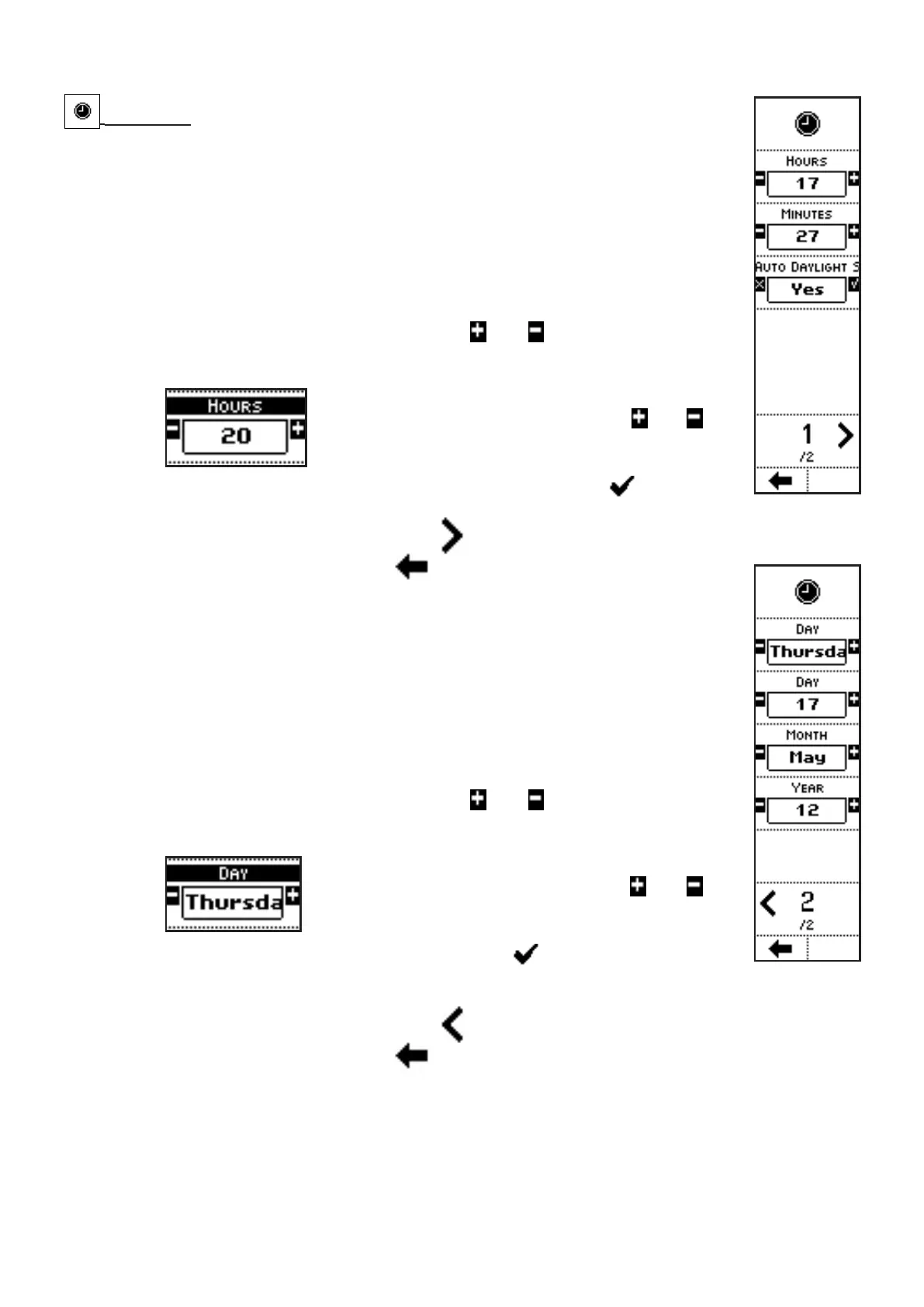
VISUALIZATIONS (page 1)
• HOURS;
• MINUTES;
• AUTOMATIC DAYLIGHT SAVING TIME UPDATE: automatic update to
Daylight Saving Time;
• PAGE NO. / TOTAL PAGES.
COMMANDS (page 1)
• Press the side keys near to the icons
and to access to a screen
where the value of a parameter can be edited:
In the case of the parameter HOURS, for instance,
press the side keys near to the icons
and to
adjust the hours between 0 and 23.
The parameter value can be confirmed by
pressing the key below the icon or simply
waiting: after 3 seconds, the system goes back to previous screen.
• Press the side key near to the icon
to access the next page;
• Press the key below the icon
to go back to previous menu.
VISUALIZATION (page 2)
• DAY: day of the week;
• DAY: day of the month;
• MONTH;
• YEAR;
• PAGE NO. / TOTAL PAGES.
COMMANDS (page 2)
• Press the side keys near to the icons
and to access to a screen
where the value of a parameter can be edited:
In the case of the parameter DAY, for instance,
press the side keys near to the icons
and to
adjust the hours between 1 and 31.
The parameter value can be confirmed by pressing
the key below the icon or simply waiting: after
3 seconds, the system goes back to previous screen.
• Press the side key near to the icon
to access the previous page;
• Press the key below the icon
to go back to previous menu.



 To Next Page