DigiDevice
46
System Information [7]
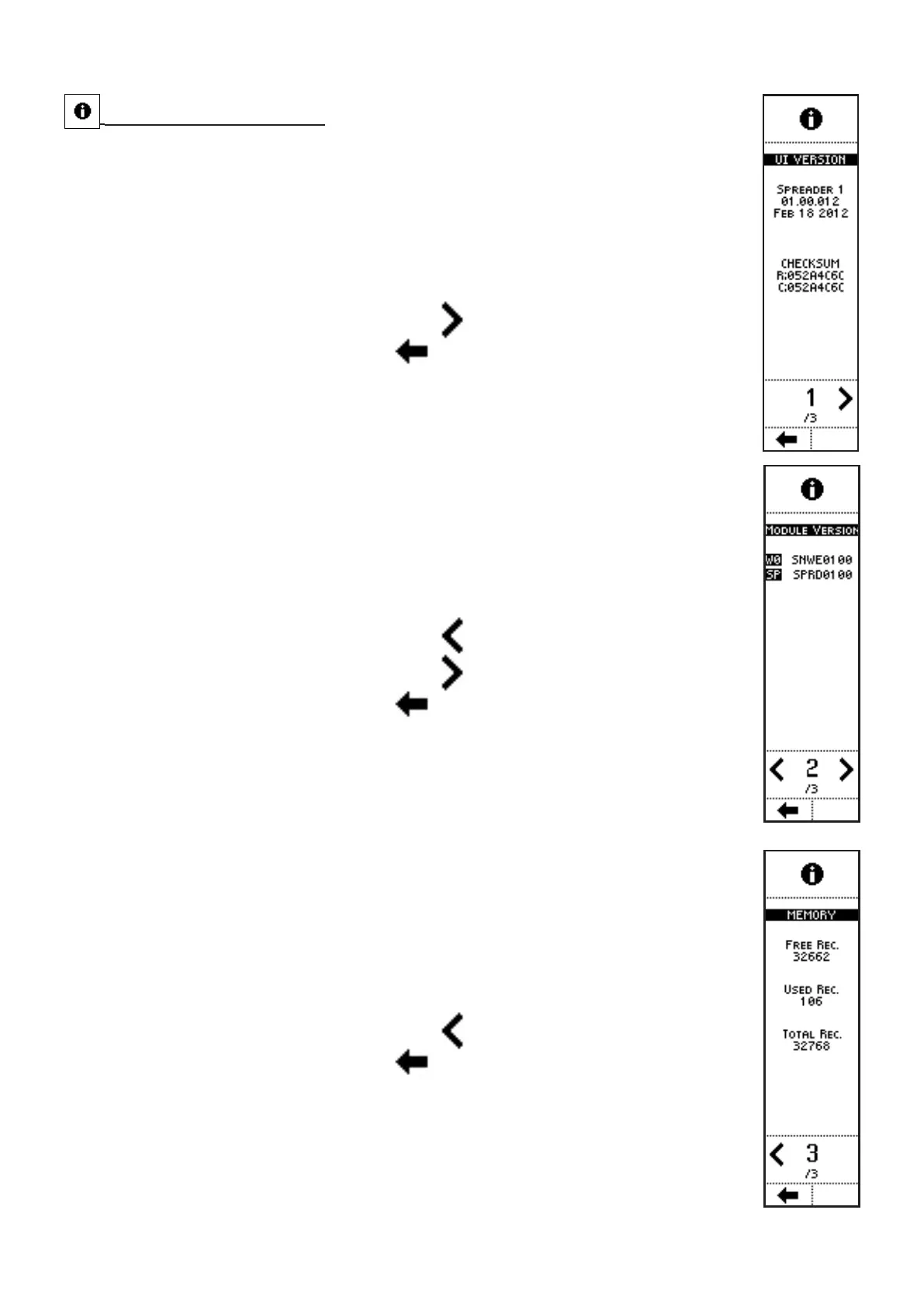
VISUALIZATIONS (page 1): UI VERSION
Firmware version installed on the system
• NAME, CODE AND DATE;
• CHECKSUM: code linked to the installed firmware
• PAGE NO. / TOTAL PAGES.
COMMANDS (page 1): UI VERSION
• Press the side key near to the icon
to access the next page;
• Press the key below the icon
to go back to previous menu.
VISUALIZATIONS (page 2): MODULE VERSION
Firmware version of the digital modules installed onboard the machine:
• W0: firmware onboard the weighing module;
• SP: firmware onboard the actuators driving module;
• PAGE NO. / TOTAL PAGES.
COMMANDS (page 2): MODULE VERSION
• Press the side key near to the icon
to access the previous page;
• Press the side key near to the icon
to access the next page;
• Press the key below the icon
to go back to previous menu.
VISUALIZATIONS (page 3): MEMORY
Used / free memory status:
• FREE REC: free memory records;
• USED REC: used memory records;
• TOTAL REC: total memory records;
• PAGE NO. / TOTAL PAGES.
COMMANDS (page 3): MEMORY
• Press the side key near to the icon
to access the previous page;
• Press the key below the icon
to go back to previous menu



 To Next Page