DigiDevice
32
Job Settings
VISUALIZATIONS
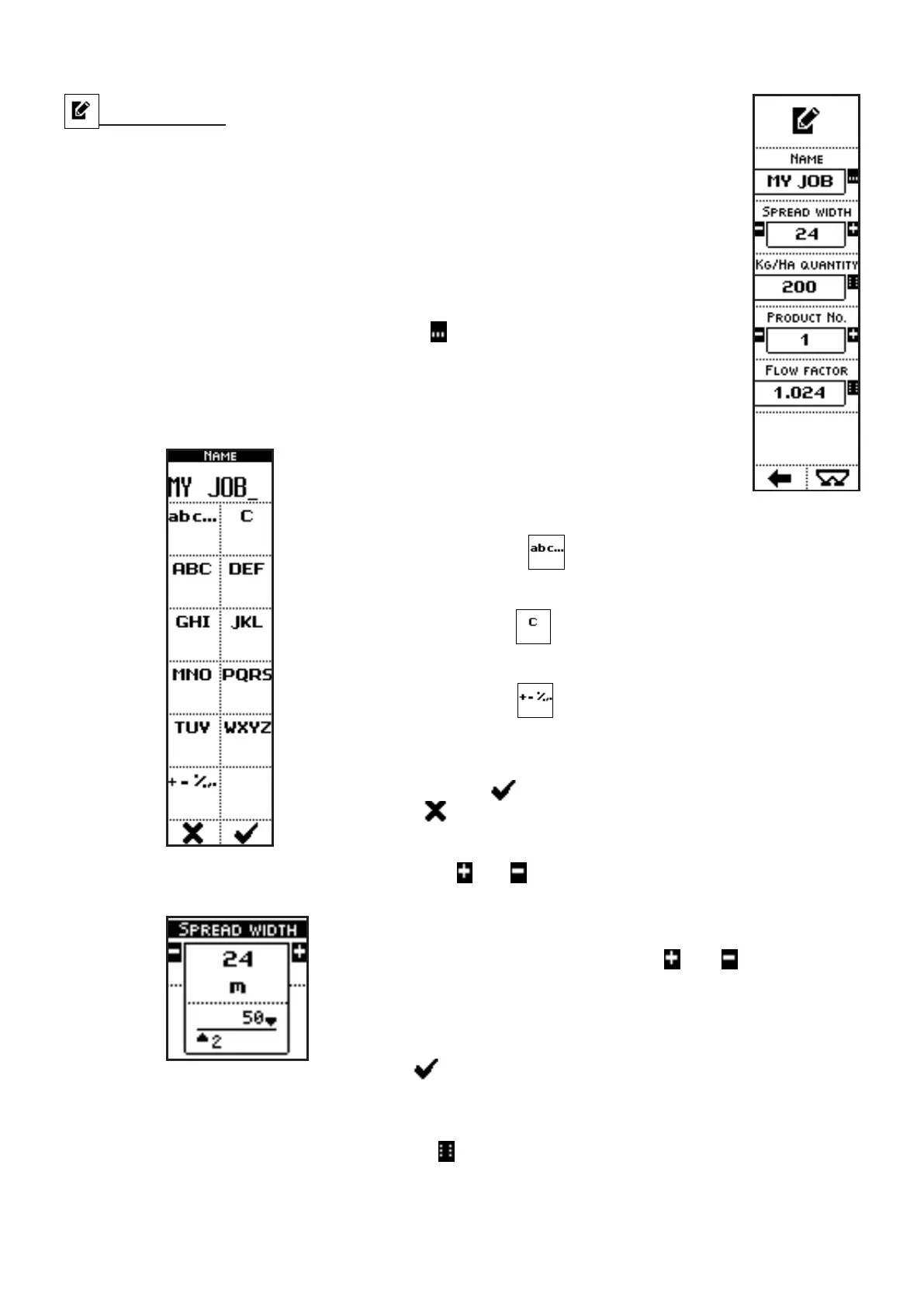
• NAME: name of the selected job;
• SPREAD WIDTH: total spreading width (left + right) for the selected job;
• KG/HA QUANTITY: fertilizer density to be spread, for the selected job;
• PRODUCT NUMBER: number of the used product, for the selected job;
• FLOW FACTOR: modulation factor for the product flow value;
COMMANDS
• Press the side key near to the icon
to access a screen where character
strings can be inserted:
In the case of the parameter NAME, for instance,
pressing the side keys near to the icons containing the
letters, up to 13 characters can be inserted.
The side key near the icon
allow selection of upper case, lower
case or numerical characters.
The side key near the icon
clears the last inserted character.
When kept pressed, the whole string is cleared.
The side key near the icon
allows symbols insertion into the string
(+ - % , .).
Once inserted the characters string, exit from the menu confirming with
the key below the icon or quit without confirm by pressing the key
below the icon .
• Press the side keys near to the icons and to access to a screen where the value of a
parameter can be edited:
In the case of the parameter SPREAD WIDTH, for instance,
pressing the side keys near to the icons
and , the parameter
value can be modified in the range from 0 to 50 meters
In the case of the parameter PRODUCT NUMBER, the range is
between 1 and 40.
The parameter value can be confirmed by pressing the key below
the icon or simply waiting: after 3 seconds, the system goes
back to previous screen.
• Press the side key near to the icon
to access a screen where numbers can be inserted,
through the icons near the numbers and the decimal point:



 To Next Page