DigiDevice
12
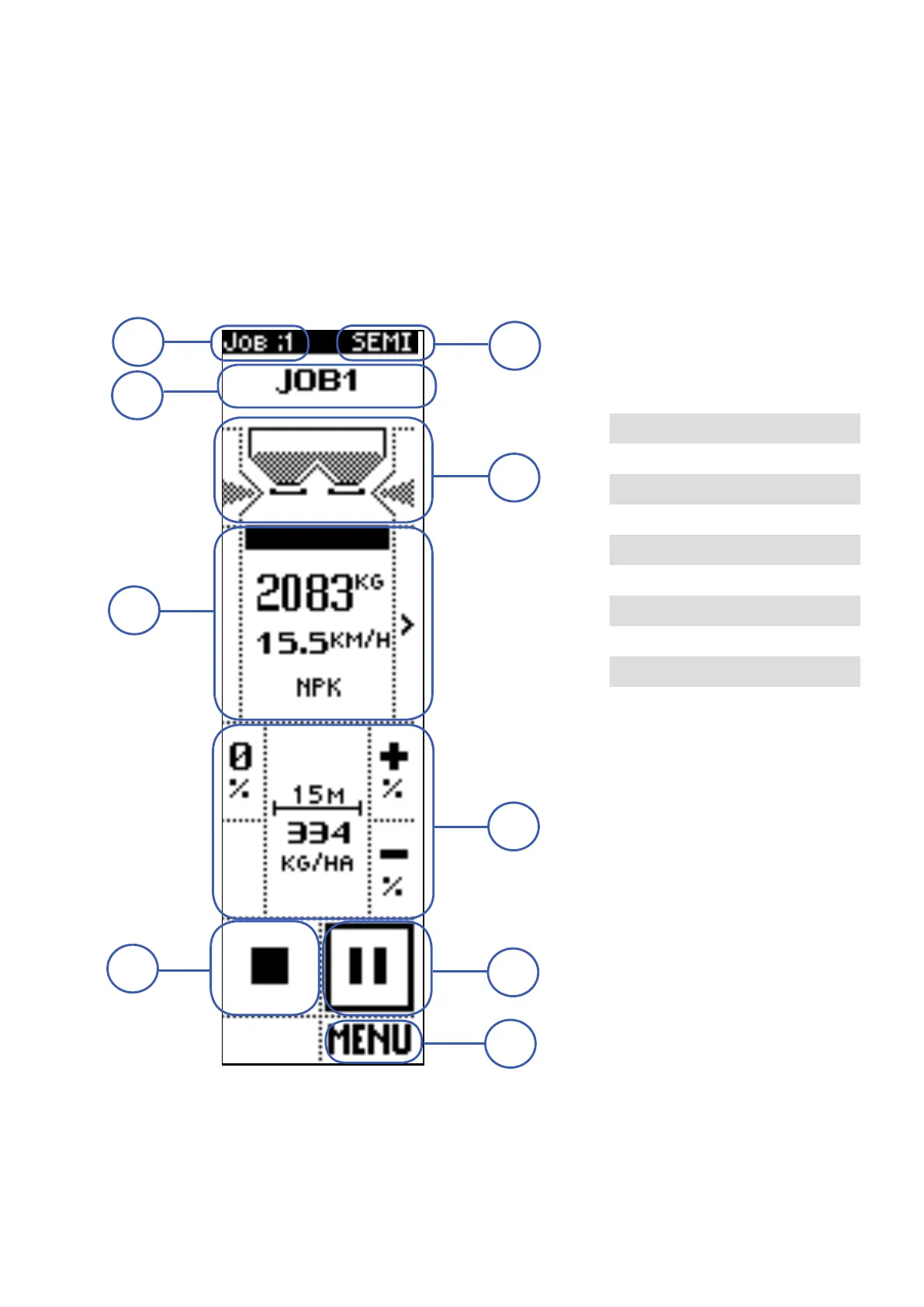
Operating screen: SEMI-AUTOMATIC mode
In semi-automatic mode the machine spreads the set quantity per hectare of product, adjusting the
shutters opening based on tractor speed.
In order to distribute the set product quantity, the shutters opening level is defined, besides then the
product base calibration, also on a re-calibration that the system performs periodically, with the machine
stopped. The system requires the calibration at programmable weight steps: the operator, after stopping
the machine, presses the confirm key to enable calibration.
The screen is divided in different areas, each of them containing displayed data and/or commands.
1 JOB NUMBER
2 OPERATING MODE
3 JOB NAME
4 HOPPER STATUS
5 INFORMATION
6 ADJUSTMENTS
7 STOP
8 START / PAUSE
9 MENU
1
7
9
5
4
3
2
6
8



 To Next Page