DigiDevice
24
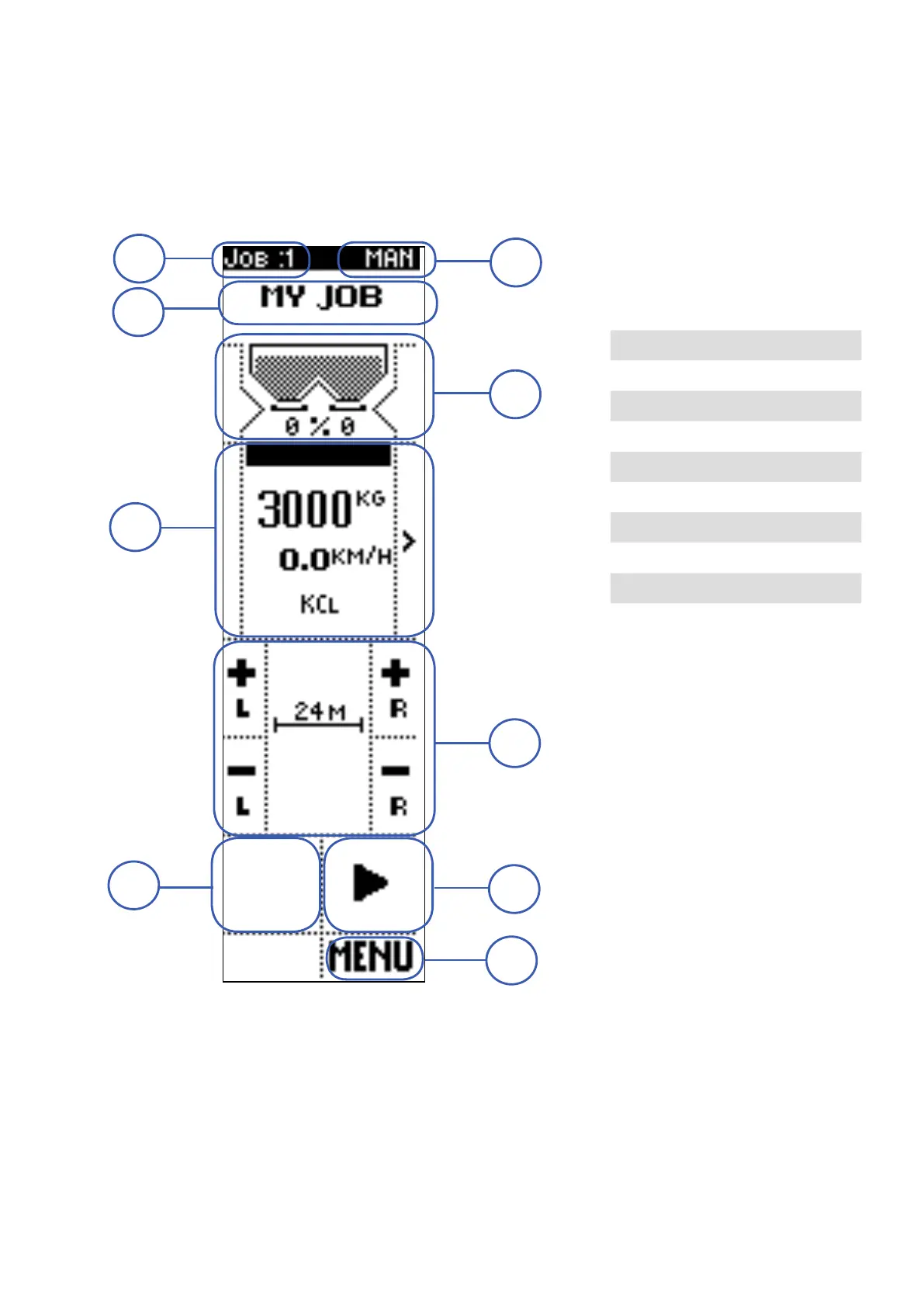
Operating screen: MANUAL mode
In manual mode, through the commands below, the operator adjusts the shutters opening level, to
change the product quantity to be spread.
The screen is divided in different areas, each of them containing displayed data and/or commands.
1. JOB NUMBER
VISUALIZATIONS
• Number of the active job
1 JOB NUMBER
2 OPERATING MODE
3 JOB NAME
4 HOPPER STATUS
5 INFORMATION
6 ADJUSTMENTS
7 STOP
8 START / PAUSE
9 MENU
1
7
9
5
4
3
2
6
8



 To Next Page