DigiDevice
48
Interface Options [9]
VISUALIZATIONS
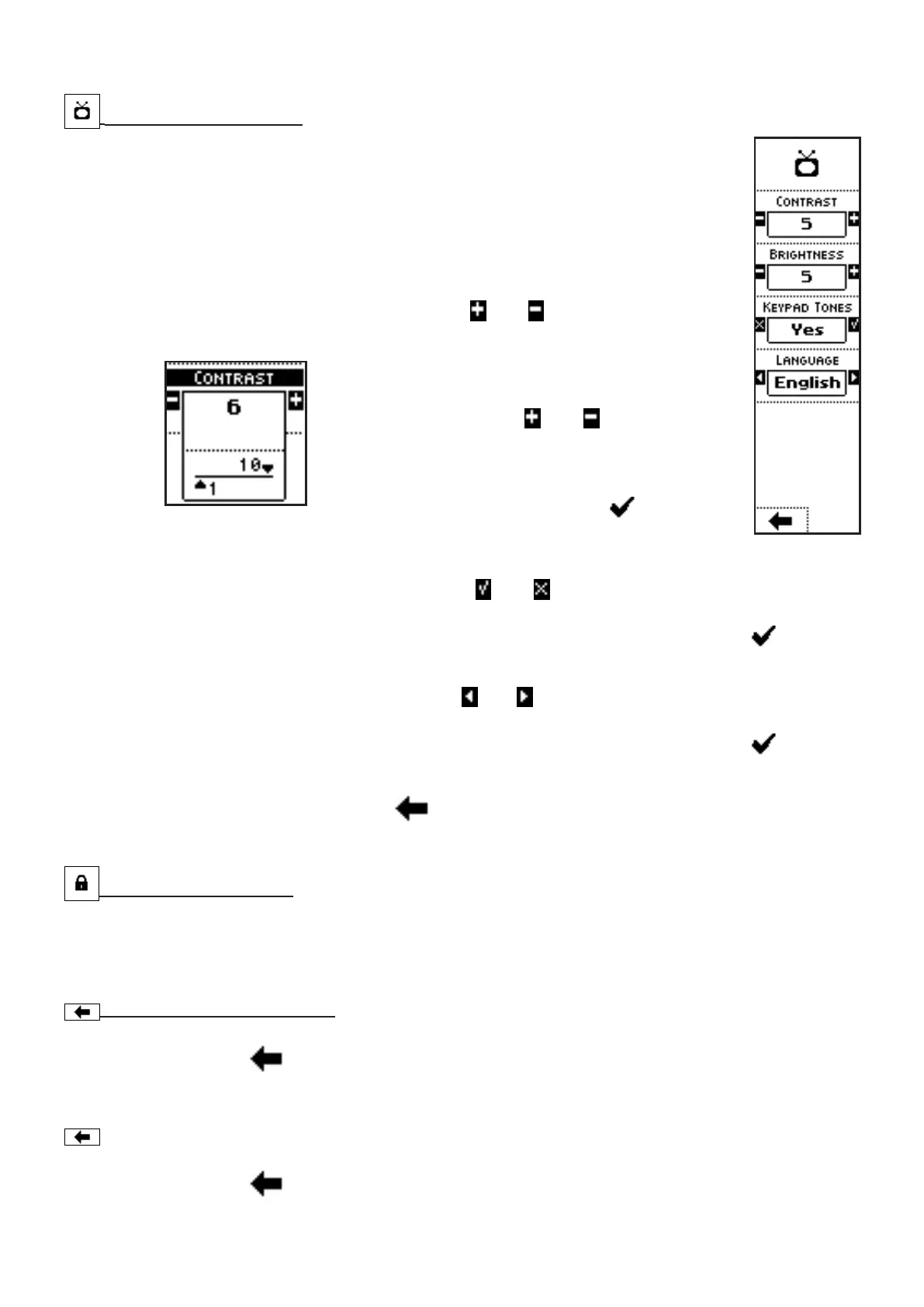
• CONTRAST: display contrast level;
• BRIGHTNESS: backlighted display brightness level;
• KEYPAD TONES: beep on key pressed;
• LANGUAGE: interface language.
COMMANDS
• Press the side keys near to the icons
and to access to a screen
where the value of a parameter can be edited:
In the case of the parameters CONTRAST and
BRIGHTNESS, for instance, pressing the side
keys near to the icons
and , the parameter
value can be modified in the range from 1 to 10.
The parameter value can be confirmed by
pressing the key below the icon or simply
waiting: after 3 seconds, the system goes back to
previous screen.
• Press the side keys near to the icons
and , to select whether to activate or not a
function. In this case, a beep on key pressed.
The parameter value can be confirmed by pressing the key below the icon or simply
waiting: after 3 seconds, the system goes back to previous screen.
• Press the side keys near to the icons
and , to select a different parameter value in a
preset list. In this case, the interface language.
The parameter value can be confirmed by pressing the key below the icon or simply
waiting: after 3 seconds, the system goes back to previous screen.
• Press the key below the icon
to go back to previous menu.
Reserved Area [10]
Menu containing diagnostic data for the manufacturer
Back to Main Menu [11]
The key below the icon allow return to Main Menu.
Return to Operating Screen [7]
The key below the icon allow return to the Operating Screen.



 To Next Page