DigiDevice
30
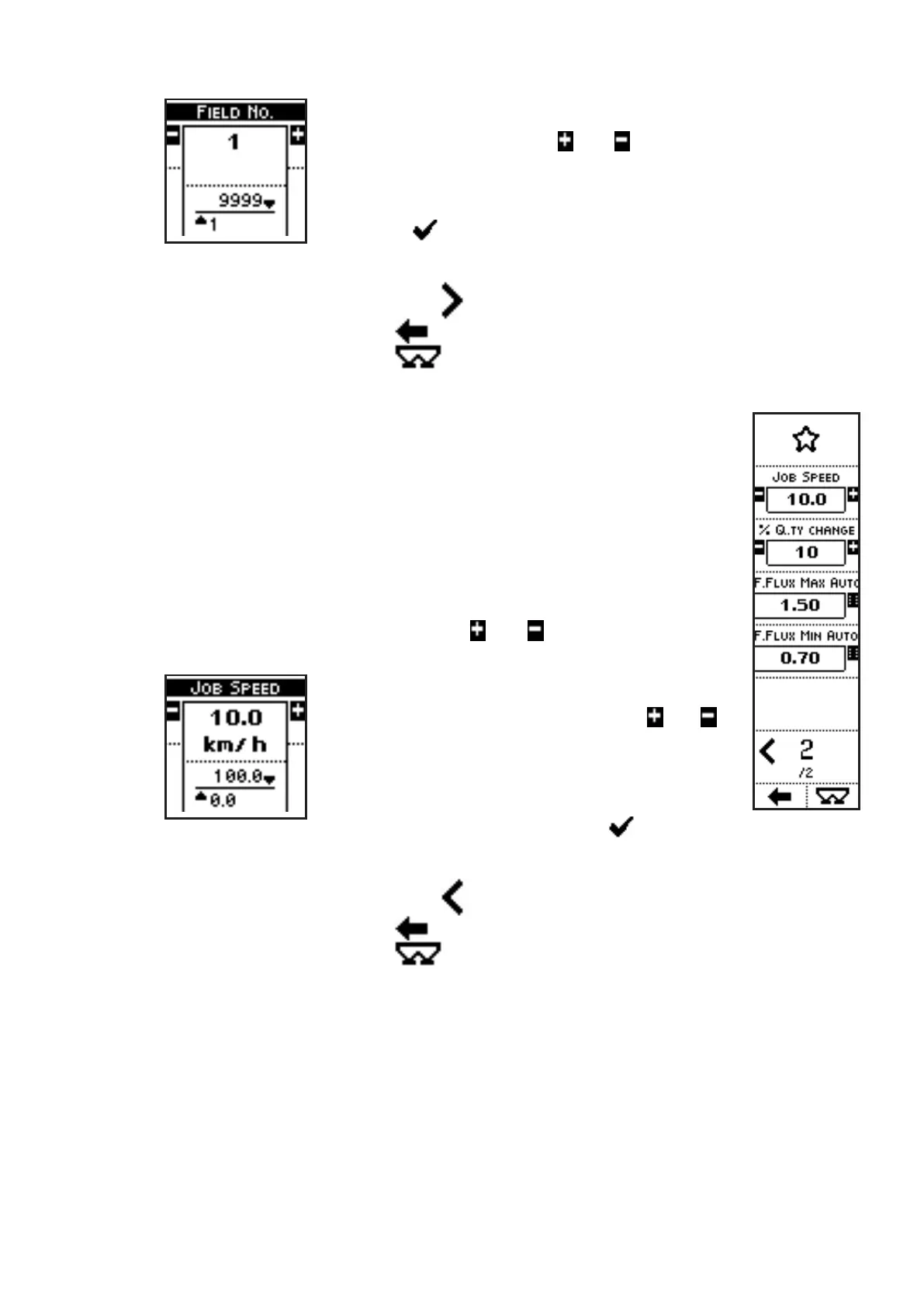
In the case of the parameter FIELD NO., for instance, pressing the
side keys near to the icons
and , the parameter value can be
modified in the range from 1 to 9999.
The parameter value can be confirmed by pressing the key below
the icon
or simply waiting: after 3 seconds, the system goes
back to previous screen.
• Press the side key near to the icon
to access the next page;
• Press the key below the icon
to go back to previous menu;
• Press the key below the icon
to directly access the working screen.
VISUALIZATIONS (page 2)
• JOB SPEED: speed value used by the system for evaluations;
• % Q.TY CHANGE: minimum step for the quantity per hectare displayed
in operating screen;
• F. FLUX MAX AUTO: maximum value that the system can assign to the
parameter “FLUX FACTOR” during re-calibration in AUTO mode;
• F. FLUX MIN AUTO: minimum value that the system can assign to the
parameter “FLUX FACTOR” during re-calibration in AUTO mode;
COMMANDS (page 2)
• Press the side keys near to the icons
and to access to a screen
where the value of a parameter can be edited:
In the case of the parameter JOB SPEED,
pressing the side keys near to the icons
and ,
the parameter value can be modified in the range
from 0 to 100 km/h.
The parameter value can be confirmed by
pressing the key below the icon or simply
waiting: after 3 seconds, the system goes back to previous screen.
• Press the side key near to the icon
to access the previous page;
• Press the key below the icon
to go back to previous menu;
• Press the key below the icon to directly access the working screen.



 To Next Page