Spreader - User Manual
9
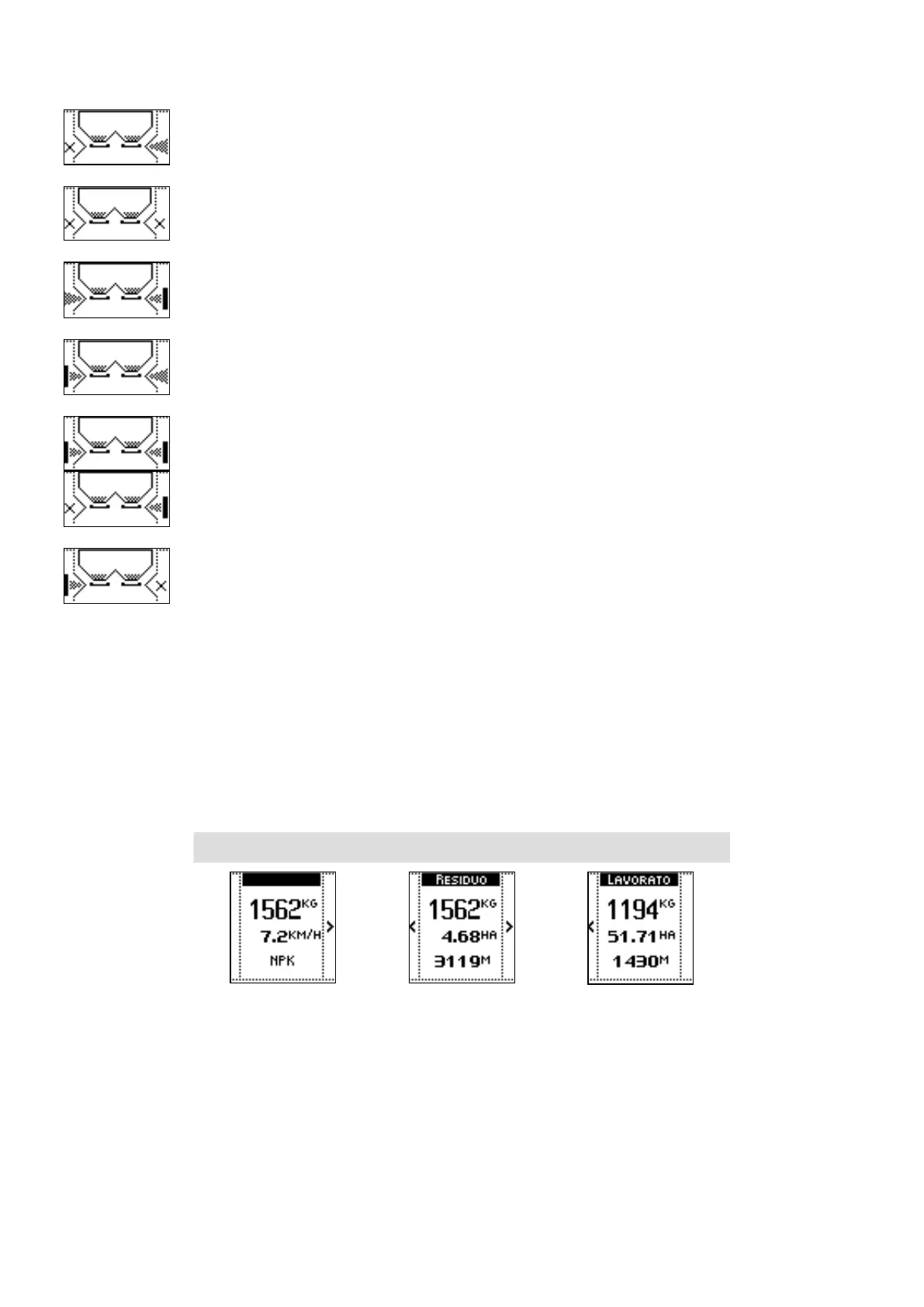
LEFT SHUTTER CLOSED
BOTH SHUTTERS CLOSED
BORDER FUNCTION ACTIVE ON THE RIGHT, LEFT SHUTTER OPEN
BORDER FUNCTION ACTIVE ON THE LEFT, RIGHT SHUTTER OPEN
BORDER FUNCTION ACTIVE ON LEFT AND RIGHT
BORDER FUNCTION ACTIVE ON THE RIGHT, LEFT SHUTTER CLOSED
BORDER FUNCTION ACTIVE ON THE LEFT, RIGHT SHUTTER CLOSED
COMMANDS
• The side keys near to the hopper graphic allow status changing for the left and right
shutters, by closing / selecting the border function / opening the shutters
5. INFORMATIONS
VISUALIZATIONS
• Measures and counters regarding the working in progress, arranged on different sections:
SECTION 1 SECTION 2 SECTION 3
SECTION 1
• Weight of the product in the hopper
• Tractor speed;
Refer to the paragraph regarding the Tractors settings in Advanced settings for further details about
speed detection based on the tractor.
• Name of the product in the hopper (defined in the job).
Refer to the paragraph regarding the Job in the Main Menu for further details about the product in job
configuration.



 To Next Page