DigiDevice
20
Refer to the paragraph regarding the Job in the Main Menu for further details about job configuration
2. OPERATING MODE
VISUALIZATIONS
• Selected operating mode (SPEED, in this case), among the options MANUAL, SPEED,
SEMI-AUTOMATIC and AUTOMATIC.
Refer to the paragraph regarding the work preferences in Advanced settings for further details about
the execution mode.
3. JOB NAME
VISUALIZATIONS
• Name of the active job
Refer to the paragraph regarding the Job in the Main Menu for further details about job configuration.
4. HOPPER STATUS
VISUALIZATIONS
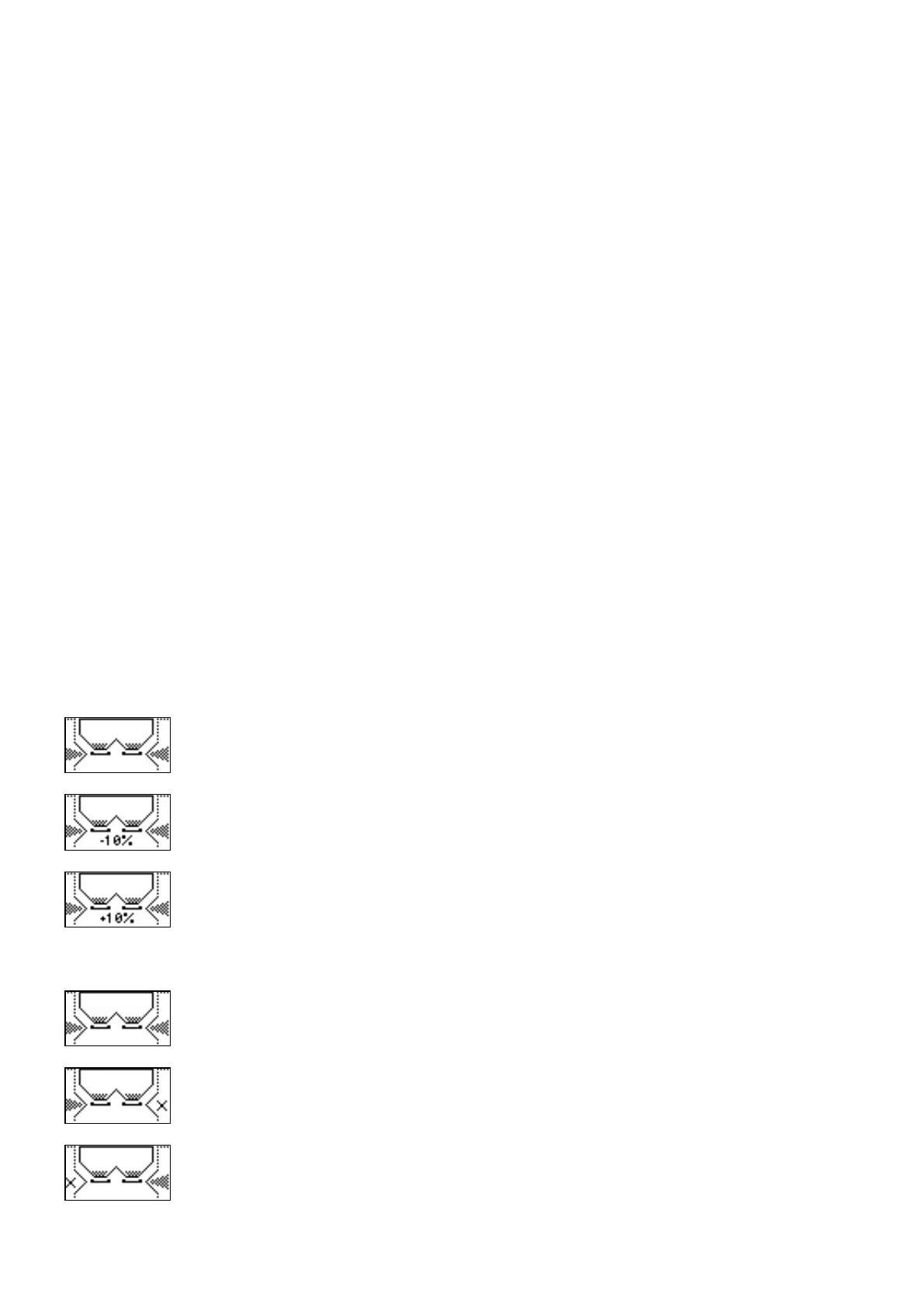
• Product quantity in the hopper (graphic)
• Spreading rate. If the spreading rate is different than the nominal setting, under the hopper
graphic is shown the increment or decrement percentage compared to the nominal value.
Adjustment of such value can be done through the commands described at the following
point 6 (ADJUSTMENTS)
THE SYSTEM IS SPREADING THE NOMINAL QUANTITY PER HECTARE
THE SYSTEM IS SPREADING A QUANTITY PER HECTARE DECREASED BY
10% COMPARED TO THE NOMINAL
THE SYSTEM IS SPREADING A QUANTITY PER HECTARE INCREASED BY
10% COMPARED TO THE NOMINAL
• Left and right shutters status:
BOTH SHUTTERS OPEN
RIGHT SHUTTER CLOSED
LEFT SHUTTER CLOSED



 To Next Page