DigiDevice
26
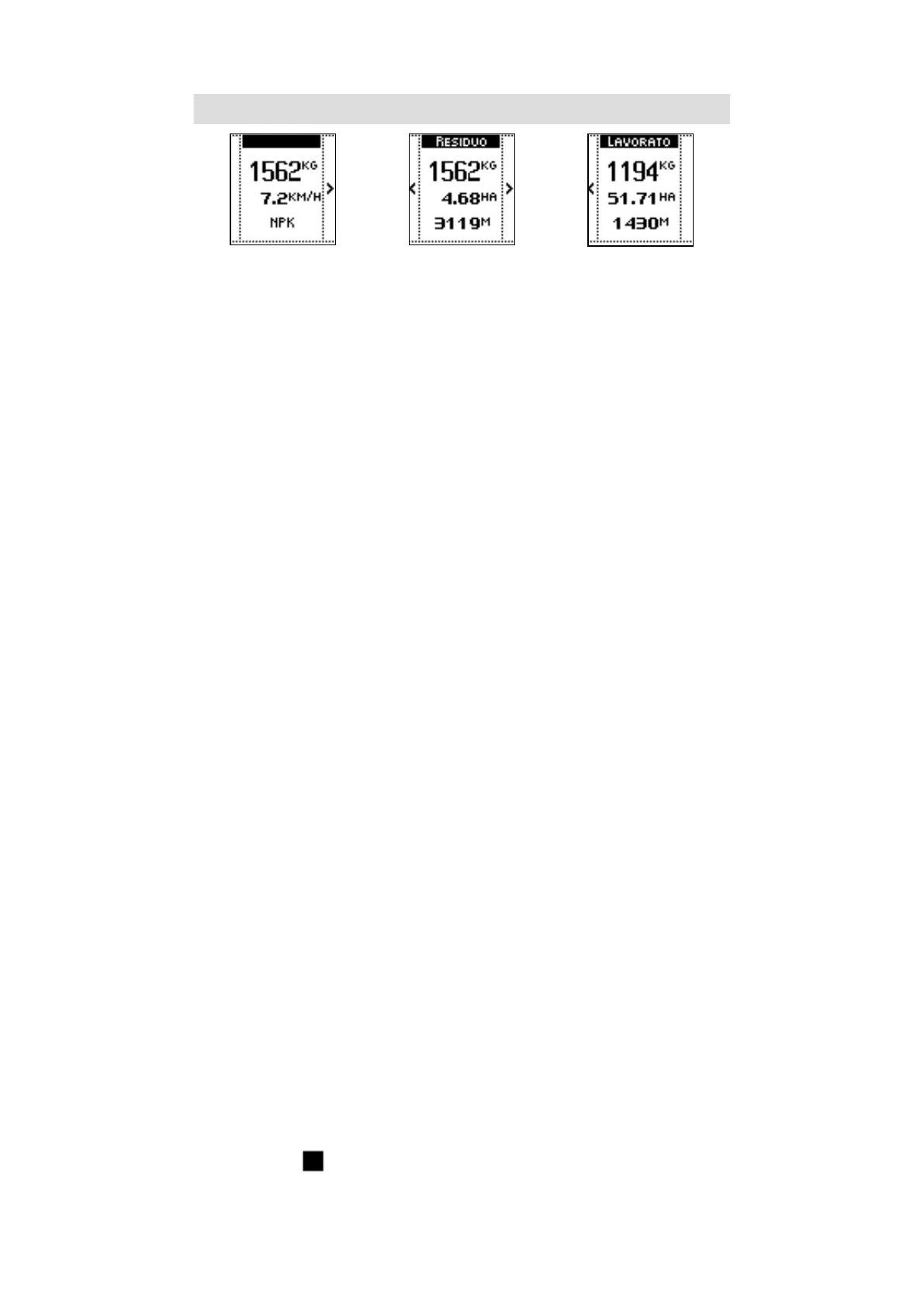
SECTION 1 SECTION 2 SECTION 3
SECTION 1
• Weight of the product in the hopper
• Tractor speed;
Refer to the paragraph regarding the Tractors settings in Advanced settings for further details about
speed detection based on the tractor.
• Name of the product in the hopper (defined in the job).
Refer to the paragraph regarding the Job in the Main Menu for further details about the product in job
configuration.
SECTION 2 (RESIDUAL)
• Weight of the product in the hopper
• Residual hectares counter: fertilizable earth surface with the quantity of fertilizer in the
hopper, with actual working settings;
• Residual meters counter: distance that can be traveled spreading the quantity of fertilizer
in the hopper, with actual working settings.
SECTION 3 (WORKED)
• Weight of the product spread since the beginning of execution
• Worked hectares counter: fertilized earth surface since work beginning;
• Worked meters counter: traveled distance since work beginning.
COMMANDS
• The side keys allow passing through sections.
6. ADJUSTMENTS
VISUALIZATIONS
• Spreading width.
Refer to the paragraph regarding the Job in the Main Menu for further details about such data in job
configuration.
• Icons near the 4 keys to adjust open/close level of the left and right shutter
COMMANDS
• The side key near to each icon allow modification of the left and right shutters position
in the range 0 (closed shutter) - 100% (fully open shutter). Visualization of the shutters
opening values is described at previous point 4 (HOPPER STATUS)
7. STOP
VISUALIZATIONS
• The STOP icon (
) appears once the machine starts spreading (see following point 8).



 To Next Page