1
Introduction
Product overview
14 / 116
Maquet PowerLED II
IFU 01811 EN 10
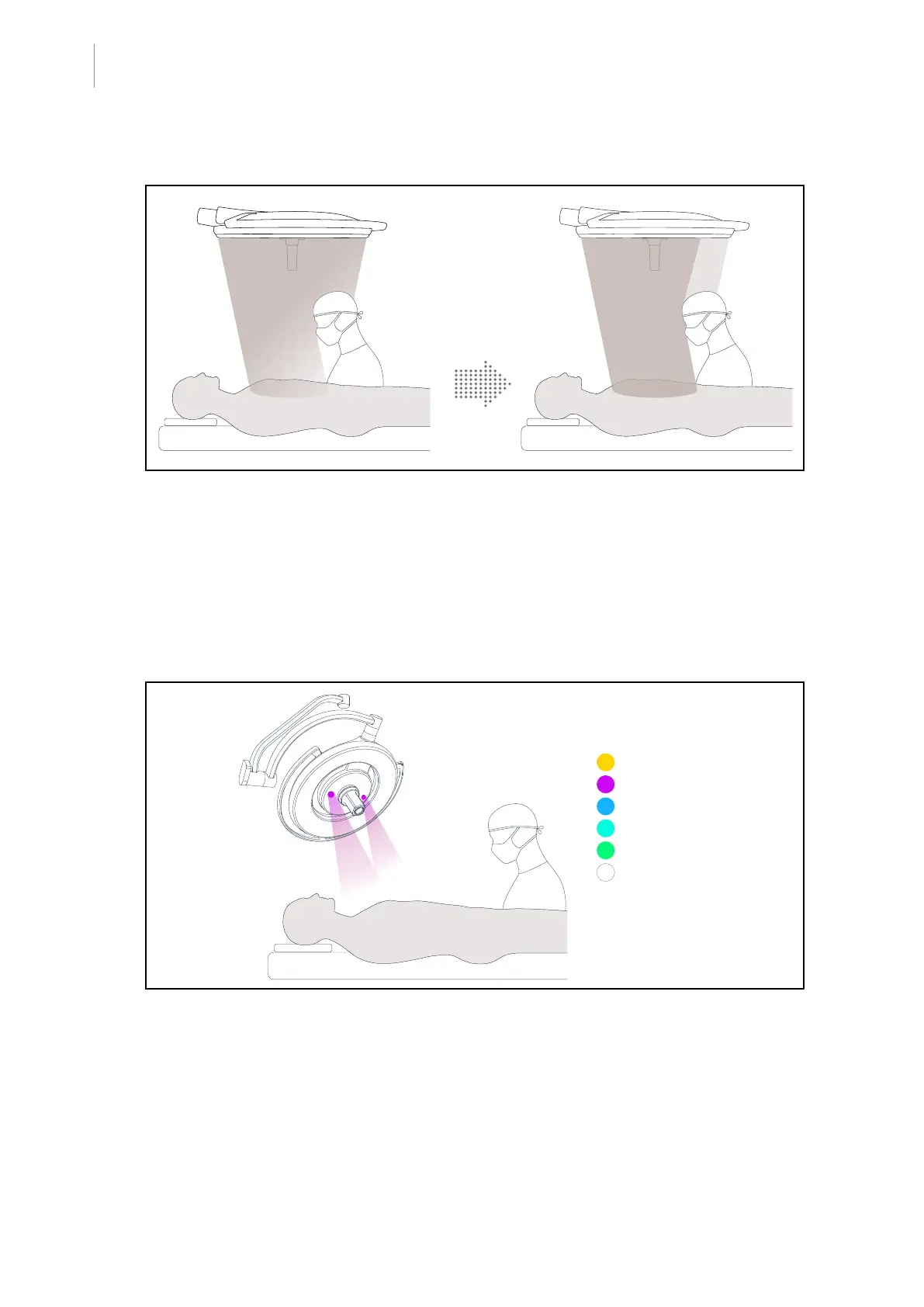
AIM mode
Fig.5: Presence of one or two surgeons
This function automatically compensates for the loss of illumination due to the presence of
obstacles (surgeons’ head or shoulders) between the lighthead and the surgical site. Power is re-
duced in the obstructed LEDs and increased in the unobstructed LEDs in order to:
• Stabilize the illumination at the surgical site
• Allow freedom of movement for the surgical team
• Improve the surgeon’s working conditions
Ambient light
Yellow
Purple
Blue
Turquoise
Green
White
Fig.6: Ambient light function
Multi-coloured ambient lighting enhances contrast to enable easier viewing of monitors during
minimally invasive procedures. It provides the surgical team and the anaesthetist with minimal
lighting during minimally invasive procedures. It also creates a calm atmosphere to welcome pa-
tients, thereby minimising stress.


 To Next Page
 Loading...







