The first start
Start wizard 1
Using the Startup Wizard, you can set up your GigaBlue box in a few minutes.
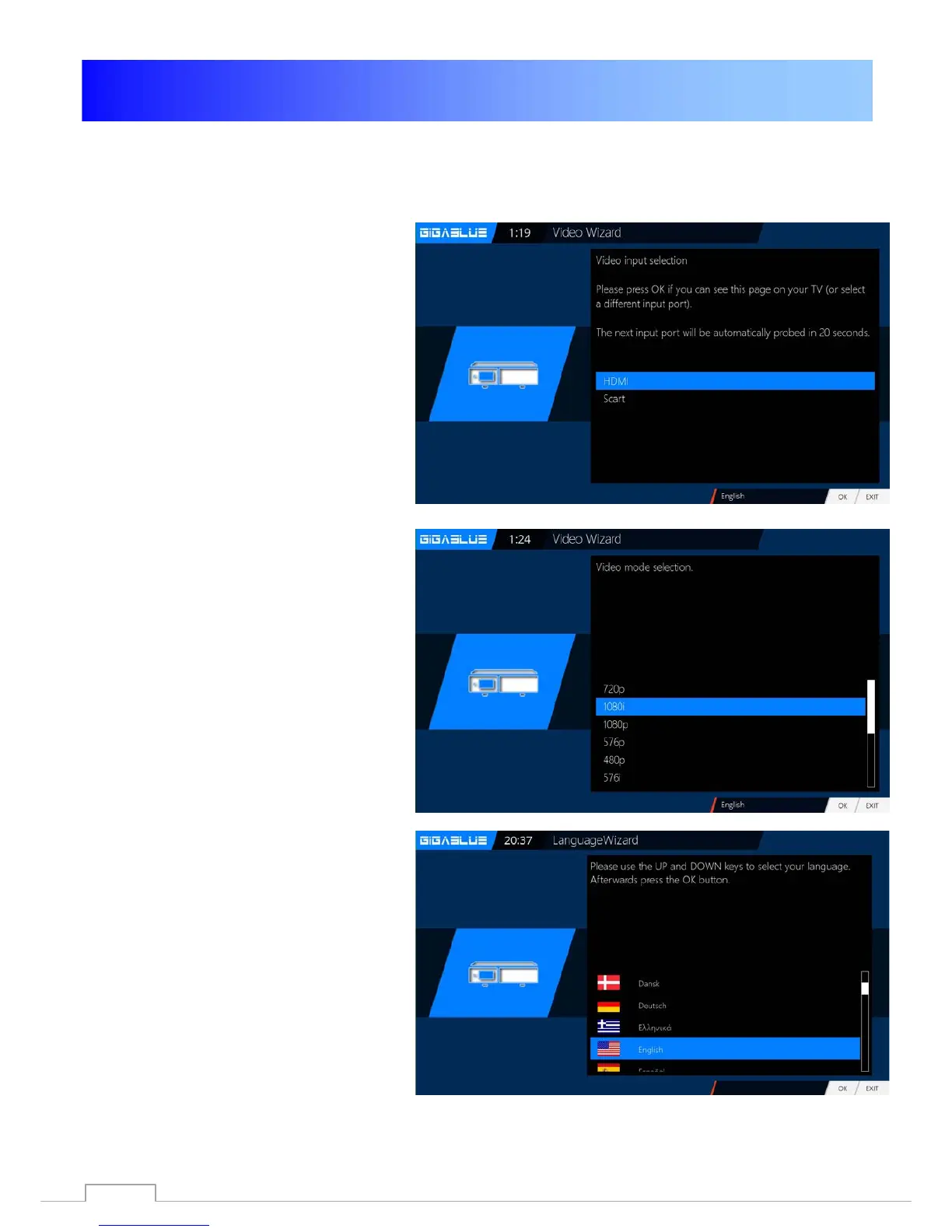
When you first start the GigaBlue you get
the following Fig.1. Set the video output
on. You have the ability to determine the
outcome of the arrow keys ▲ ▼ and
press the OK button.
Then set the coding a, it can be reached
with the arrow keys ▲ ▼ and confirm with
the OK button Fig.2.
In the next steps Langue:
Then select with the arrow keys ▲ ▼
language Fig. 3 and press the OK button.
Fig.1
Fig. 2
Fig.3
15


 To Next Page