Webbrowser GigaBlue Box
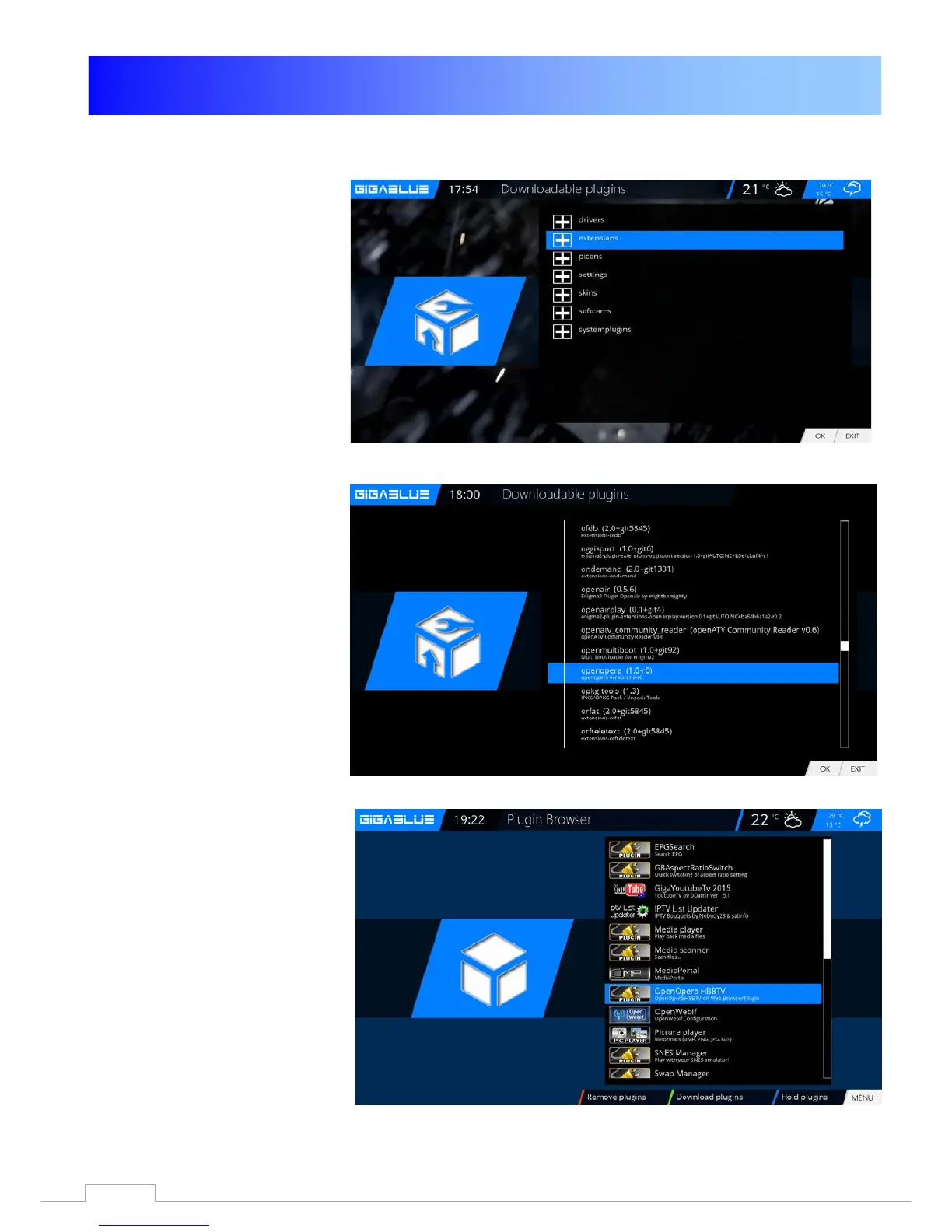
Install Webbrowser
Please go to the Menu
Extensions and press the
GREEN button. Fig.1
The plugin information is loaded.
Scroll down to the next screen,
extensions and open the folder
with the OK button.
Now go down to open Opera Fig.
2
Start the download with the OK
button and confirm the next
window with Yes. Fig.3.
The download will start.
Please wait until installation is
finished. After installing please
GigaBlue Box start new.
You can find the browser
Under the Plugin Browser
Opera Webbrowser
Fig.1
Fig.3.
Fig.2.
.
Fig.3
80



 To Next Page